Notes
¡Opening the disc tray or turning off the
power will erase all markers.
¡Selecting “AC” at step [2] in the sec-
tion “To set a marker” will also erase
all markers.
¡To clear a marker, select the marker to
be cleared at step [2] in the section
“To return to the marker later,” and
then press the CLEAR/C.RESET but-
ton.
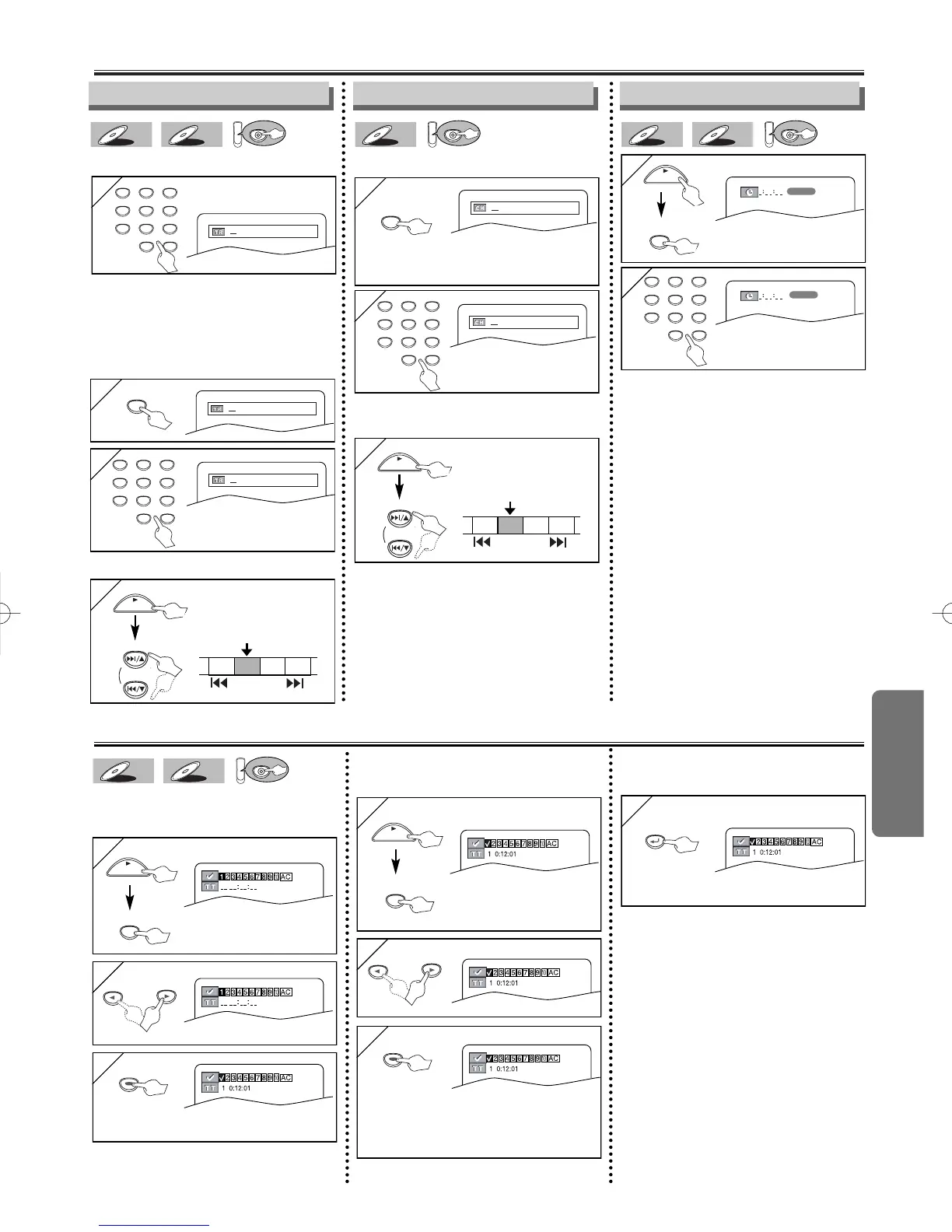
Marker Setup
This feature allows you to assign a specific
point on a disc to be called back later.
T
T
o set a marker
o set a marker
or
or
x repeatedly until this
screen appears
•For single digit tracks (1-9), press a
single number (eg. track 3, press 3).
•To play track 26, press +10, 2, 6 of the
Number buttons.
Using the SEARCH
Using the SEARCH
MODE
MODE
b
b
utton
utton
1
1
Track Search
Using the n
Using the n
umber b
umber b
uttons
uttons



 To Next Page