3
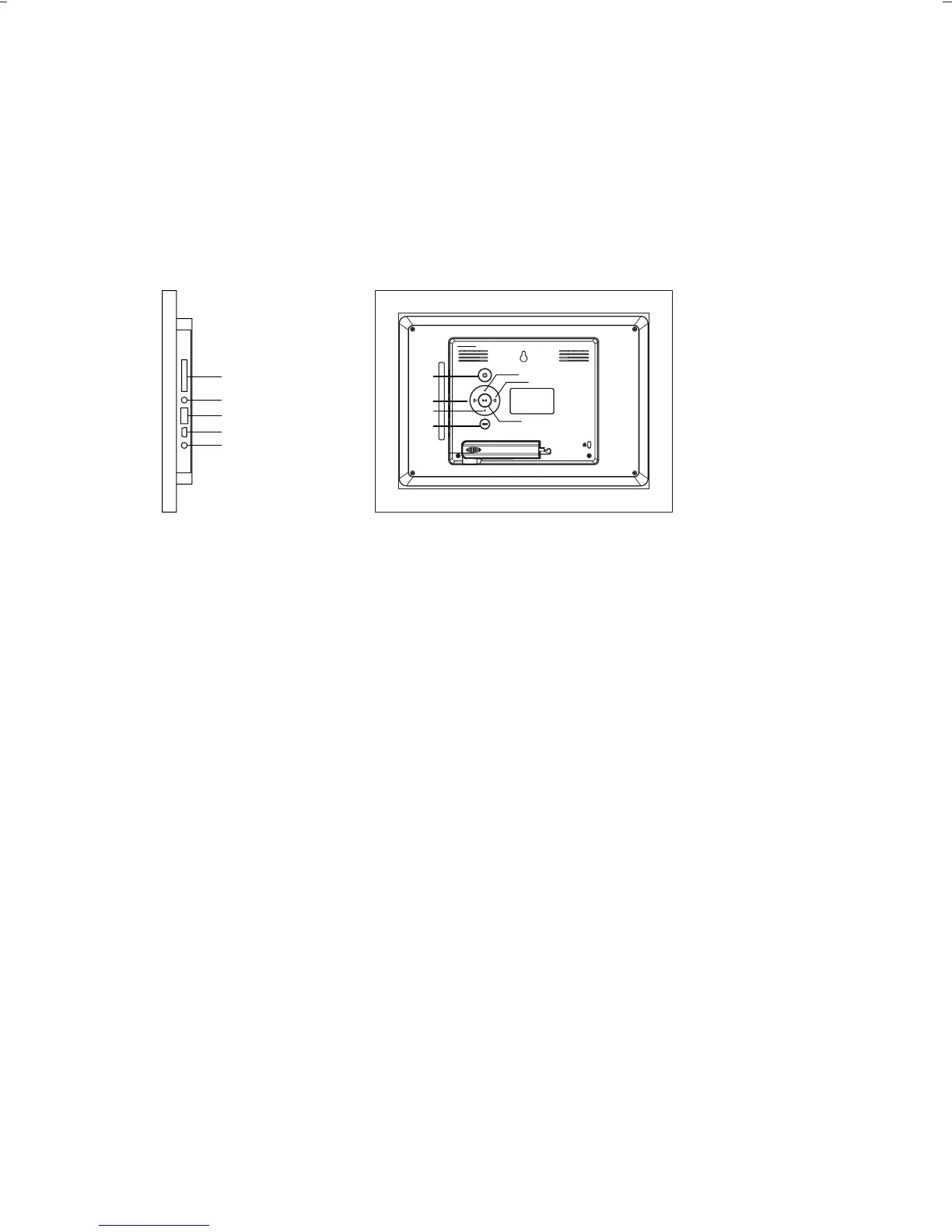
2.2 Button operation introduction for main unit
This product can be operated by pressing button as below:
Machine will recognize the card automatically, it can insert USB
and one of SD/MMC/MS card simultaneously
1
9
12
1
3
6
4
5
7
8
10
11
2
1. “POWER” button
2. “Up” / “PREV” button
3. “LEFT” / “VOL + ” / “ROTATE” button
4. “RIGHT” / “VOL - ”/ “ROTATE” button
5. “ENTER” button/ playing picture mode is normal playing /pause
6. “Down” / “ NEXT” button
7. “MENU ”/ “EXIT” button
9.Earphone
10.USB input jack
8. Memory card slot
11.Connect to PC only can read SD/MMC/MS
12.DC 12V



 To Next Page