3
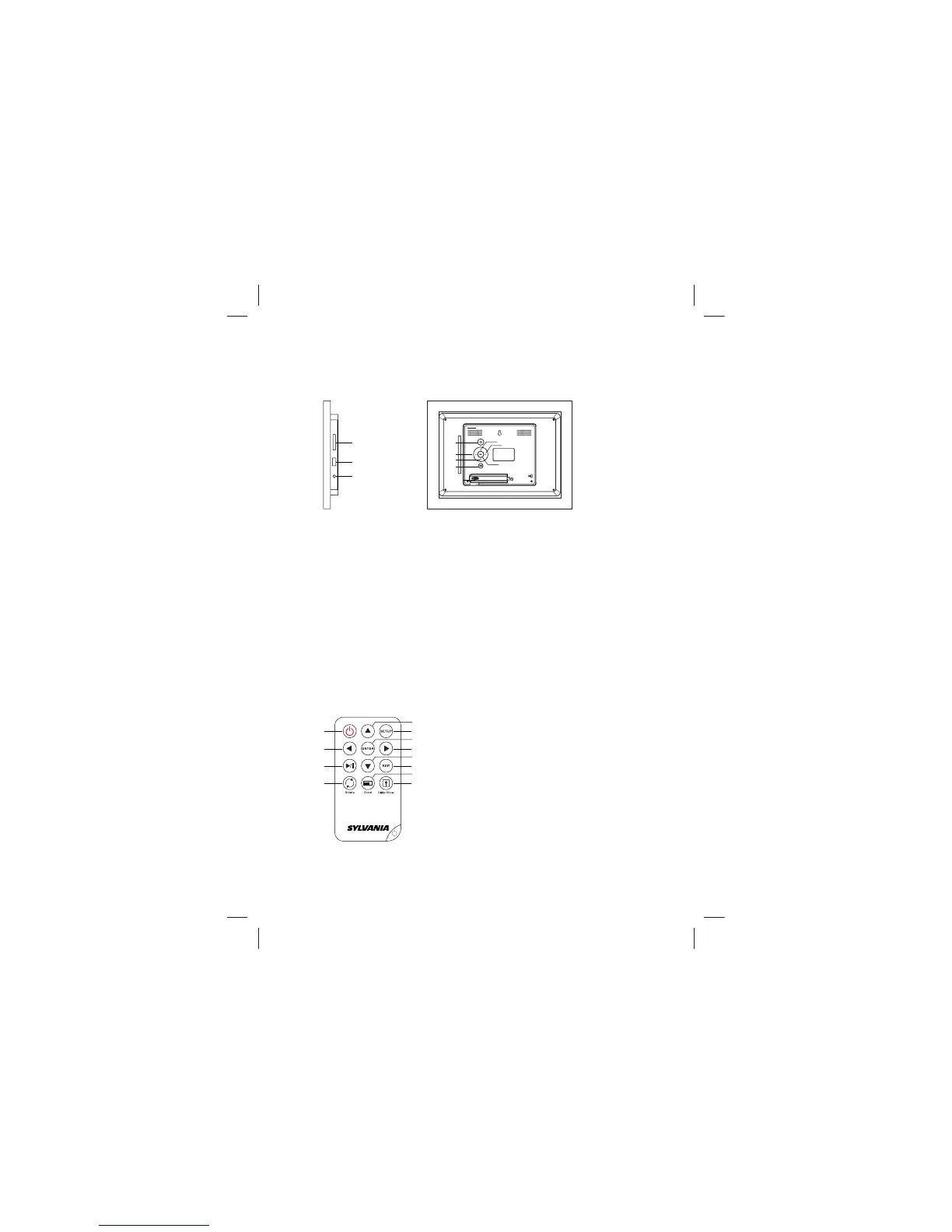
2.2 Button operation introduction for main unit
This product can be operated by pressing button as below:
1
10
1
3
6
4
5
7
8
9
2
1. “POWER” button (Press the key long to switch on/switch off)
2. “Up” / “PREV”button
3. “LEFT” / “ROTATE ” button
4. “RIGH” / “ZOOM ” button
5. “ENTER” button/ playing picture mode is normal playing /pause
6. “Down”/“NEXT” button
7. “MENU ”/“SETUP” button
8. Memory card slot
9.USB input jack
10.DC 5V
1. “Power” button
2.“Left” button
3. “Playing” / “Pause” button
4. “Rotate” button
5. “UP” button
6. “Setup” button
7. “Enter” button
9. “Down” button
10. “Exit” button
11. “Zoom” button
12. “Slide S” button
8. “Righ” button
2.3 Button of remote control manual
1
2
3
4
6
7
9
5
8
10
11
12



 To Next Page