Bluetooth Connection 5
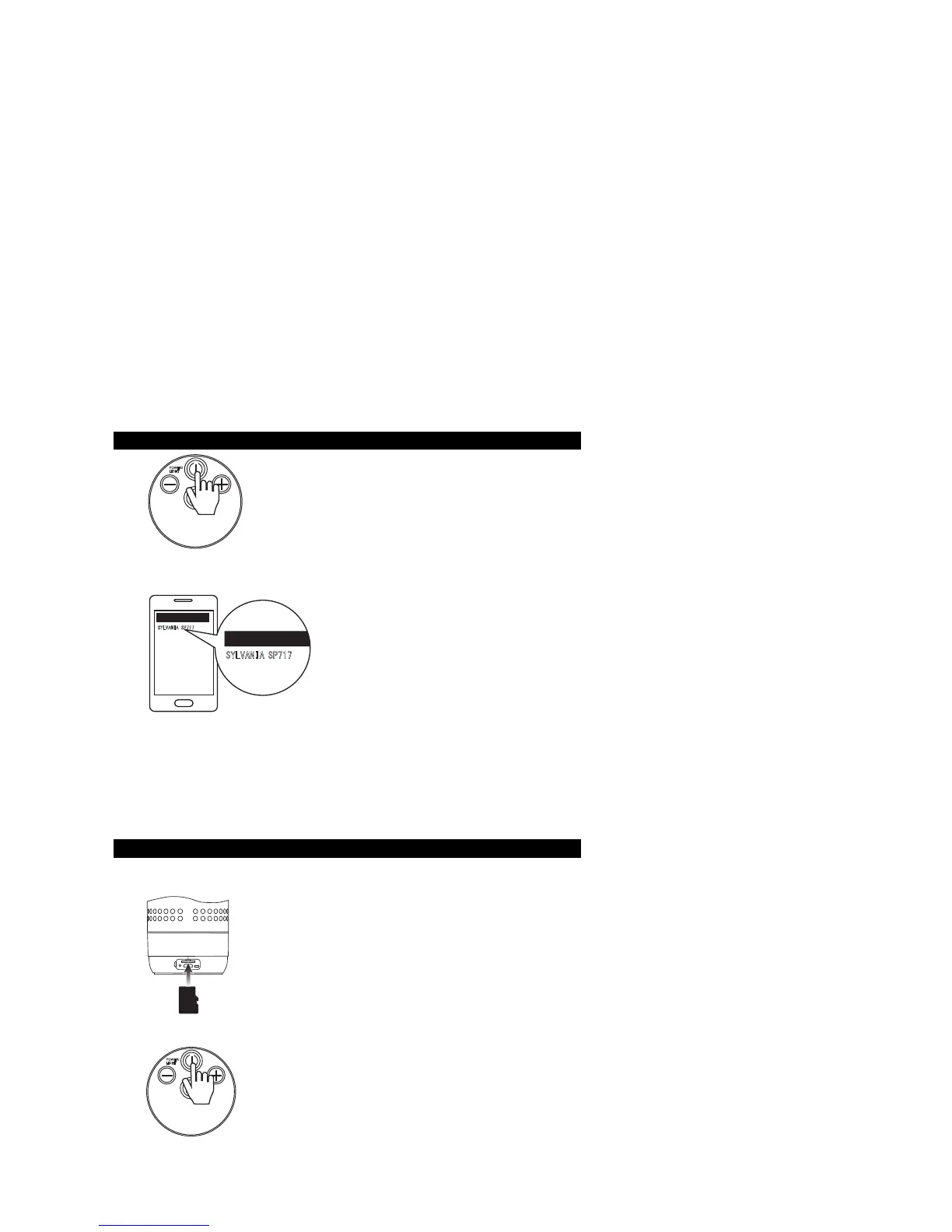
Press “POWER / LIGHT” button and hold for 3 seconds,
then prompt voice for Bluetooth connection, blue LED light
flashing, Bluetooth is ready for connection.
Click the settings in Bluetooth devices, then
search for device list and find “SYLVANIA
SP717”, then click for connection. Blue LED
light will be solid and will have a voice
“Bluetooth connected” coming up. Now the
Bluetooth is connected su
ccessfully.
Notes:
1. TF card without insert the slot.
2. SP717 Bluetooth Speaker can be connected to mobile phone or tablets with a
Bluetooth chip inside, and can be paired with notebook, compatible with ios,
android and other mainstream operating system..
3. After connection successfully, restart the speaker, the Bluetooth will be connected
last device automatically.
TF card music playing mode 6
Enter TF Card Music Playing Mode
Insert TF cart with music files into the TF slot, press and
hold the “POWER / LIGHT” button to turn on the speaker,
there will have a voice coming up “Music”, then the speaker
will be playback the music automatically.
Exit TF Card Music Playing Mode
When pull out the TF card, can exit TF card playing mode,
and shift to Bluetooth playing mode.
Note: Support music forma
t MP3, WAV.
POWER/
L
IGHT
POWER/
L
IGHT
SD
CARD
SYLVANIA S
P71
7
Device List
Device List
SYLVAN
IA
S
P7
17


 To Next Page