
 To Next Page
K
Kathleen SnyderSep 3, 2025
What to do if the playback picture is partially noisy on my Sylvania SSD803?
- MMike FieldsSep 3, 2025
To improve the picture quality, adjust the tracking control by pressing CHANNEL ( ) on the DVD/VCR COMBINATION UNIT.

What to do if the playback picture is partially noisy on my Sylvania SSD803?
To improve the picture quality, adjust the tracking control by pressing CHANNEL ( ) on the DVD/VCR COMBINATION UNIT.
Why is timer recording impossible on my Sylvania SSD803 DVD VCR Combo?
If timer recording is not working, ensure that the timer recording is set correctly. Make sure the power is off and that the VCR clock is set correctly.
What to do if my Sylvania SSD803 has no picture?
If there is no picture, first, ensure that the video cables are firmly connected. Next, make sure you have inserted a correct video disc that is compatible with the player. Press the DVD button on the remote control and check if the DVD OUTPUT Light is lit. Then, try other DVD features.
What to do if I cannot go into Record mode on my Sylvania SSD803?
To enable Record mode, first, check if the tape has a safety tab. If there is a hole, cover it with cellophane tape. Ensure the player is in VCR mode by pressing the VCR button on the remote control until the green VCR OUTPUT light is lit.
What to do if my Sylvania DVD VCR Combo disc cannot be played?
If a disc cannot be played, first, make sure the disc is inserted correctly with the label side up. If it is, try cleaning the disc. Also, check if the parental lock is enabled and, if so, cancel it or change the control level.
Why are TV programs not seen normally on my Sylvania DVD VCR Combo?
If you're having trouble viewing TV programs, begin by re-checking the ANT. IN and ANT. OUT connections. Press the VCR/TV button. Ensure the unit is in VCR mode by pressing VCR on the remote and verifying that the green VCR OUTPUT light is lit. Then, set it to the TV position by pressing VCR/TV again.
What to do if there is no sound from my Sylvania DVD VCR Combo?
If you're not getting any sound, start by checking that the audio cables are firmly connected. Make sure the power to your audio component is on. Verify that the audio output settings are correct and that the input settings on the audio component are also properly configured.
Why does the Sylvania SSD803 remote control not respond?
There could be several reasons why the remote control isn't working. First, check if the power plug is connected to an AC outlet. Next, check the batteries in the remote control and replace them if necessary. Ensure you are aiming the remote control directly at the remote sensor from within 23 feet, removing any obstacles in the way. Also, verify that the correct mode (DVD or VCR) is selected on the remote control. Finally, check if a cassette tape is in the VCR.
Details on safe handling and operation of laser components.
Information on FCC regulations and managing radio frequency interference.
Comprehensive guidelines for safe operation, maintenance, and handling.
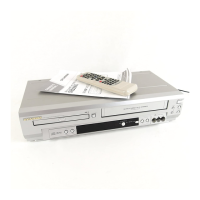
List of items provided with the DVD/VCR unit.
Explanation of symbols used in the manual for VCR, DVD, CD, MP3, and QUICK modes.
Capabilities and functions for both DVD and VCR operation modes.
Guidelines for safe placement, electrical hazards, and environmental factors.
List of compatible discs and their data organization.
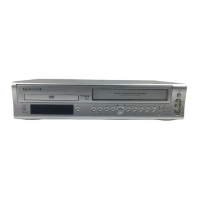
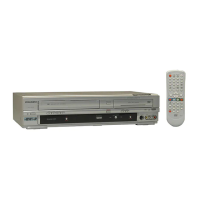
Identification and functions of front panel and remote control buttons.
Identification of input/output jacks on the rear panel and their uses.
Explanation of indicators and messages shown on the screen.
Instructions for inserting AA batteries into the remote control.
How to switch between VCR and DVD modes using the remote or front panel.
Connecting to TVs with and without A/V terminals, and RF output settings.
Connecting to TVs with advanced inputs and stereo amplifiers.
Connecting to Dolby Digital receivers and analog audio systems.
Automatic and manual channel scanning and setup.
Setting the clock and changing the on-screen language.
Normal playback, slow motion, and various search methods.
Instructions for OTR, timer, and normal recording.
Copying tapes and using the MTS sound system.
Starting playback, pause, and general disc features.
Navigating disc menus, searching, and resuming playback.
Advanced playback controls like zoom and specific searches.
Setting repeat modes and programming track sequences.
Playing random tracks, MP3 files, and selecting tracks.
Adjusting audio, subtitle languages, and camera angles.
Customizing screen displays and setting parental controls.
Configuring audio, dynamic range, and setting disc markers.
Adjusting picture brightness, display options, and sound effects.
Choosing languages for audio, subtitles, and menus on discs.
Troubleshooting guide for common operational issues with the DVD/VCR.
Instructions for unit cleaning, servicing, auto head cleaning, and disc care.
Technical details of the DVD/VCR unit.
Details of the limited warranty, parts, labor, and exclusions.
 General
| Brand | Sylvania |
|---|---|
| Model | SSD803 |
| DVD Type | DVD player |
| Remote Control | Yes |
| Video Formats | NTSC |
| Output Resolution | 480i |
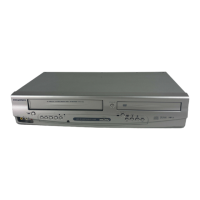
| Type | DVD / VCR Combo |
| Playable Media Format | DVD, VHS |
| Region Code | 1 |
| Connectivity | Composite Video Output |