–
18
–
EN
•
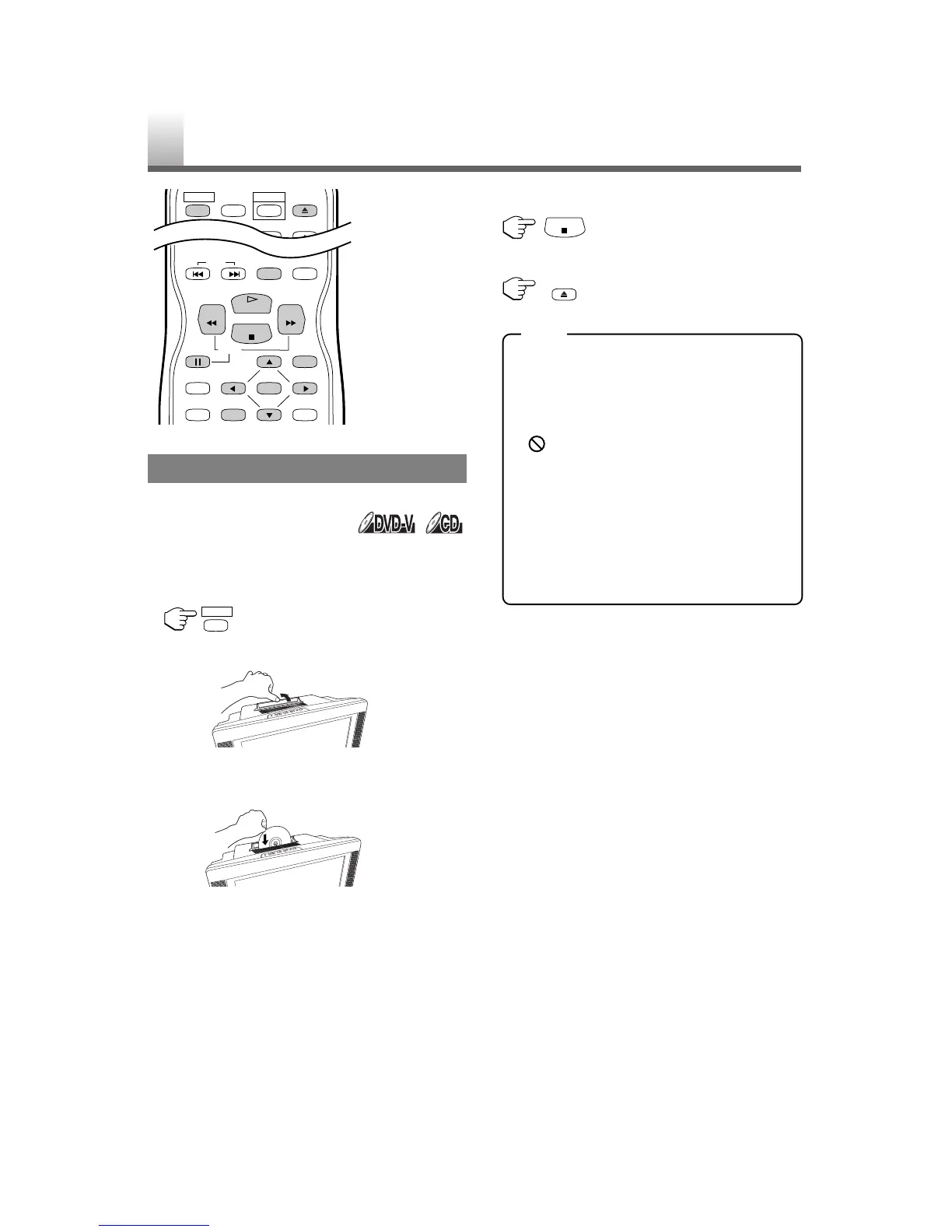
Shaded buttons are used for following operation.
GETTING STARTED
Turn on the power of amplifier and any other compo-
nents, if necessary.
1 Press [POWER] then the power will turn on.
2 Open the disc door manually.
3
Insert a disc with the label facing back of the unit to
start playing it. By simply placing the disc gently into
the slot, it will be loaded automatically.
•
Playback will start from the first chapter/track of the disc.
•
If the playback does not start automatically,
press [PLAY O].
•
When you playback a DVD which features a
title menu, it may appear on the screen. In this
case, refer to “TITLE MENU” on page 19.
4 Press [STOP C] to stop playback.
5
Press [EJECT A] to remove the disc from the unit.
•
When the DVD mode has been switched to the
TV mode, the DVD mode shuts down first and
then the TV picture and sound appears in about
4 seconds. Similarly, when [POWER] is
pressed to turn off in the DVD mode, this mode
shuts down first and then the unit is turned off.
•
“”may appear at the top-right on the TV
screen during operation, warning that a pro-
hibited operation has been encountered by the
DVD or the disc.
•
With DVDs that use titles for playback pro-
gram signals, playback may start from the
second title or it may skip these titles.
•
During the playback of a two layered disc,
pictures may stop for a moment. This happens
when the 1st layer switches to the 2nd layer.
This is not a malfunction.
PLAYING A DISC
BASIC PLAYBACK









 To Next Page