–
22
–
EN
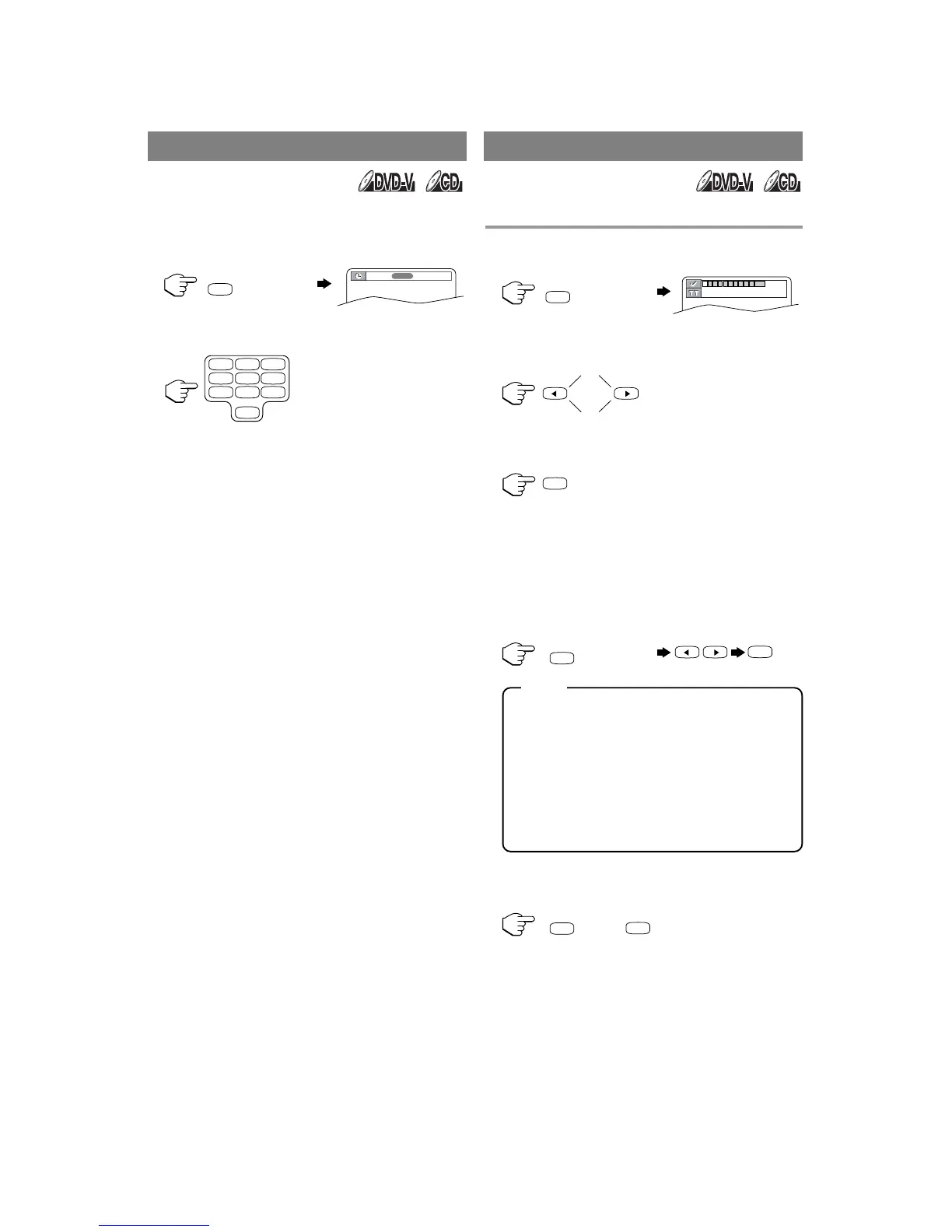
1 During playback, press [SEARCH MODE]
repeatedly to display the Time Search on the
TV screen.
2 Within 30 seconds, enter a desired disc time
using the Number buttons.
•
Playback will start at the specified time.
•
Press [CLEAR] to erase the incorrect input.
•
When there is no need to enter a number, “0”
appears automatically. For example,
“0 :0
-
:
- -
” appears in the Time Search display
if the total time of the track or title is less than
10 minutes.
Use markers to memorize your favorite places on a disc.
1 Press [SEARCH MODE] repeatedly during
playback to display the Marker screen.
2 Press [s ] or [B] to select 1, 2, 3, 4, 5, 6, 7,
8, 9, or 10 and ensure that “
- - - -
:
- -
:
- -
”
appears in the display.
3 When you reach the desired point, press
[ENTER].
•
The Title or Track and elapsed playing time will
appear in the TV screen.
4 To return to the Marker later, press [SEARCH
MODE] repeatedly during playback to display
the Marker screen. Then press [s ] or [B] to
choose the desired marker, then press
[ENTER].
•
Operations which erase all Markers:
– Turning off the power.
– Ejecting a disc from the unit.
– Pressing [SELECT].
–
Selecting “AC” at step 2 and pressing [ENTER].
•
To clear a marker:
– Press [s ] or [B] to select a cursor on to
the marker number and press [CLEAR].
•
You can mark up to 10 points.
5 Press [SEARCH MODE] or [RETURN] to
exit.
TIME SEARCH MARKER SET UP SCREEN










 To Next Page