–
20
–
EN
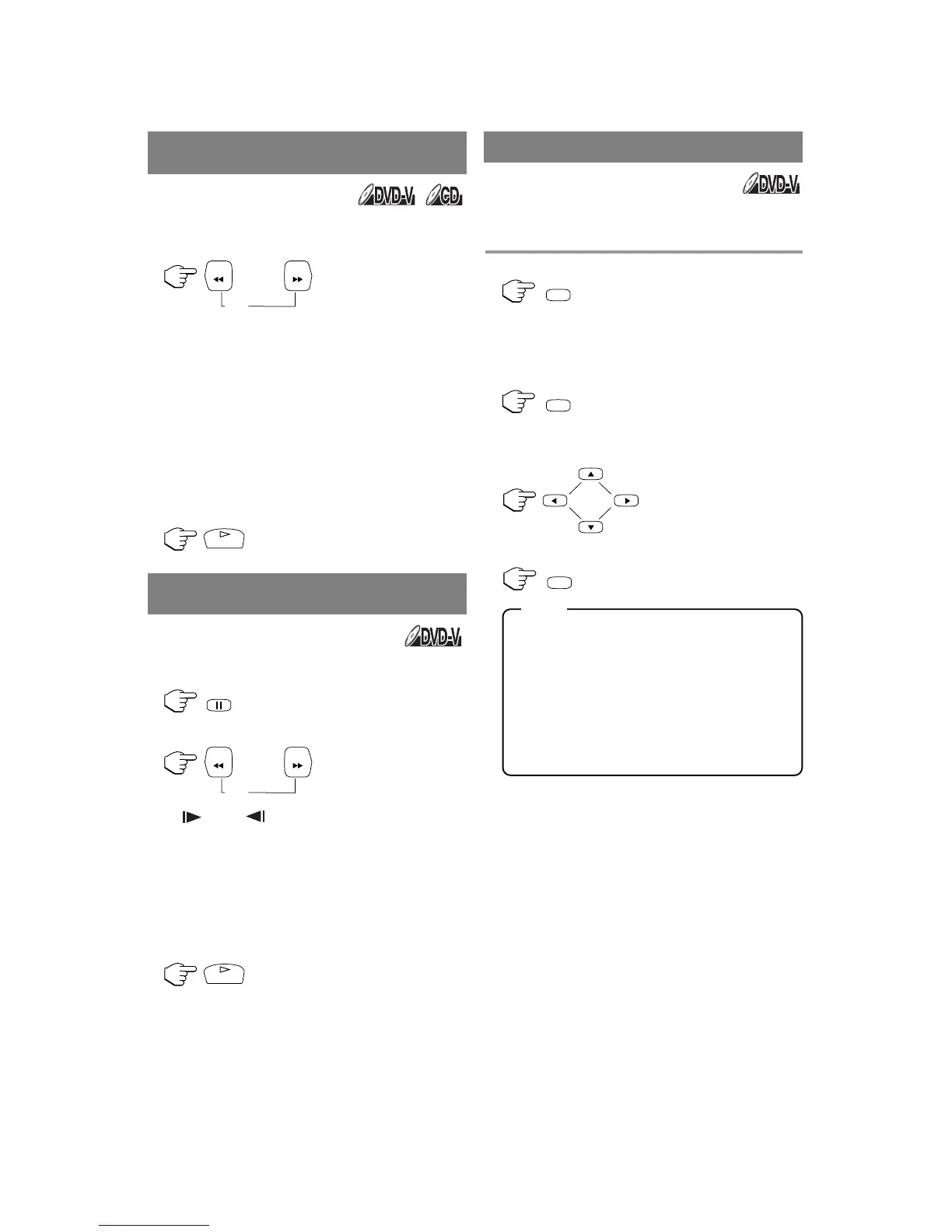
1 During playback, press [FWD g] or
[REV h].
•
“ g 1” or “h 1” appears on the screen.
2 To select another speed, repeat step 1 until
your required speed number appears on the
screen.
•
For DVDs, fast forward/reverse search speed is
different depending on the disc. Approximate
speed is 1(×2), 2(×8), 3(×20), 4(×50) and
5(×100).
•
For Audio CDs
,
approximate speed is 1(×2),
2(×8) and 3(×30).
3
To return to normal playback, press [PLAY O]
.
1 During playback, press [PAUSE F].
2 Press [FWD g] or [REV h].
•
“1”or “1”appears on the screen.
3 To select another speed, repeat step 2 until
your required speed number appears on the
screen.
•
Slow forward or reverse speed varies with the
disc. Approximate speed is 1(1/16), 2(1/8) and
3(1/2).
4
To return to normal playback, press [PLAY O].
The Zoom function allows you to enlarge the video
image and to pan through the enlarged image.
1 Press [ZOOM] during playback.
•
Playback will continue.
2 Press [ZOOM] repeatedly to select the
required zoom factor: ZOOM1, ZOOM2,
ZOOM3 or OFF.
3 Press [K], [L], [s] or [B] to move the
zoomed picture across the screen.
4 To exit zoom mode, press [ZOOM] to OFF.
•
Zooming function does not work while disc
menu is shown.
•
Zooming function is not available on some
discs.
•
It may take several seconds to slide the
zoomed picture.
•
The picture may be distorted if you operate
other functions repeatedly (ex. [PAUSE
FF
] or
[REV
h
], etc.) in the zoom mode.
FAST FORWARD /
FAST REVERSE
SLOW FORWARD /
SLOW REVERSE
ZOOM









 To Next Page