VIA 8505
128MB
7” High resolution TFT screen
800 x 480 pixels
SD card slot
WiFi 802.11 b/g
RJ-45
Stereo Speakers, Earphone Jack
Microphone jack
3 USB Ports
Win CE 6.0
8.4 V 1800mAh built in Lithium
2 lbs.
11
SYNETA7
Your device displays the Home Screen when there are no other applications or menus
open. The Home Screen allows you to organize all of your favorite applications, widgets
and other tools for easy access.
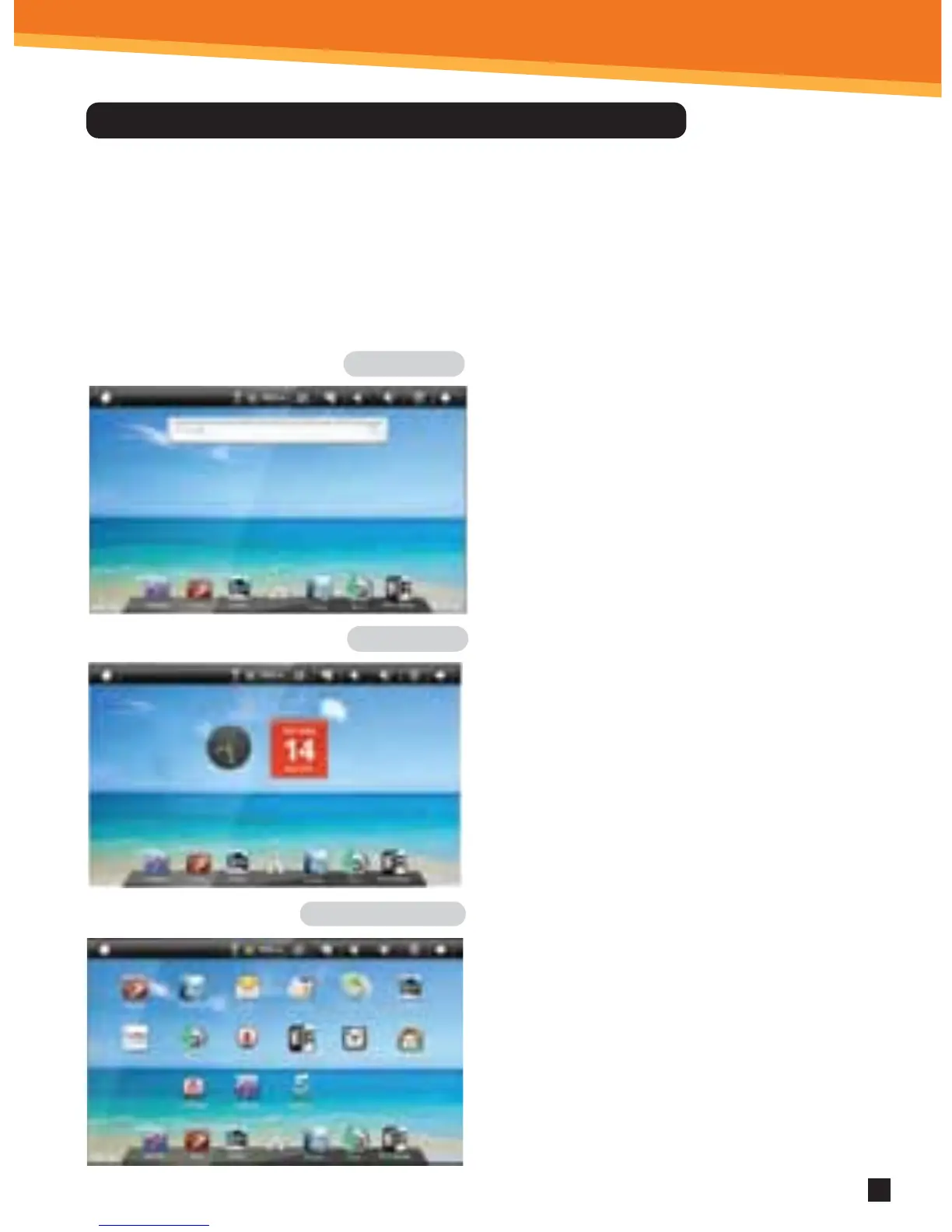
The Home Screen is divided into three panels: the Search Panel, the Widget Panel and
the Application Panel. Take the mouse cursor across the screen to the right or left to
change panels.
Navigating The Home Screen And Application Panels
Search Panel
Widget Panel
Application Panel
• The Search Panel allows you to quickly search
the web.
• The Widget Panel allows you to customize a
variety of tools, or “Widgets” that run right on
the Home Screen, such as a calendar, mp3 player
and local weather updates.
• The Application Panel displays the Android®
applications pre-installed on the device. To go
from the Home Screen to the Application Panel,
click the middle icon, which is a group of white
small boxes, on the bottom part of the screen.
Click an application icon to launch the application
on your device. To return to the Home
Screen click the icon of the house.



 To Next Page