6
SYNETA7
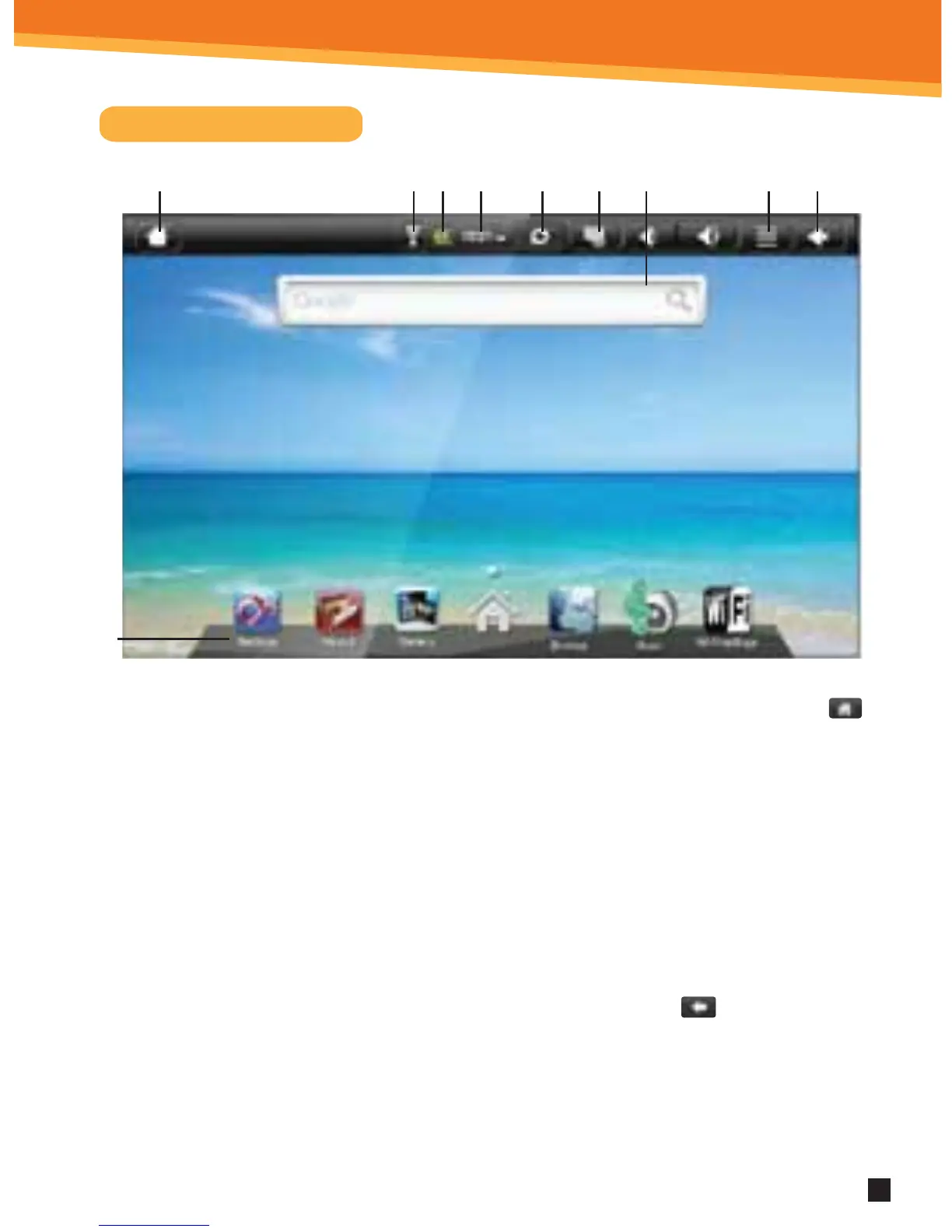
Home Screen Features
1. You can go back directly to the Home screen by clicking on the Home icon
2. Wi-Fi Connection Status
3. Battery Level
4. Time Display
5. Scan Media
6. Screen Shot: click to take a picture of your screen
7. Settings Menu
8. Use the return icon will bring the screen page backwards.
9. Search Bar
10. Application Quick Launch Bar: Frequently used applications can be dragged to
the bar to be displayed. Click the icon to access the application.
10
1 2 3 4 6 8795



 To Next Page