EasyManua.ls Logo

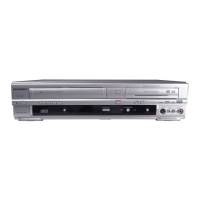
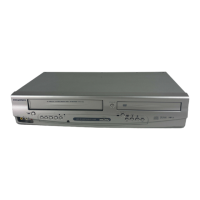
Sylvania ZV420SL8 - User Manual

Sylvania ZV420SL8
96 pages
Print Icon
To Next Page IconTo Next Page
Loading...
IF YOU NEED ADDITIONAL ASSISTANCE WITH SETUP OR OPERATING AFTER
READING OWNER’S MANUAL, PLEASE CALL TOLL FREE 1-800-968-3429, OR
VISIT OUR WEB SITE AT http://www.SylvaniaConsumerElectronics.com
INSTRUCCIONES EN ESPAÑOL INCLUIDAS
Digital Video Disc Recorder with
Video Cassette Recorder
Owners Manual
ZV420SL8
© 2007 Funai Electric Co., Ltd.
Disc
Management
Recording Playback
Introduction
Connections Basic Setup Editing
Function
Setup
VCR Functions Others Español
THIS UNIT HAS NO TUNER SYSTEM, YOU MUST CONNECT TO EXTERNAL TUNER.

Table of Contents

Question and Answer IconNeed help?

Do you have a question about the Sylvania ZV420SL8 and is the answer not in the manual?

Summary

PRECAUTIONS

Laser Safety

Covers potential eye injury from laser.

Important Safeguards

Lists critical safety instructions for operation and maintenance.

Installation Location

Details safe and optimal placement for the unit.

Servicing

Advises against self-servicing and refers to qualified personnel.

FEATURES

Recording

Describes the unit's capabilities for recording on various media.

Playback

Details the unit's playback features for DVD and VCR.

Compatibility

Information on discs playable and recordable on the unit.

FUNCTIONAL OVERVIEW

Front Panel

Describes the controls and indicators on the front of the unit.

Rear Panel

Details the connection ports available on the back of the unit.

Remote Control

Explains the operation and functions of the remote control.

CONNECTIONS

CONNECTION TO AN EXTERNAL TUNER

Guides connecting the unit to an external TV tuner.

CONNECTION TO A TV

Provides instructions for connecting the unit to a television.

CONNECTION TO AN AUDIO SYSTEM

Details how to connect the unit to an audio system.

BASIC SETUP

THE VCR; DVD RECORDER SWITCHING

Explains how to switch between VCR and DVD modes.

INITIAL SETTING

Guides the first-time setup process for the unit.

SETTING THE CLOCK

Instructions on how to set the unit's internal clock.

DISC MANAGEMENT

FORMATTING A DISC

Explains how to format DVD-RW discs for recording.

SETTING A DISC TO PROTECT

Describes how to protect discs from accidental editing or erasing.

PLAYING THE DISCS IN OTHER DVD PLAYERS

Instructions on how to finalize discs for compatibility.

RECORDING

INFORMATION ON DVD RECORDING

Details recording speeds, times, and quality.

BASIC RECORDING & ONE-TOUCH TIMER RECORDING

Guides direct recording and simple timer setup.

TIMER RECORDING

Explains how to program timed recordings.

PLAYBACK

BASIC PLAYBACK

Covers direct playback and playback from title lists.

SPECIAL PLAYBACK

Describes features like resume, skipping, and speed adjustments.

SEARCH

Explains how to search for specific titles, chapters, or times.

EDITING

INFORMATION ON DISC EDITING

Overview of editing functions for DVD-RW/-R.

DELETING TITLES

Instructions on how to remove unwanted titles from a disc.

CREATING;DELETING PLAYLIST

Guides on managing playlists for VR mode discs.

SETUPS

LIST OF SETTINGS

A comprehensive list of all configurable settings.

SETUPS (Playback)

Details playback-related settings like parental lock and audio.

SETUPS (Video)

Covers video settings like progressive scan and aspect ratio.

VCR FUNCTIONS

Playback

Basic VCR playback operations.

Recording

Basic VCR recording operations.

One-touch Timer Recording (OTR)

Simple timer recording setup for VCR.

TROUBLESHOOTING

Symptom

Lists common problems and their remedies.

Frequently Asked Questions

Q&A for common user queries.

SPECIFICATIONS

Summary

PRECAUTIONS

Laser Safety

Covers potential eye injury from laser.

Important Safeguards

Lists critical safety instructions for operation and maintenance.

Installation Location

Details safe and optimal placement for the unit.

Servicing

Advises against self-servicing and refers to qualified personnel.

FEATURES

Recording

Describes the unit's capabilities for recording on various media.

Playback

Details the unit's playback features for DVD and VCR.

Compatibility

Information on discs playable and recordable on the unit.

FUNCTIONAL OVERVIEW

Front Panel

Describes the controls and indicators on the front of the unit.

Rear Panel

Details the connection ports available on the back of the unit.

Remote Control

Explains the operation and functions of the remote control.

CONNECTIONS

CONNECTION TO AN EXTERNAL TUNER

Guides connecting the unit to an external TV tuner.

CONNECTION TO A TV

Provides instructions for connecting the unit to a television.

CONNECTION TO AN AUDIO SYSTEM

Details how to connect the unit to an audio system.

BASIC SETUP

THE VCR; DVD RECORDER SWITCHING

Explains how to switch between VCR and DVD modes.

INITIAL SETTING

Guides the first-time setup process for the unit.

SETTING THE CLOCK

Instructions on how to set the unit's internal clock.

DISC MANAGEMENT

FORMATTING A DISC

Explains how to format DVD-RW discs for recording.

SETTING A DISC TO PROTECT

Describes how to protect discs from accidental editing or erasing.

PLAYING THE DISCS IN OTHER DVD PLAYERS

Instructions on how to finalize discs for compatibility.

RECORDING

INFORMATION ON DVD RECORDING

Details recording speeds, times, and quality.

BASIC RECORDING & ONE-TOUCH TIMER RECORDING

Guides direct recording and simple timer setup.

TIMER RECORDING

Explains how to program timed recordings.

PLAYBACK

BASIC PLAYBACK

Covers direct playback and playback from title lists.

SPECIAL PLAYBACK

Describes features like resume, skipping, and speed adjustments.

SEARCH

Explains how to search for specific titles, chapters, or times.

EDITING

INFORMATION ON DISC EDITING

Overview of editing functions for DVD-RW/-R.

DELETING TITLES

Instructions on how to remove unwanted titles from a disc.

CREATING;DELETING PLAYLIST

Guides on managing playlists for VR mode discs.

SETUPS

LIST OF SETTINGS

A comprehensive list of all configurable settings.

SETUPS (Playback)

Details playback-related settings like parental lock and audio.

SETUPS (Video)

Covers video settings like progressive scan and aspect ratio.

VCR FUNCTIONS

Playback

Basic VCR playback operations.

Recording

Basic VCR recording operations.

One-touch Timer Recording (OTR)

Simple timer recording setup for VCR.

TROUBLESHOOTING

Symptom

Lists common problems and their remedies.

Frequently Asked Questions

Q&A for common user queries.

SPECIFICATIONS

Sylvania ZV420SL8 Specifications

General IconGeneral
BrandSylvania
ModelZV420SL8
CategoryDVD VCR Combo
LanguageEnglish

Related product manuals