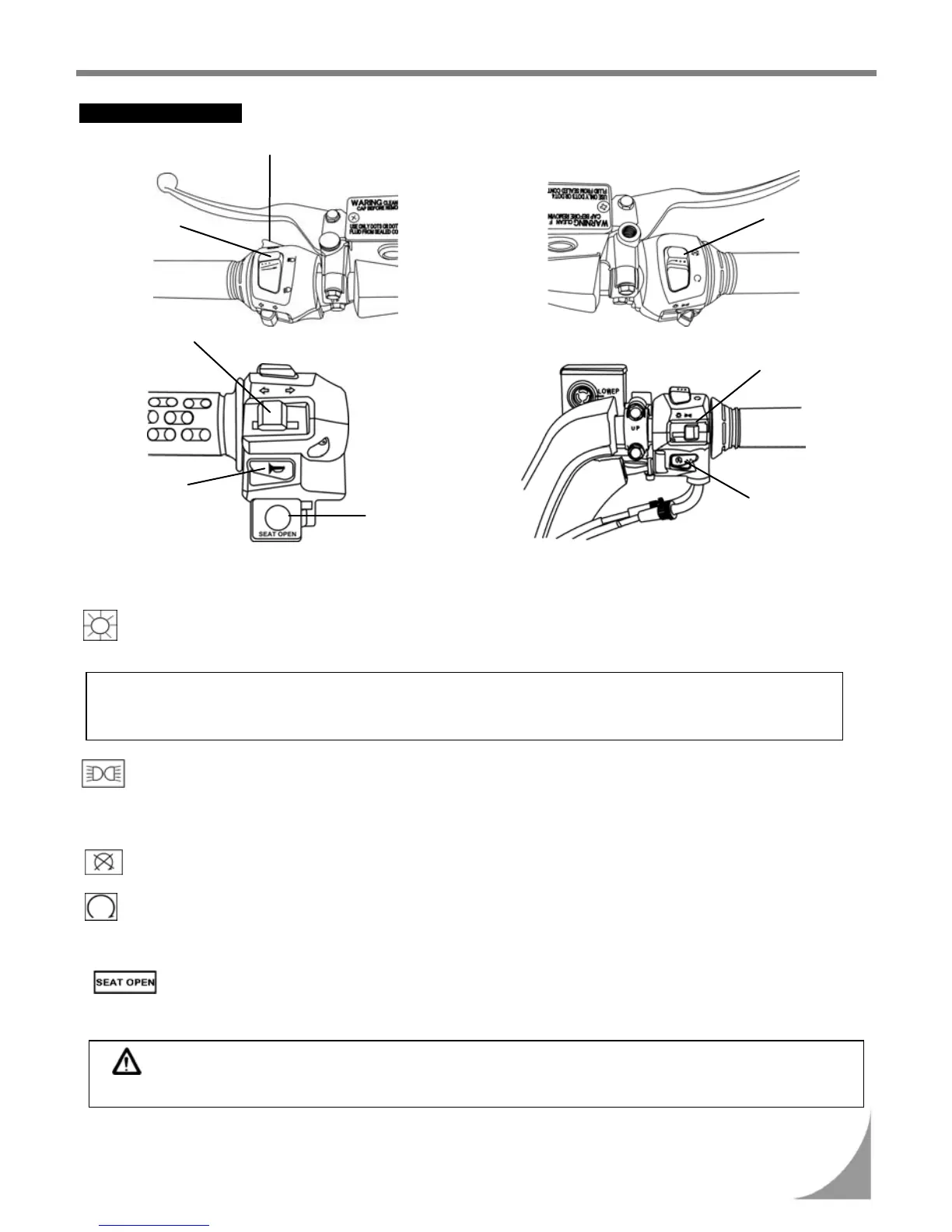
USE OF BUTTONS
Passing switch
9
7. Use of each component
• Light Switches
When the switch is turned to this position as the engine is being started, headlight, rear light,
instrument panel light, and position light will come on.
Note:
Position Light Function:
This light can indicate the scooter position when the scooter is running in dim, rainy, or foggy weather.
When the switch is turned to this position as the engine is being started, rear light, instrument
panel light, and position light will come on.
• Engine Stop Switch
Switch to this position to turn off the engine when a state of emergency.
Switch to this position and the engine can be started.
• Seat open Switch
Turn ignition switch “ON” and press this button down. Then, the seat will unlock immediately.
This button will return to original position after releasing.
CAUTION:
Make sure to take the key away with you before you lock your seat.
Li









 To Next Page