-2-
A
B
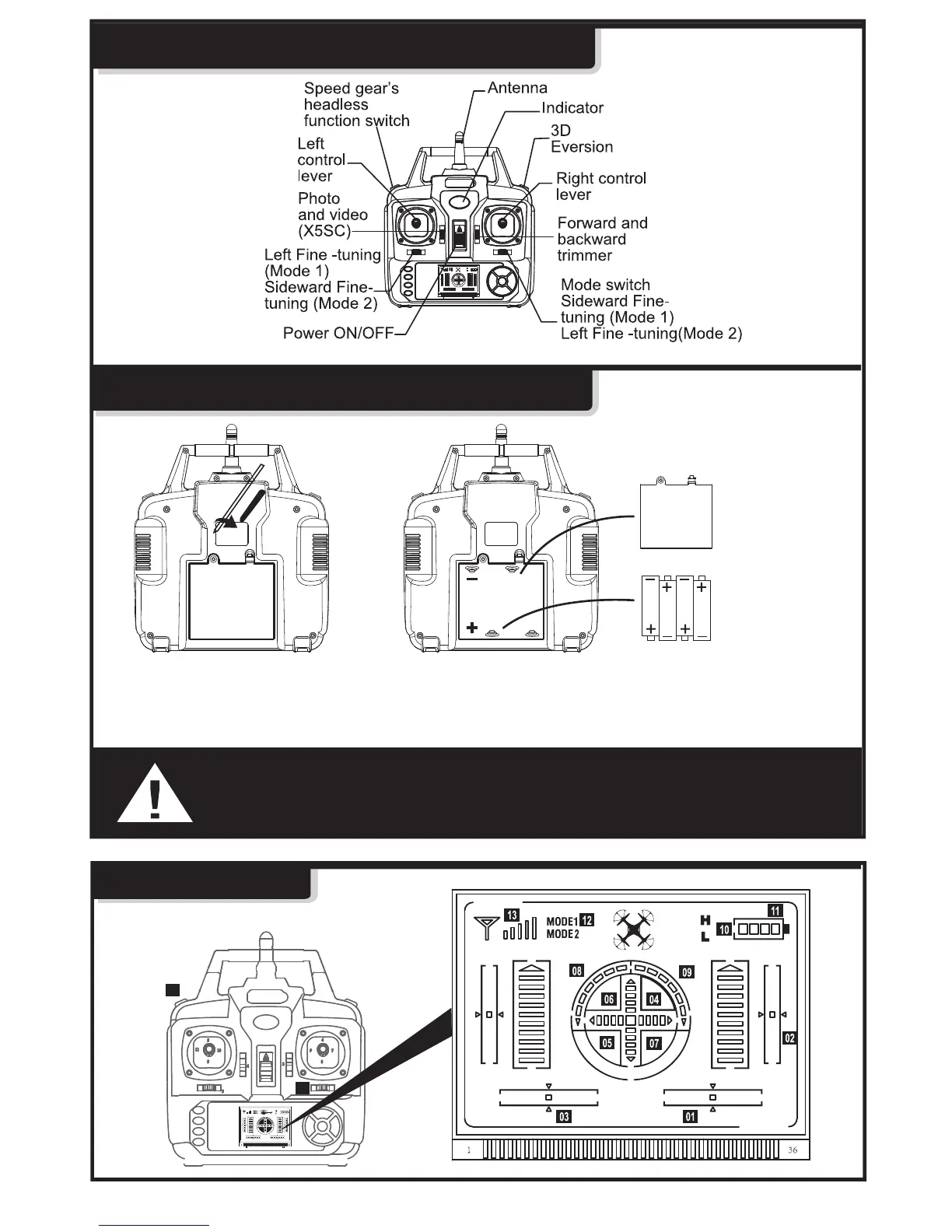
GET TO KNOW YOUR TRANSMITTER
Battery Cover
1.Use a screwdriver to remove the screw on the back of transmitter, then open the battery
cover (Figure 1).
2.Install 4 “AA” batteries (not included) into the back of transmitter then replace battery
cover and reinstall the screw (Figure 2).
4 X AA(LR06)
1.5V Batteries
Figure 1
Figure 2
1 - Install batteries with correct polarity.
2 - Do not mix old and new batteries.
3 - Do not mix different types of batteries.
TRANSMITTER BATTERY INSTALLATION
LCD DISPLAY



 To Next Page