WiseScript Package Editor Reference 37
Creating WiseScript Installations
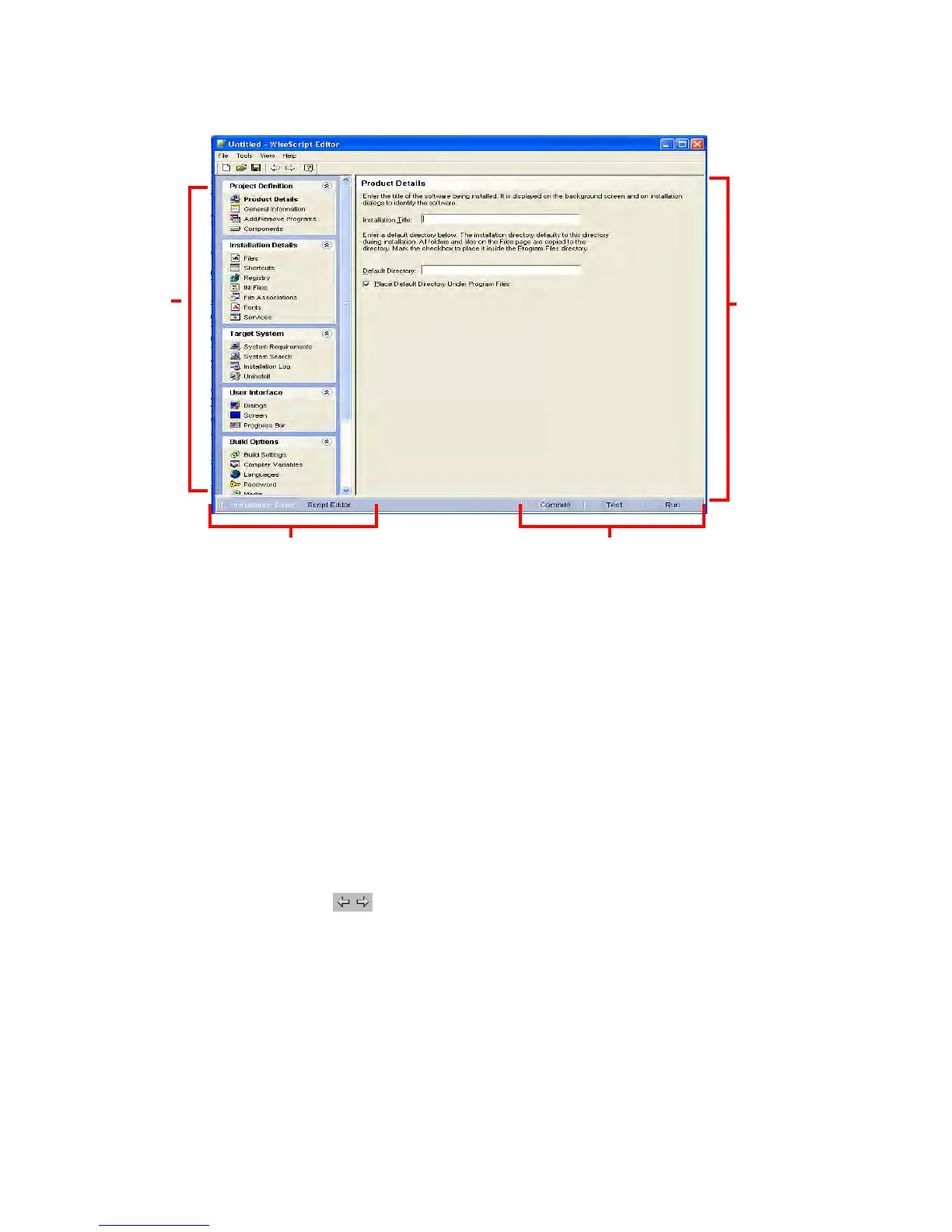
Page Groups
Pages are organized into page groups. When you select a page view, its pages are
organized into page groups. Click the group name to expand or collapse its pages. Click
a page name to display that page.
You can create a customized view of page groups and pages.
See Customizing Installation Expert Page Groups on page 23.
Page Area
When you click a page name in a page group, this area displays the page’s options. Each
page lets you define a specific aspect of the installation. (Examples: On the Files page,
you define what files are included in the installation. On the Registry page, you define
what registry keys and values are created on the destination computer.) Complete only
the pages that are pertinent to your particular installation, in any order. If required
information is missing, an error message appears during compile.
z Use on the toolbar to navigate from page to page, or click the page name in
the list of pages.
z To display help for the current page, press F1.
z To return a page to its last saved state, select Edit menu > Reset Page.
View Navigation
Click these tabs to change views.
Page Area
Page Groups
Compile, Test, and RunView Navigation




 To Next Page