7
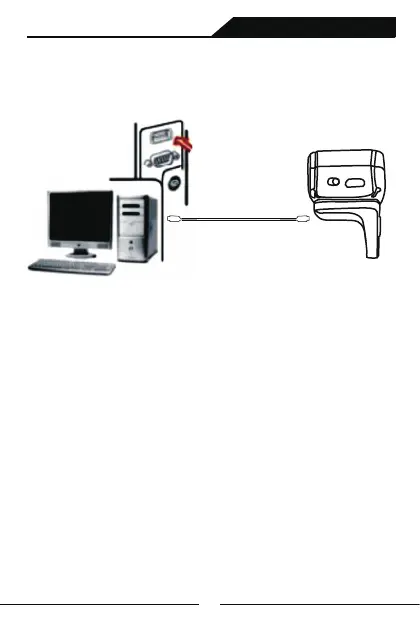
1.Connect USB cable’s Square Side interface to the bottom
of the scanner;
2.Connect the other side of USB to the computer host.
3.Our barcode scanner features with wireless transmission mode
and USB cable transmission mode. When triggered to wake up,
the scanner will auomatically identify whether the USB cable is
connected. If identify, it will work in USB cable transmission mode,
data transmitted via USB cable; If not, will work in wireless
transmission mode, data transmitted via Bluetooth wireless .
sample graph
USB Cable Installation
Each barcode scanner is with one USB cable.,For connection,
please refer to above sample diagram.
Noted: Computer host can charge scanner via USB cable
and USB cable can also be used as a wire to transmit barcodes.
The installation method is as follows:
Ring Barcode Scanner



 To Next Page