8
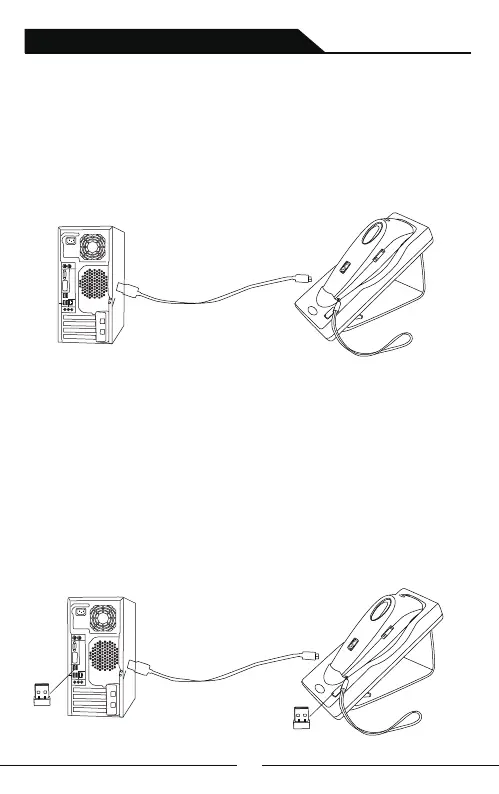
When used along with the pedestal:
When used with the base:
A:Charge the base: Connect base with PC via USB cable, the base will
work as a charger.When turn off the scanner and put it on the base, the
base can charge the scanner.(Bluetooth and 2.4G mode available)
B:Base charges and transfers data synchronously:When base connected
to USB cable, the other end is plugged into computer,①.Plug the mini
receiver into computer USB port,so that it can pair with computer and
upload the data to computer.The base is used as charger ②Plug the mini
receiver into base USB port,so that it can pair with computer and upload
the data to computer.The base is used as charger and data transmission tool.
This method can solve the problem of lack computer USB interfaces.
(Apply for 2.4G mode only)
①
②
2.4G/Bluetooth Wireless Barcode Scanner



 To Next Page