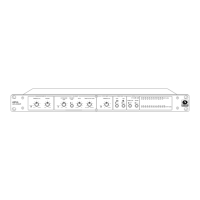
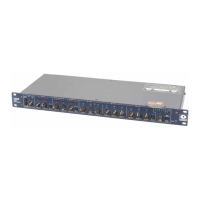
421m
11
Lectern-Mounted Microphones
A common and thoroughly vexing problem is that of the ubiquitous lectern microphone. A staple
of hotels, public meeting places, courtrooms, and churches, the podium microphone gets used and
misused by one and all.
Anyone who uses a microphone has their own idea of how and where to place the microphone
(relative to their lips, of course) and how they should speak into it. Some get their cues from TV
(which any self-respecting audio person knows is usually wrong), and some just make it up as they
go. Some stick the mike near their navel, just like on TV (or is it that TV-news-types have their
vocal chords somewhere new?), and others try to use it for a snack. You get the idea. What this
means to you is roller-coaster audio levels. Try the 421m. It will do for a lectern or other announce
microphones what no compressor has ever done before: consistent audio levels with increased
freedom from feedback.
Some hints: use moderate ratios (3:1 to 4:1) unless you want a really in your face sound. Use
either or both of the speech filter switches. The AUTO-RELEASE LEVEL affects the size of the
microphone s pickup circle. More CCW settings expand the circle, allowing the 421m to raise
lower level voices more (remember, it wont keep them from sounding distant or off-mic!). Higher
settings restrict the pickup range of the microphone, so a weak talker won t be picked up as well
unless they move-in on the microphone to cause the gain to readjust to their voice level. In noisy
environments, try a higher (more clockwise) setting. You can use the downward expander in AUTO
mode to gate the mike off when idle. Ensure that the TARGET OUTPUT LEVEL isn t high enough
to cause feedback when the AGC-Leveler has fully engaged (you can force a release by quickly
turning the AUTO-RELEASE LEVEL control and then returning it to its former setting.
Live PA
Have you ever mixed live sound for someone who just can t play at the right level? They re usually
too soft when playing rhythm, and too loud when playing leads. A 421m can help you out. Connect
the 421m into the mixer s channel insert jack, use a relatively low RATIO setting, use the expander
if you need to. Remember that lower ratio settings allow for more dynamics than the higher settings
which means more difference between soft and loud. This trick also works on microphones that are
sung into and used for announcements. The 421m keeps the announcements audible without the
worry of forgetting to bring the fader down during a song. Again, use a low RATIO setting around
2:1. If you try this on a submix, be careful because the large number of microphones involved
makes it that much easier to push the sound system into feedback.
Mixdown
You can use the 421m during mixdown for a number of different things. For voiceover’s let the 421m
ride the level of the announcer, while you set the basic announcer to music-bed ratio, or, let the
421m ride the music-bed, while you ride the announcer s level. Process background vocals with
the 421m. It will keep them consistently hot, without making them sound squashed (unless that s
what you want). Try using the 421m on individual instruments as a way of keeping their level more
consistent without radically altering their timbre.
Paging Systems
Just like the poor lectern mike, paging systems suffer from the same ills. It really doesn t matter if
the audio begins life in a telephone system, or if you have a dedicated paging mike. Every user has
their own idea of how to use the mike. You can fight them and win with the 421m AGC-Leveler.
Secondary Sound System Feeds
Many sound systems derive secondary feeds for ancillary systems that serve related areas of a
facility. In arenas or large stadiums this might be the outer concourses, PA shadow zones, conces-
sion areas, rest rooms, dressing rooms, etc. In a church it might be the lobby or cry room. In a TV
studio, it could be the IFB (interrupted foldback) system.


 To Next Page
 Loading...