2-4-6 H9400DA
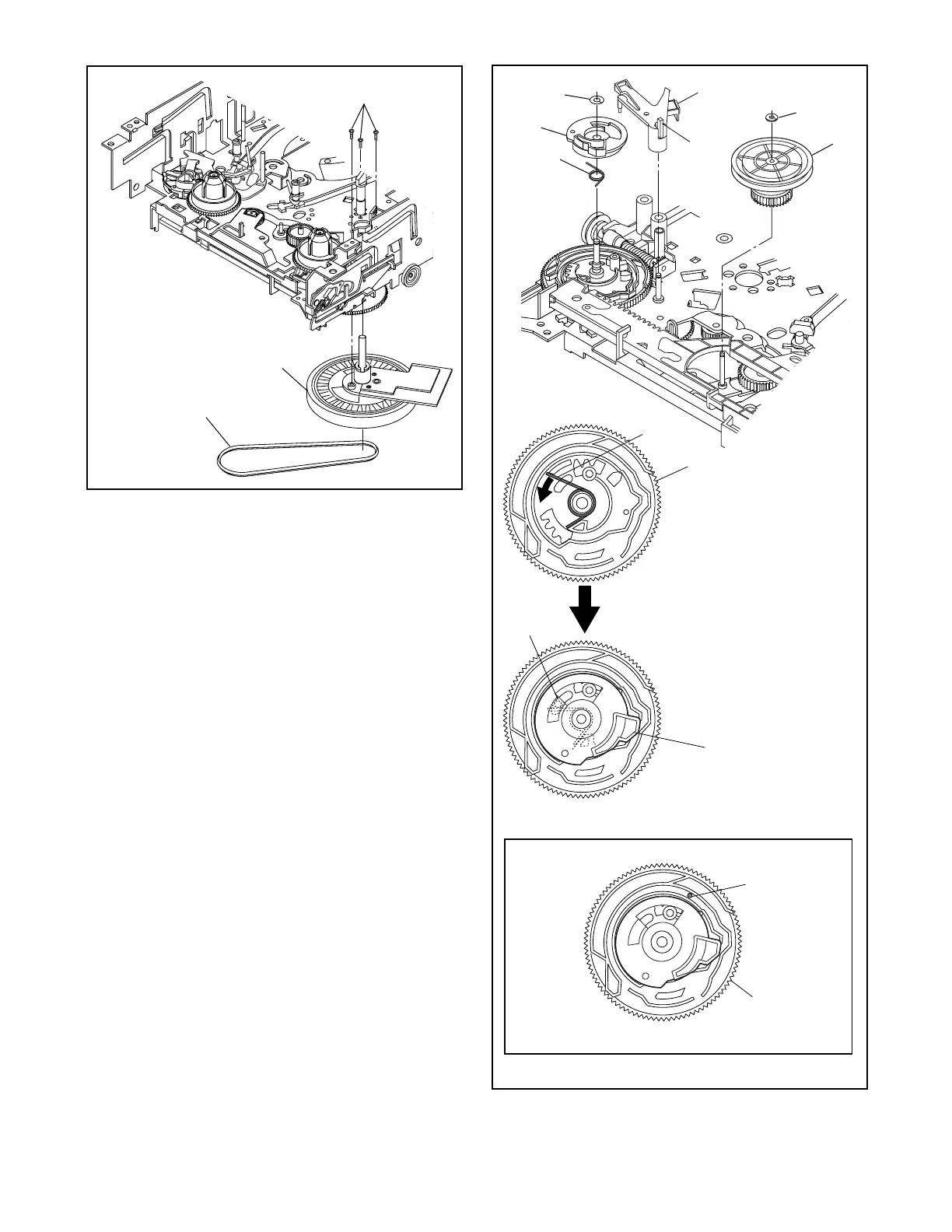
Fig. DM11
[20]
(S-8)
Cap Belt
Fig. DM12
(P-5)
[28]
[28]
When installing [23], install
the spring (P-5) to [28] as
shown in the left figure, and
then install [23] while
pressing the spring (P-5) to
the direction of the arrow in
the left figure and confirming
that the position of the
spring (P-5) is placed as
shown in the left figure.
Pin on [22]
Position of pin on [22]
Top View
(L-6)
[22]
[23]
(P-5)
Pin on
bottom
of [23]
[23]
[21]
(C-1)
(C-4)


 To Next Page