1-6-1 H9400IB
DVD
POWER
CHANNEL
PLAY
STOP/EJECT
VIDEO
VCR
AUDIO
REW
OPEN/CLOSE
F. F W DSTOP PLAY
RECVCRDVD
TIMER REC
OUTPUT
DVD
L R
1
2 3 4 768
21
20
19
18
17
16
15
14
13
12
11
10
5
9
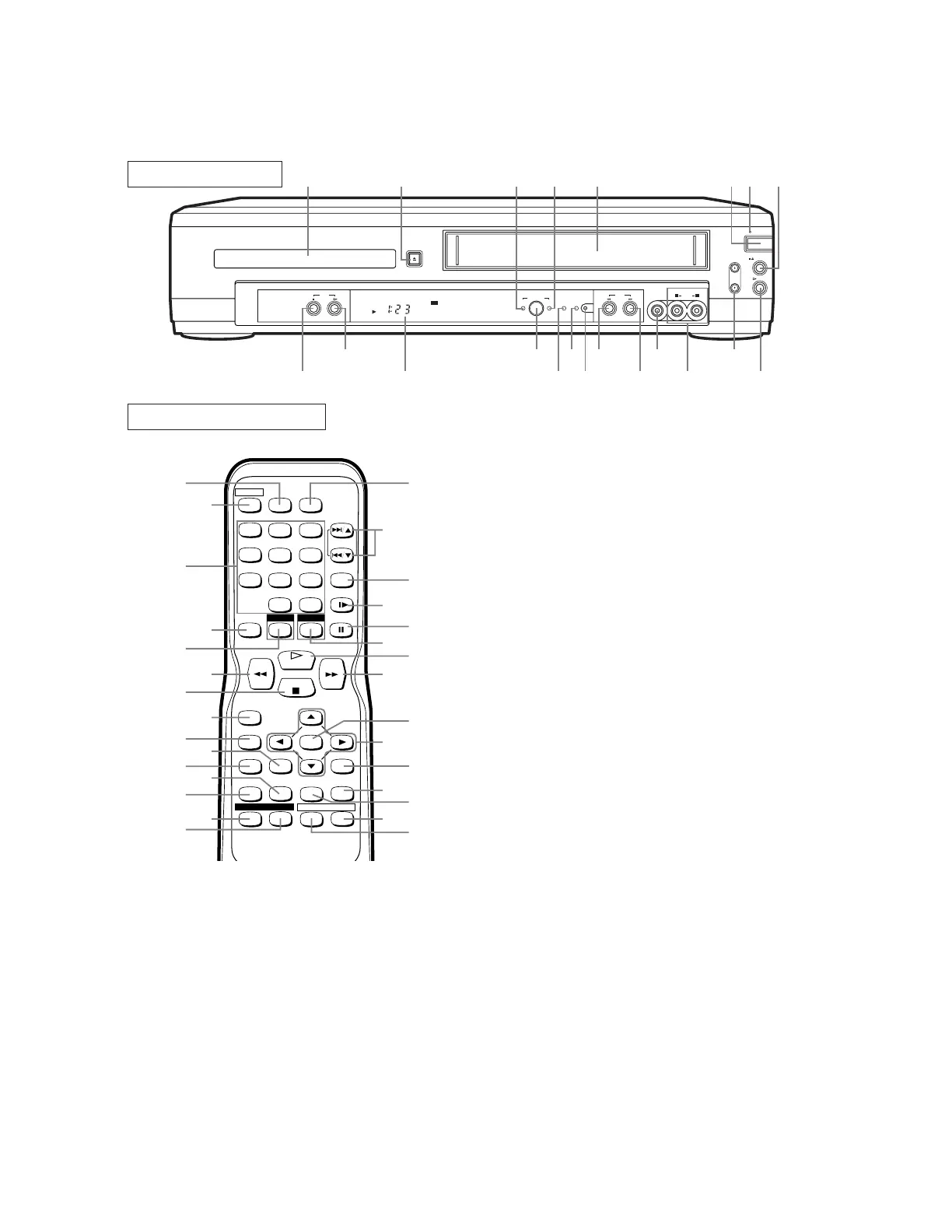
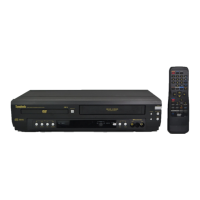
FRONT PANEL
REMOTE CONTROL
+
123
456
789
010
SPEED AUDIO
POWER
SKIP/CH.
SLOW
VCR/TV
DISPLAY
PAUSE
PLAY
STOP
RECORD
ENTER
RETURNTITLE
MENU
SETUP
CLEAR/
C.RESET
ZOOMMODE
A
-
B
ANGLE
SEARCH
MODE
REPEAT
SUBTITLE
T-SET
DVD VCR
23
22
24
25
26
27
28
29
30
31
33
34
36
35
32
51
47
48
49
46
50
45
44
42
41
43
38
39
40
37
1. Disc loading tray
2. OPEN/CLOSE Button
Press to insert discs into or remove them from the tray.
3. DVD OUTPUT Light (Green)
This light appears when the DVD output mode is select-
ed. You can only watch DVDs when the green DVD
OUTPUT light is on. To make the green DVD OUT-
PUT light come on, press DVD on the remote control or
OUTPUT on the front panel.
4. VCR OUTPUT Light (Green)
This light appears when the VCR output mode is select-
ed. You can only watch tapes when the green VCR
OUTPUT light is on. To make the green VCR OUTPUT
light come on, VCR on the remote control or OUTPUT
on the front panel.
5. CASSETTE COMPARTMENT
6. POWER Button
Press to turn the power on and off.
7. POWER Light
Lights up when the power is on.
8. STOP/EJECT Button (VCR)
EJECT Button
Press to remove the tape from the VCR.
STOP Button
Press to stop the tape motion.
9. PLAY Button(VCR)
Press to begin playback.
10. CHANNEL Buttons
In VCR mode, press to change TV channels on t
VCR; press to adjust the tracking during normal or slo
motion playback; press to remove vertical jitter in a St
picture.
11. AUDIO In Jacks
Connect audio cables coming from the audio out jac
of a camcorder, another VCR, or an audio source here
12. VIDEO In Jack
Connect a video cable coming from the video out jac
of a camcorder, another VCR, or a video source (las
disc player, camcorder, etc.) here.
13. F.FWD Button (VCR)
Press to rapidly advance the tape, or view the pictu
rapidly in forward during playback. (Forward Search)
14. REW Button (VCR)
Press to rewind the tape, or to view the picture rapid
in reverse during the playback mode (Rewind Search
15. REC/OTR Button
Press once to start a recording. Press repeatedly to sta
a One-Touch Recording.
16. REC Light
Lights up during recording.
17. TIMER REC Light
This light glows when the DVD/VCR is in standb
mode for a timer recording or during a One-Tou
Recording. It flashes if T-SET is pressed for a tim
recording, but there is no tape in the DVD/VCR.
flashes when all timer recordings or One-Touc
Recordings are finished.
OPERATING CONTROLS AND FUNCTIONS
[ DVC860D ]


 To Next Page