3www.syncoaudio.com
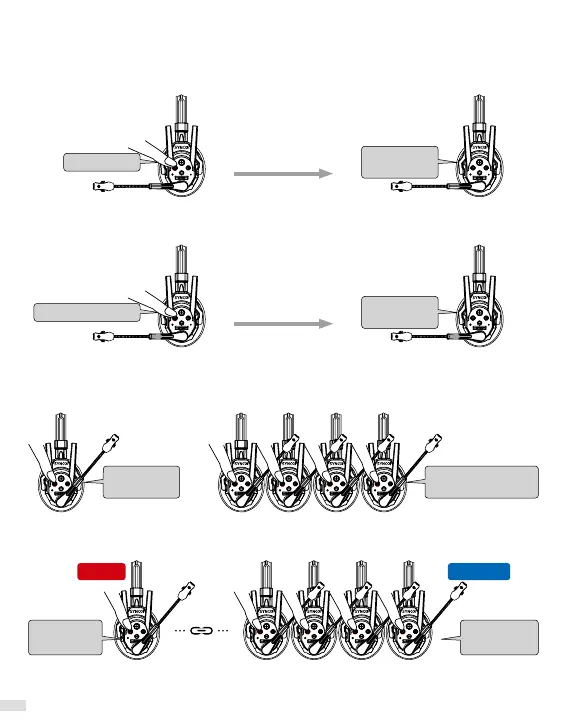
2. Master/Level 1Settings
All headsets can be set as: Master/Level 1
Set as Master:
Long press the button A, release after the 2nd "Beep" sound and hear "Master Mode".
Set as Level 1:
Long press the button A, release after the 3rd "Beep" sound and hear "Level 1 Pairing".
Beep, Beep
Beep, Beep , Beep
Master
Mode
Level 1
Pairing
Release
Release
1) Set a Master and 1~4 Level 1.
2) Long press the button A on all headsets in 1 min, release after the 1st “Beep” sound,
and hear "Connecting and Pairing".
3. Pairing/Unpairing
Master
Mode
Level 1 Pairing
Connecting
and Pairing
Connecting
and Pairing
Master
Level 1



 To Next Page