7www.syncoaudio.com
5. Volume Settings
6. Noise Cancellation
Short press the volume up/down button to increase/decrease the volume.
Short press the B button to turn on/off the noise cancellation feature.
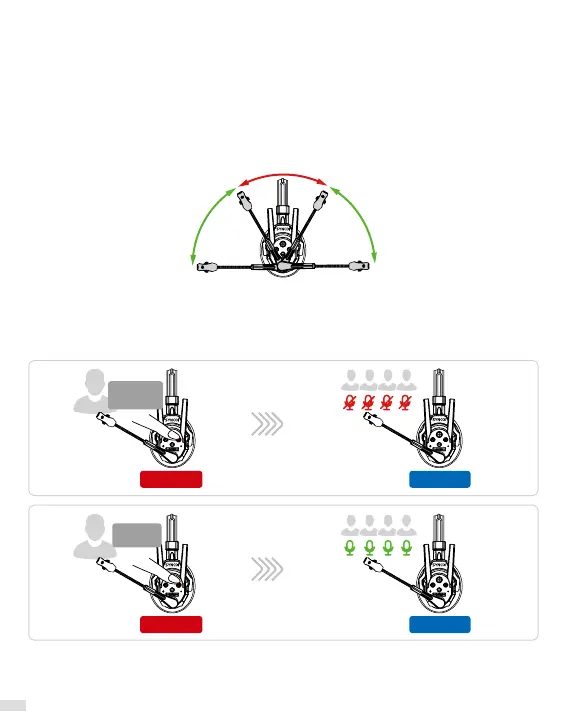
7. Mute/Unmute
Mute
Unmute
Press and
hold
Release
Unmute
Rotate the boom arm up/down (see the picture below) to mute/unmute.
8. Dominant Mode
Press and hold the button B of Master to enter the dominant mode for muting other
headsets. Other headsets are still available for listening and only the Master is available for
speaking. Release the button B to exit dominant mode.
Master
Master
Level 1
Level 1



 To Next Page