13
Chapter 2: Hardware Setup
4
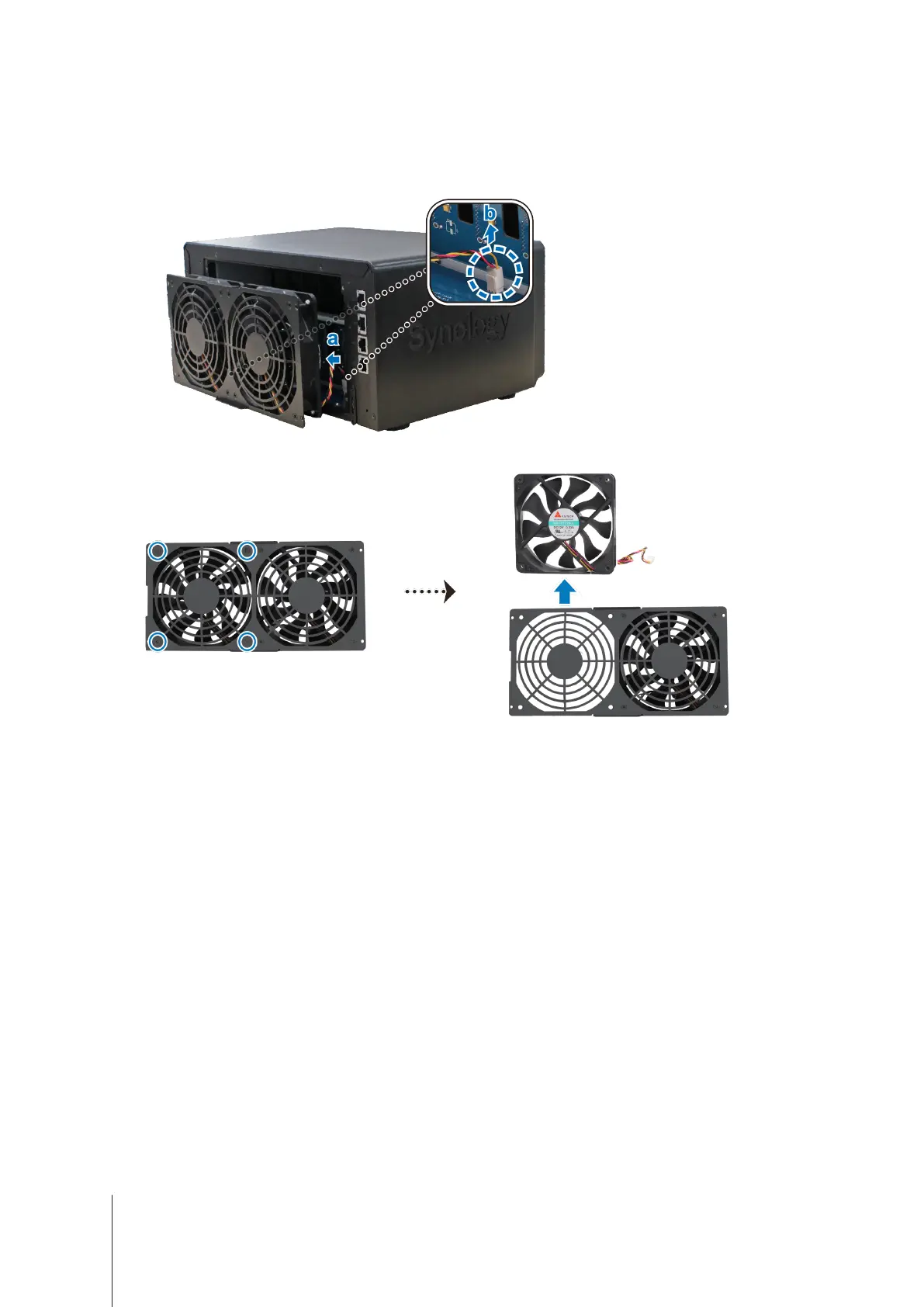
Remove the malfunctioning fan:
a
Pull the fan panel from your DiskStation.
b
Disconnect the fan cable from the connectors located near the bottom of the fan socket, and then remove
the fan panel.
c
Remove the 4 screws that secure the malfunctioning fan, and then remove the fan.








 To Next Page