11 Chapter 3: Install DSM on DiskStation
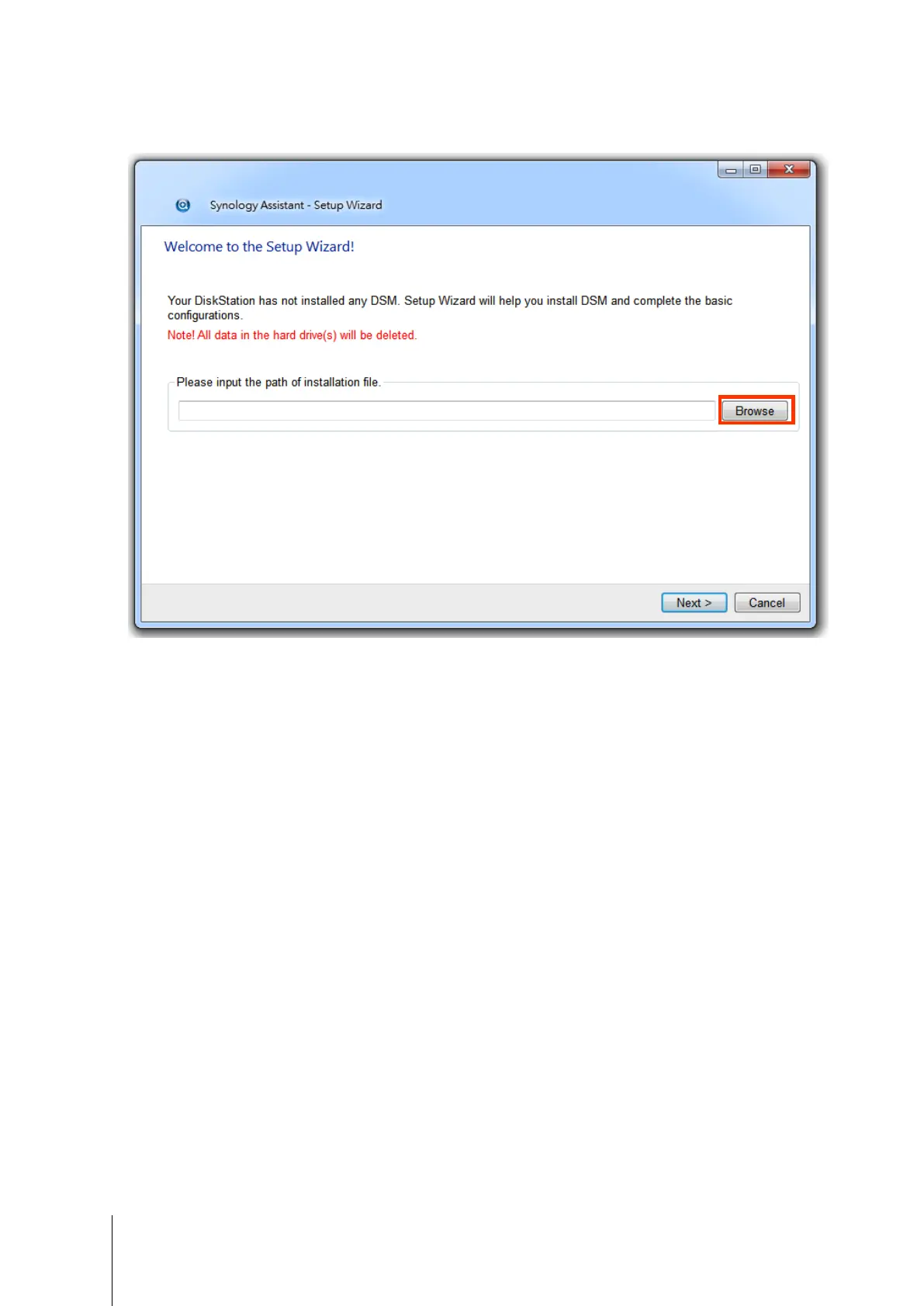
3 Click Browse to locate the DSM_[model name]_[number].pat installation file in the DSM folder of your
installation disc. You can also download the latest version of DSM from Synology Download Center.
4 Follow the onscreen instructions to complete the setup process.
After the installation process is finished, you can manage your DiskStation with Synology DiskStation Manager
(DSM). For more information about managing your DiskStation with DSM, refer to Synology DiskStation User’s
Guide available at Synology Download Center.
D:\DSM\DSM_DS213+_4.0-2198.pat









 To Next Page