10 Chapter 3: Install DSM on DiskStation
Install DSM from the Installation Disc
If you prefer to install DSM from the included Installation disc, or have encountered difficulty using Web Assistant,
you can also install with desktop utility, Synology Assistant, by referring to following section for Windows, Mac
and Linux.
For Windows
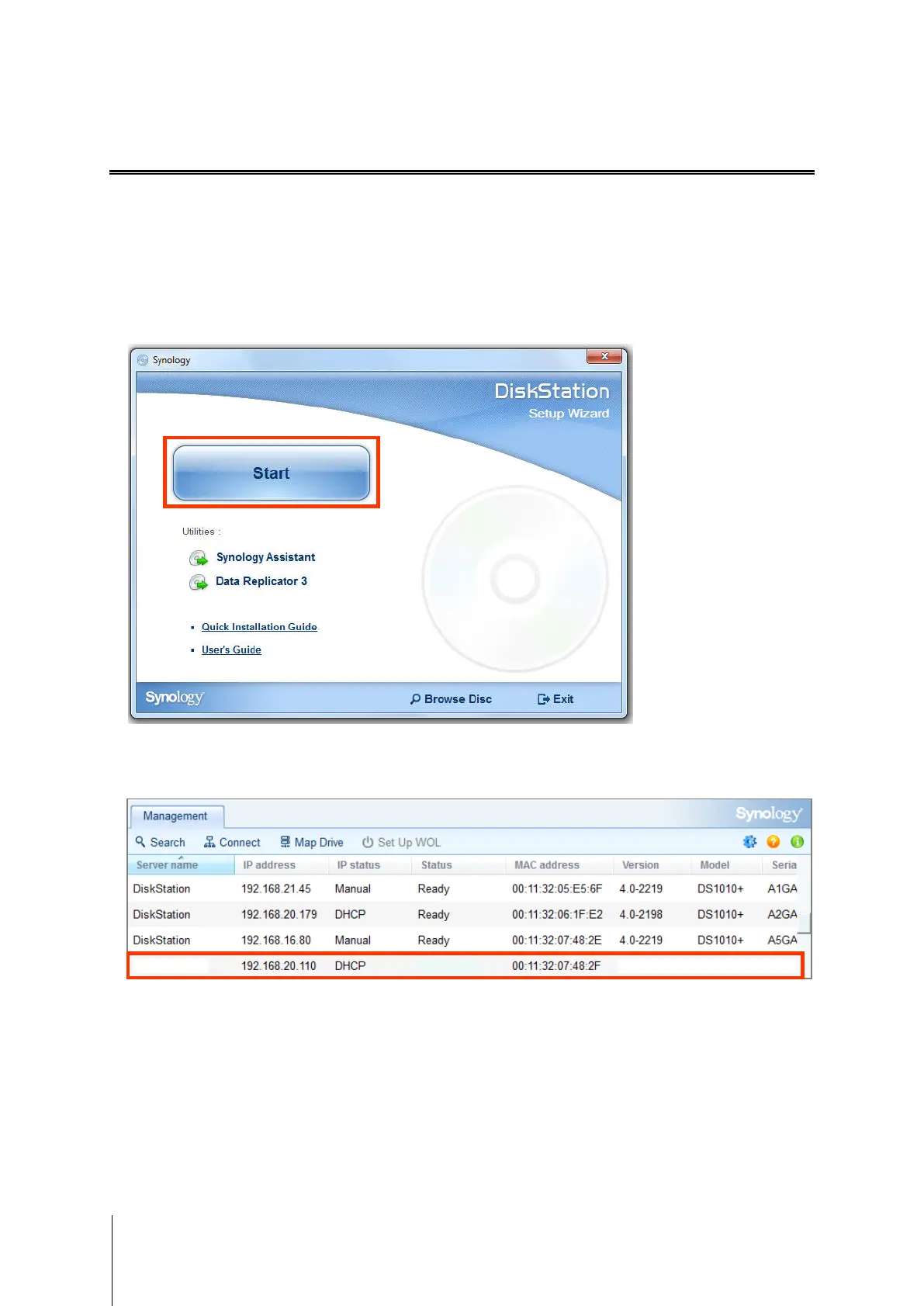
1 Insert the installation disc into your computer, and click Start. Follow the onscreen instructions to complete the
setup process.
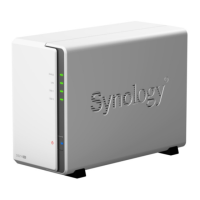
2 Synology Assistant will be installed and launched on your computer. It will search and find your DiskStation
within LAN, and the status of your DiskStation should be Not Installed. Double-click your DiskStation to start
the setup process.









 To Next Page