6
2
Chapter 2: Hardware Setup
Tools and Parts for Hard Disk Installation
A screwdriver
At least one 3.5” or 2.5” SATA hard disk
(Please visit www.synology.com for compatible hard disk models.)
Warning: If you install a hard disk that contains data, system will format the hard disk and erase all data. If you need
the data in the future, please back it up before installation.
Install Hard Disks
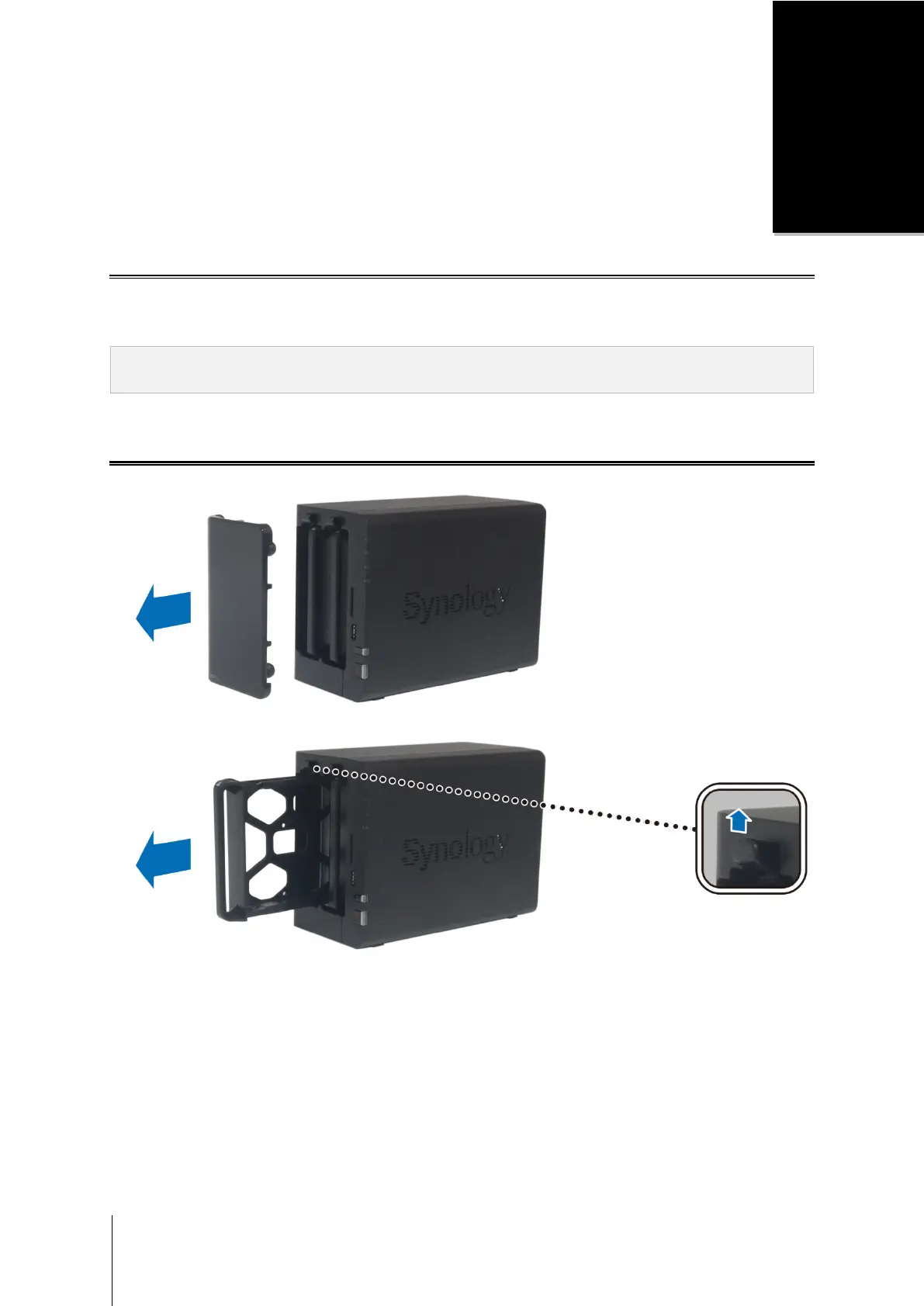
1 Remove the hard drive bay cover from the front panel.
2 Push the latch upward and pull the handle to remove the hard drive tray from your DiskStation.









 To Next Page