This RAM module is designed for Synology
DiskStation memory expansion. Follow the steps
below for installation.
Add a RAM Module on Synology DiskStation
1
Shut down your Synology DiskStation. Disconnect all
cables connected to Synology DiskStation to prevent
any possible damages.
2
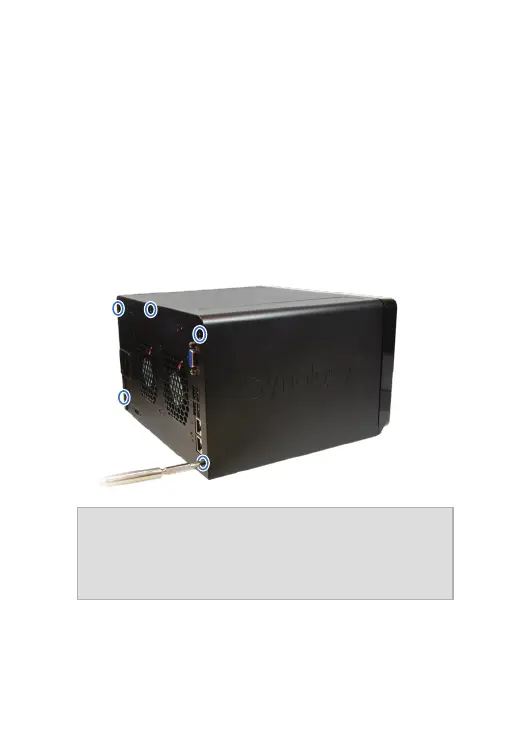
Remove the 5 screws that secure the top case. Lift
off the case and place it to the side.
Important:
When you remove the case, you expose
sensitive internal components. Avoid touching anything
other than the memory assembly when you remove or
add memory.
3
Insert the new memory module in the slot:
a
Align the notch on the gold edge of the module with
the notch in the lower memory slot.










 To Next Page