1
2
3
INSTALL HARD DISK
Disk Station requires 3.5” SATA hard disks for installation. Refer to the following steps for details:
Warning! If you use a hard disk with data on it to install, system will format the hard
disk and erase all data in some cases. Please back up the data if you need it in the
future.
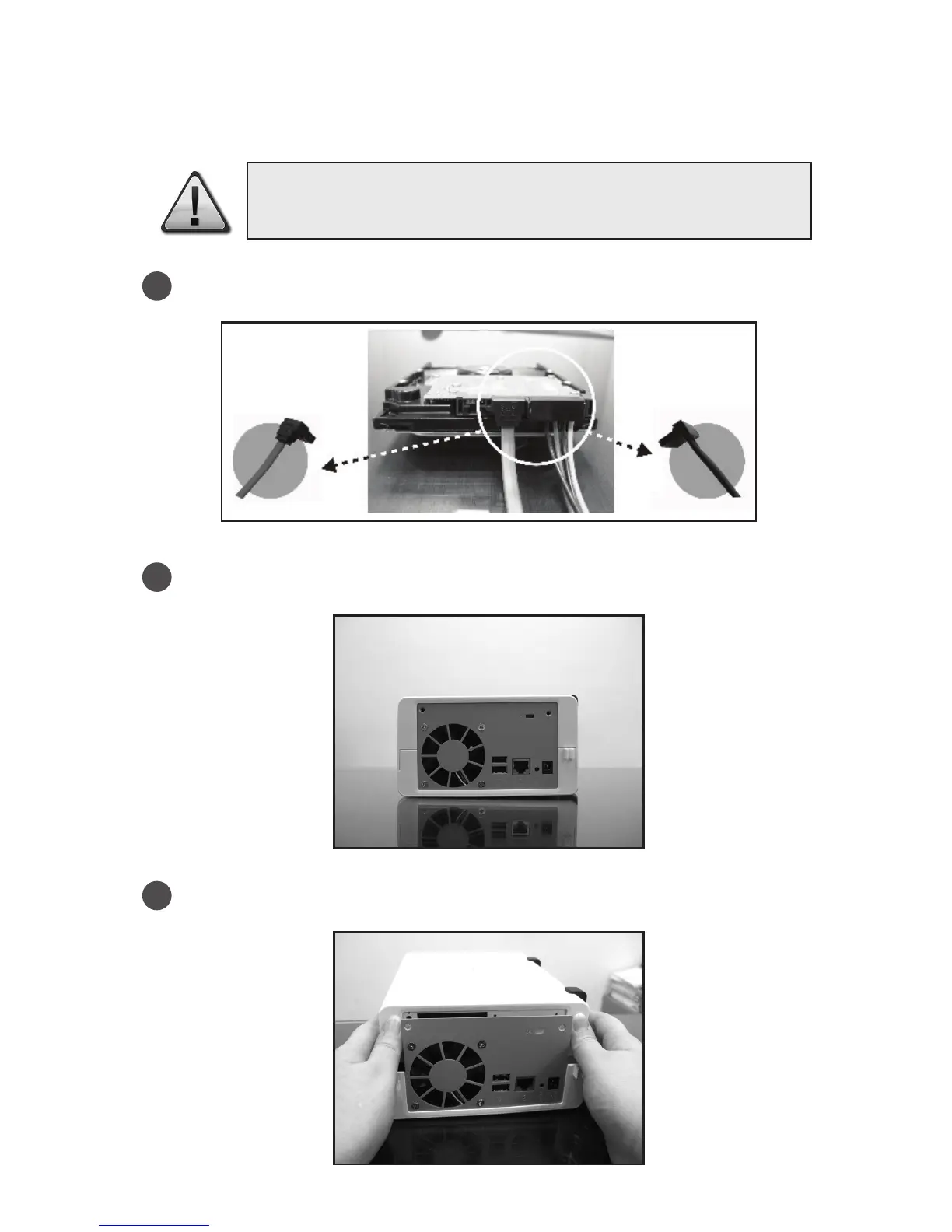
Connect the HDD Data Cable and HDD Power Cable to the hard disk.
Place the server horizontally on a desk. The rear panel should be facing you.
Push to slide away the upper case.







 To Next Page