INSTALL SYSTEM SOFTWARE
Windows User
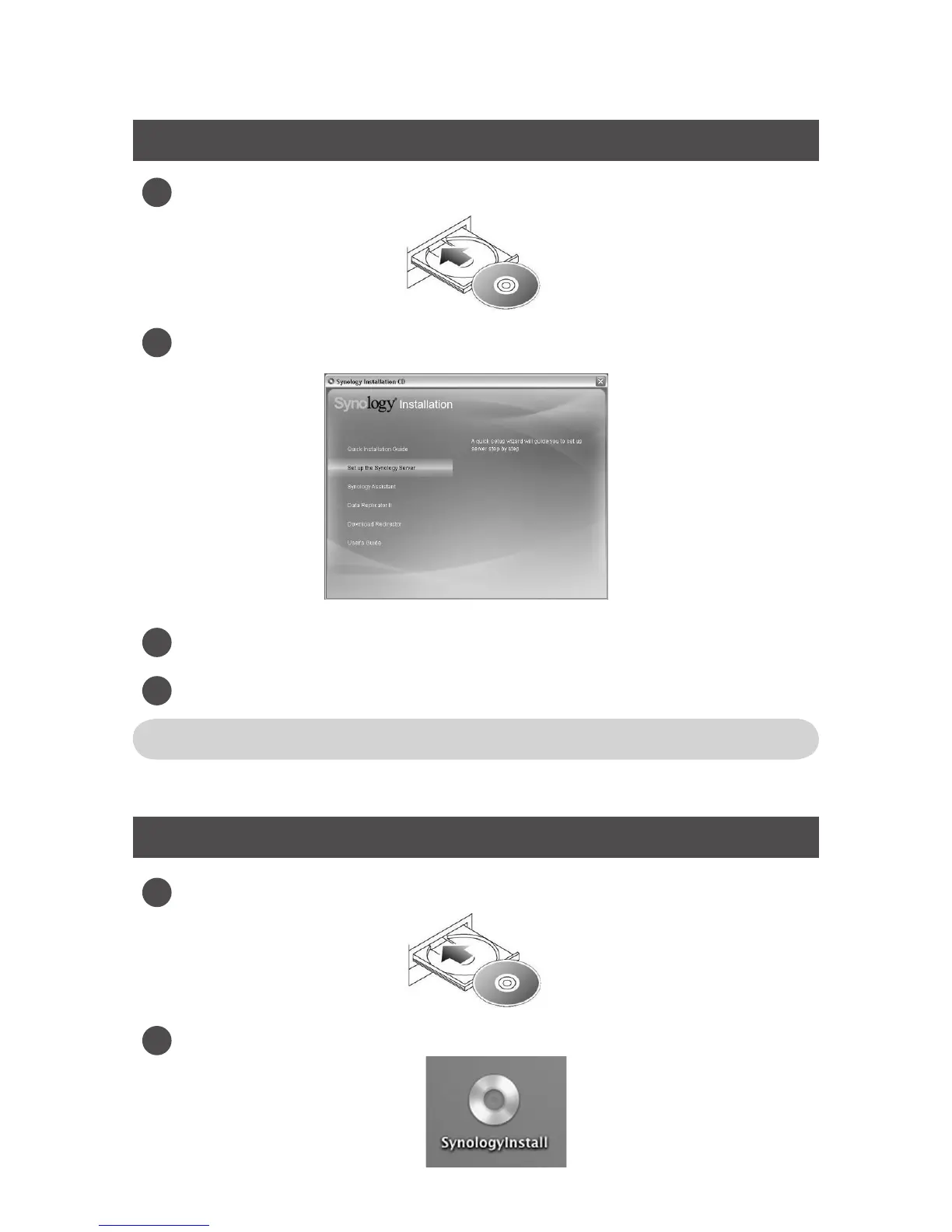
Insert the installation CD to your computer.
Choose Set up the Synology Server on the autorun menu.
Click Browse to select the “.pat” installation le in the installation CD.
Follow the on-screen instructions to complete the setup process.
Note: If you choose One-Click Setup, the admin password will be blank.
Mac User
Insert the installation CD to your computer.
Double click on the CD-Rom Drive thumbnail.
1
2
3
1
2
4







 To Next Page