13
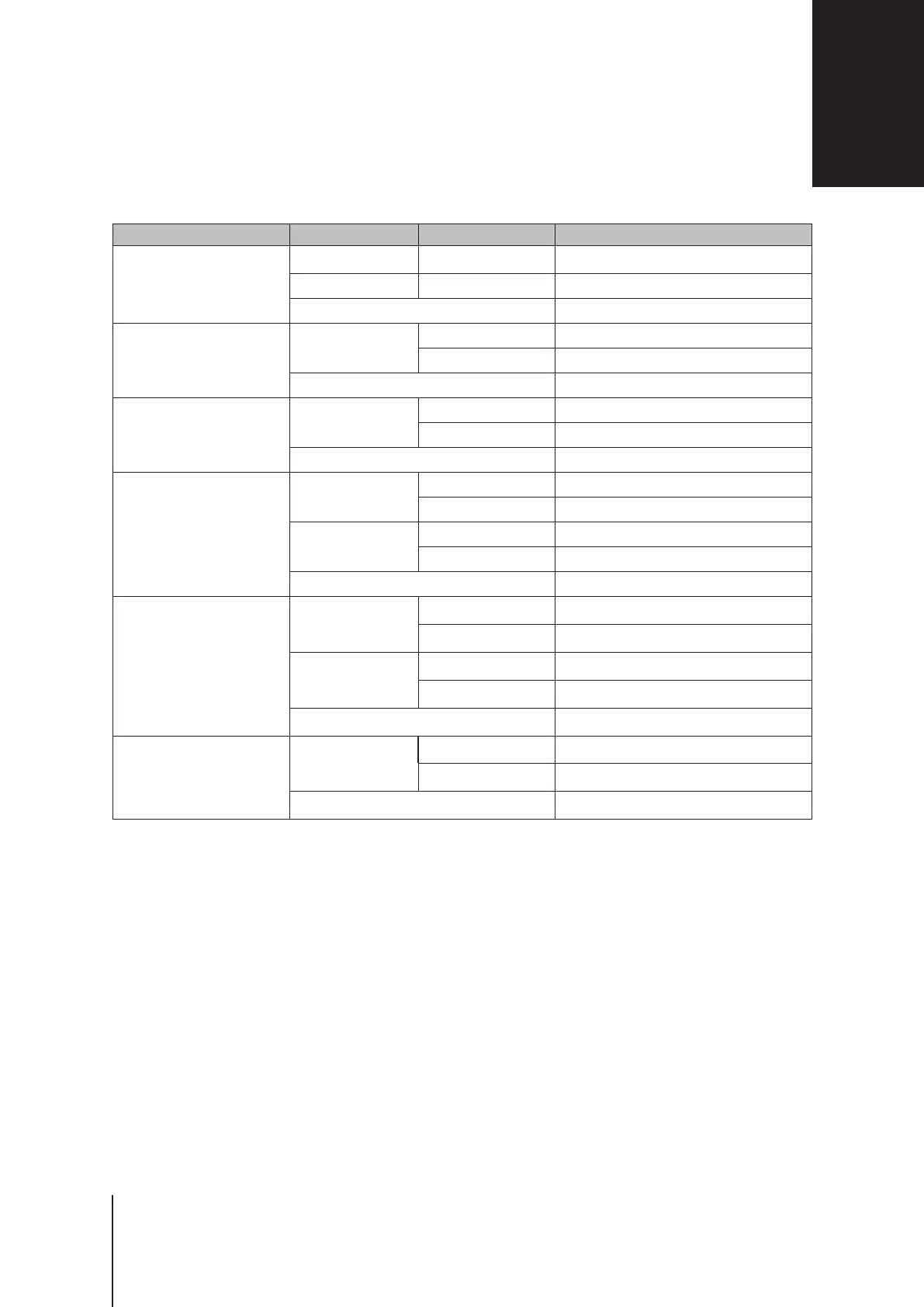
Appendix B: LED Indicator Table Appendix B: LED Indicator Table
LED Indicator Color Status Description
STATUS
Green Static Powered on
Orange Static System booting / Rebooting / Reset
Off Powered off
Wi-Fi
(2.4G & 5G)
Green
Static Wi-Fi on
Blinking Wi-Fi active
Off No Wi-Fi
WAN
Green
Static Network connected
Blinking Network active
Off No network
LAN
(1-4)
Green
Static Gigabit connection
Blinking Network active
Orange
Static 10/100 Mbps connection
Blinking Network active
Off No network
USB/SD
1
Green
Static Storage detected
Blinking Copying data
Orange
Static Ready for ejection
Blinking Ejecting storages
Off No storage
WPS
Green
Static WPS ready
Blinking WPS connection in progress
Off WPS disabled
Note:
Model specications are subject to change without notice. Please refer to
www.synology.com
for the latest information.
LED Indicator Table
B
Appendix
1
The USB/SD LED does not reect the status of the 3G/4G dongle or printer attached to your Synology Router


 To Next Page