Need help?
Do you have a question about the Synology RT1900ac and is the answer not in the manual?
Lists all items included in the product package for verification before setup.
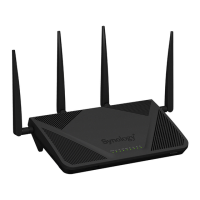
Details the physical components, ports, and indicators of the Synology Router.
Provides essential guidelines for safe installation and operation to prevent harm or damage.
Step-by-step guide on attaching and positioning the router's antennas for optimal performance.
Recommendations for optimal placement of the router to ensure best wireless performance.
Instructions on how to connect the power adapter and initiate the router's startup sequence.
Guides on connecting the router to the ISP modem and client devices, wired or wireless.
Steps to access and begin the SRM setup wizard for initial router configuration.
Instructions for configuring the Wi-Fi network name (SSID) and password.
Guide on selecting the router's primary operation mode, such as Wireless Router or AP.
Explains how to select the internet connection type: PPPoE, Manual IP, or Auto IP.
Describes the Wireless Router mode and its recommended usage scenarios for network routing.
Explains the Wireless AP mode, bridging networks and providing wireless access.
Details the Wireless Client mode for connecting to existing Wi-Fi networks.
Steps to create standard 2.4GHz and 5GHz Wi-Fi networks for client devices.
Guide for creating temporary, isolated Wi-Fi networks for visitors.
Explains how to set up Wi-Fi using WPS push button or PIN code methods.
How to check the real-time status of all client devices connected to the router.
Features for controlling client device access to websites and internet time.
Tools to regulate client device network bandwidth and application usage.
Allows remotely waking up wired devices from shutdown using network.
Ways SRM secures internet connections using HTTP/HTTPS and related measures.
How to set up firewall rules to filter external access based on specified conditions.
Automatically blocks IP addresses with too many failed login attempts.
Process of issuing or importing certificates for secure device communication.
Fine-tuning security policies and using Security Advisor for system checks.
How to update the router's firmware (SRM) and installed packages.
Procedures for backing up and restoring router configurations for future use.
Steps for performing a soft or hard reset to restore the router's settings.
Information on registering and managing a Synology account for services.
Options for connecting the router to the internet: Auto, PPPoE, or Manual IP.
Managing ISP, VPN client, and IPv6 settings for internet connectivity.
Setting up QuickConnect and DDNS for easy remote access to the router.
Configuration of Demilitarized Zone for exposing specific devices to the internet.
Redirecting network traffic from specific ports to internal devices.
Setting up dynamic ports to allow incoming traffic based on outgoing connections.
Enabling IPv6 tunneling to allow IPv6 devices to communicate over IPv4 networks.
Configuring the router to assign IPv6 addresses to client devices.
Managing dynamic IP address assignment for devices on the local network.
Manually configuring routing paths for specific destination services or devices.
Connecting and managing USB/SD storage devices for data and multimedia.
Creating shared folders and setting user access privileges for storage.
Setting up the router as a printer server for network printing.
Using a 3G/4G dongle to provide internet access and create a Wi-Fi hotspot.
Setting up a DNS Server for name resolution services.
Managing web-based downloads like BitTorrent, FTP, and RSS feeds.
Streaming multimedia content from the router to DLNA/UPnP devices.
Turning the router into a VPN server for secure remote network connections.
Mobile app for managing router setup, parental control, and network usage.
Mobile app for managing files stored on the Synology Router.
Mobile app for remotely accessing and managing Download Station.
Checking the router's current connection status and network performance.
Using Ping utility to diagnose connection throttling and latency.
Tracing the physical route of packets to identify network bottlenecks.
Information on how to seek help from Synology Technical Support.
Frequently asked questions about logging into and updating SRM.
Common questions regarding internet access, slow traffic, and router accessibility.
Common questions about Wi-Fi SSID, password, connectivity, and signal strength.
Statement regarding FCC compliance for RF radiation exposure limits.
Grants a limited license and outlines restrictions for using the Synology software.
Covers software warranty, disclaimers, and limits Synology's liability for damages.
Details dispute resolution, governing law, and the entire agreement terms.
 General
| VPN support | PPTP, OpenVPN, L2TP/IPSec |
|---|---|
| Ethernet LAN | No |
| Port forwarding | Yes |
| Networking standards | IEEE 802.11a, IEEE 802.11ac, IEEE 802.11b, IEEE 802.11g, IEEE 802.11n |
| VPN tunnels quantity | 5 |
| High power | - |
| Wi-Fi band | Dual-band (2.4 GHz / 5 GHz) |
| Wi-Fi standards | 802.11a, Wi-Fi 5 (802.11ac), 802.11b, 802.11g, Wi-Fi 4 (802.11n) |
| Top Wi-Fi standard | Wi-Fi 5 (802.11ac) |
| WLAN data transfer rate (max) | 1300 Mbit/s |
| Compatible memory cards | SDHC, SDXC |
| Ethernet LAN (RJ-45) ports | 4 |
| USB 3.2 Gen 1 (3.1 Gen 1) Type-A ports quantity | 1 |
| Antennas quantity | 3 |
| Antenna gain level (max) | 4.6 dBi |
| USB version | 3.2 Gen 1 (3.1 Gen 1) |
| Frequency band | 2.4 & 5 GHz |
| Frequency range | 2.4 - 5 GHz |
| WLAN data transfer rates supported | 600, 1300 Mbit/s |
| Product color | Black |
| Internal memory | 256 MB |
| Processor cores | 2 |
| Processor frequency | 1000 MHz |
| Storage temperature (T-T) | -20 - 60 °C |
| Operating temperature (T-T) | 5 - 40 °C |
| Operating relative humidity (H-H) | 5 - 95 % |
| Security algorithms | SNMP, SSH, WEP, WPA, WPA2 |
| AC input voltage | 100 - 240 V |
| Power source type | AC |
| AC input frequency | 50 - 60 Hz |
| Power consumption (typical) | 10.82 W |
| Cables included | LAN (RJ-45) |
 Weight and Dimensions
| Depth | 206 mm |
|---|---|
| Width | 66 mm |
| Height | 160 mm |
| Weight | 510 g |


 To Next Page