the ball bearings. Over a period of years, this rocking action may lead to issues where marks suddenly ap-
pear to shift (as the balls jump in and out of the wear grooves in the raceway) and ultimately this problem
requires optical scanner replacement.
As a preventive maintenance measure, our WinMark Pro laser marking software contains a software
feature to benet this small segment of customers whose marking processes involve long durations of high
frequency, small angle movements (where the overall mark is smaller than 10% of the nominal mark eld).
This feature, called a ‘clearing mark’, serves two purposes: rst, it redistributes lubricant along the bear-
ing raceway, and two, it repositions ball bearings around the bearing, which, over time, helps to achieve a
continuous and evenly worn raceway.
When used from the initial start-up of your FH Series Flyer marking head as a preventive maintenance
measure, implementation of the clearing mark is the best possible method for increasing service life since
optical scanner bearings are the only part of a marking head that wear out with use.
To enable this preventive maintenance feature, perform the following steps:
Note: The clearing mark is a non-lasing operation. The laser does not re during this sequence.
1
In WinMark Pro, click the Tools menu and then click General Settings… . When the Application
Settings dialog opens, click the Application Settings tab.
2
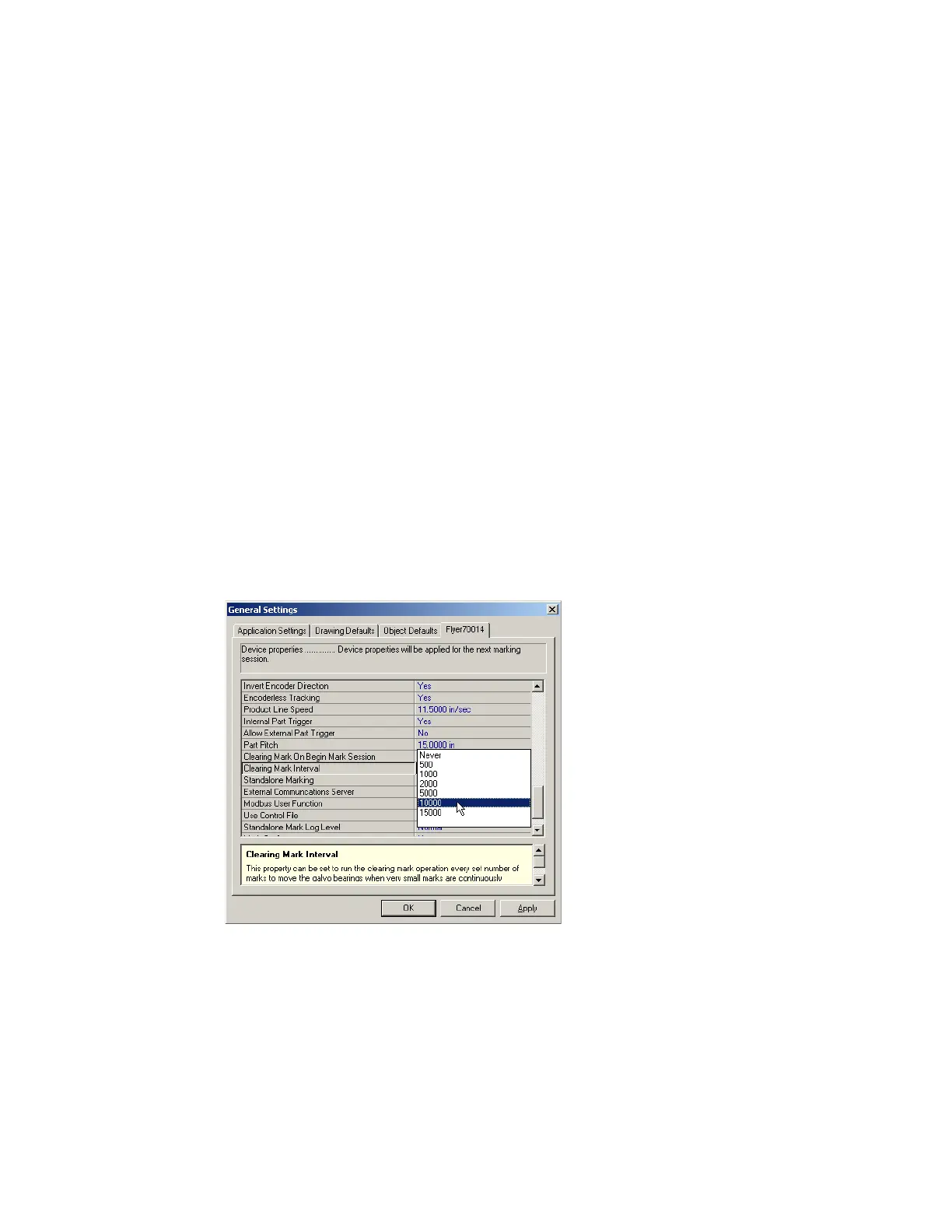
Scroll down to the Clearing Mark On Begin Mark Session and Clearing Mark Interval properties.
See Figure 6-18.
Figure 6-18
Clearing Mark properties
Clearing mark
3
In most applications, a clearing mark is not necessary. Set Clearing Mark On Begin Mark Session
SYNRAD FH Series Flyer Operator’s Manual Version 3.4
150



 To Next Page