40
VIII. Advanced configuration
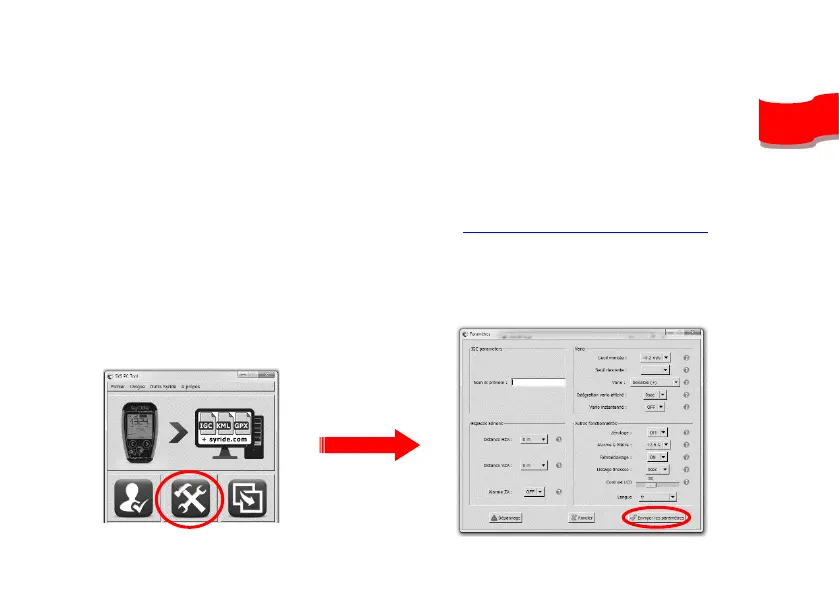
Connect your device to a computer with the SYS PC Tool, you get access to advanced setup.
You can :
• Change the airspace « pre-violation » warnings (HAS for Horizontal distance to
AirSpace, VAS for Vertical distance to AirSpace)
• Change any setup that is changeable inside the instrument,
• Adjust the security alarm based on the G-meter.
An explanation of those functions is explained here: https://www.syride.com/en/support
For this :
1) Turn-on the instrument and connect it to your computer
2) From SYS PC Tool, click on “configure my instrument” icon.
3) Change whatever you want.
4) Click on Send parameters.


 To Next Page