36
VI. Flight screens
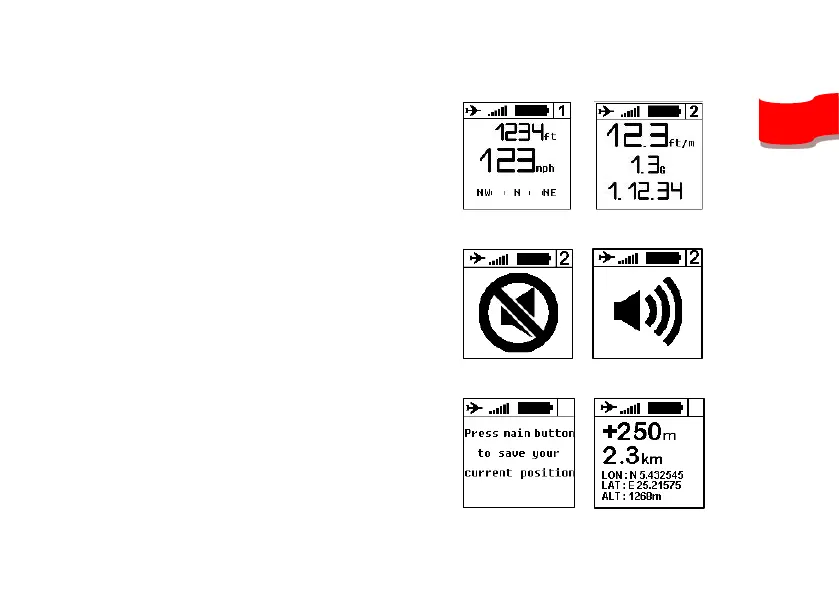
1. Screens #1 to #4 shows the
informations you previously choosed.
If your device do not receive a GPS
signal strong enough, NO GPS will
appear.
2. Pressing the central button will turn
OFF and ON the sound of the vario.
This is usefull when you need to
concentrate on a transition or when
landing.
3. Press the central button on the screen
#6 in order to save your current GPS
position. The result will show you the
distance, the vertical gain from that
point and a route indication to return to
this saved position.


 To Next Page