INTRODUCTION
1-6 Sysmex KX-21 Operator’s Manual -- Revised October 1998
7. PANEL KEYBOARD
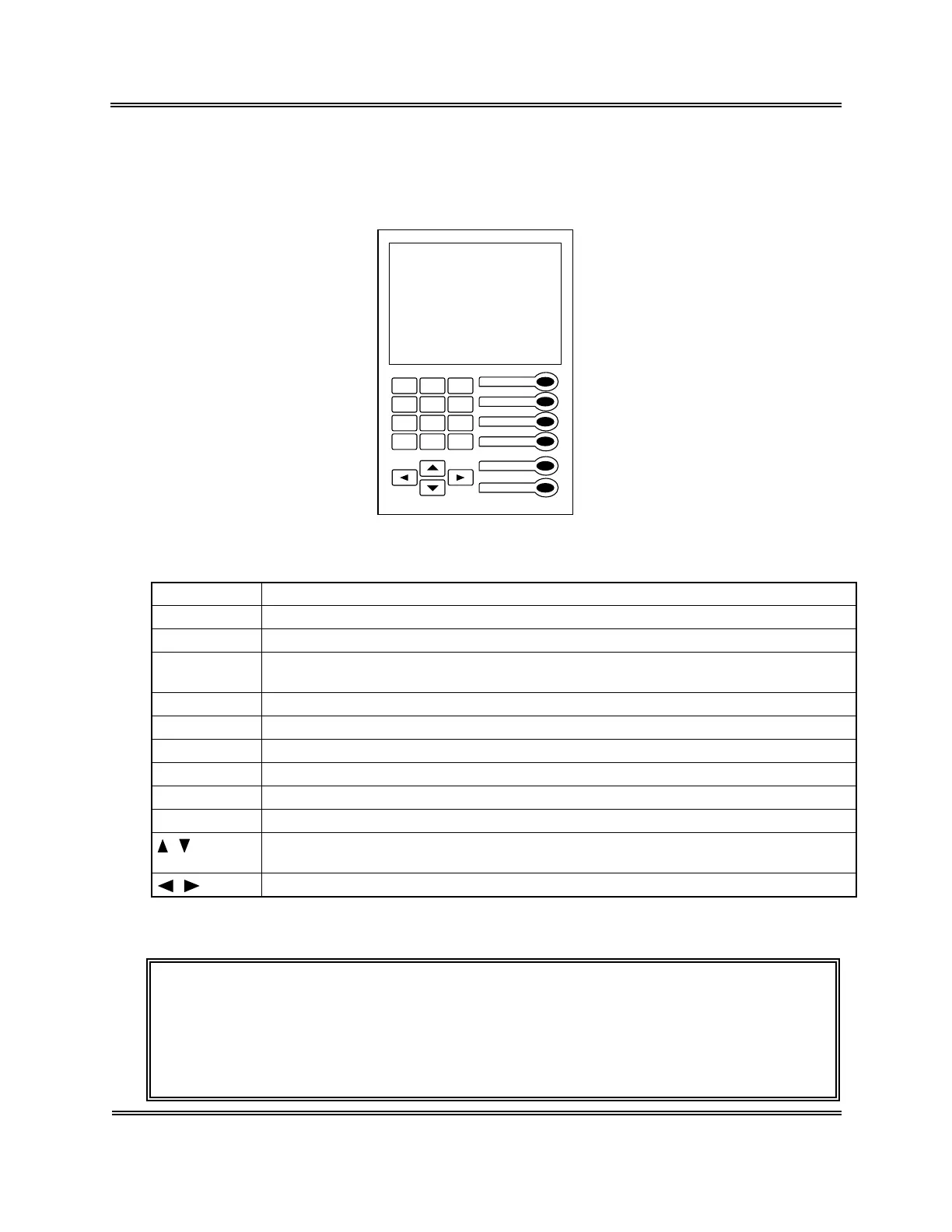
The KX-21 is provided with the 22-key panel keyboard.
7
89
4
5
6
1
23
0
-/.
C
SAMPLE No.
ENTER
SELECT
MODE
HELP
SHUTDOWN
Figure 1-7-1: Panel Keyboard
Name Function
SAMPLE No. Used to set a sample No. and QC File No.
ENTER Used to fix a sample No., selected menu, etc.
SELECT Used to select a menu. Press this key to display the Select Menu screen. When
you press it while the Select Menu screen is displayed, the Analysis screen returns.
MODE Used to changeover analysis mode (whole blood mode/pre-diluted mode).
HELP Used when an error has occurred.
SHUTDOWN Used to execute shutdown program.
0 - 9 Used to enter numerics such as a sample No., QC File No., and set value.
−/. Used to enter "−" (hyphen) of a sample No., the decimal point of a set value.
C Used to delete characters when entering numerics, and stop the alarm.
, Used to select a menu. Each time a key is pressed, the cursor moves to the
previous or the next item.
, Used to select conditions when setting, and to select Manual Discriminator.
Table 1-7-1: Functions of Panel Keyboard
CAUTION: • When the alarm is sounding after an error, etc. occurred, press [C] key
to stop it or press [HELP] key to display the HELP screen. By
pressing [HELP] key, the alarm stops and the HELP screen appears.
While the alarm is sounding, the keys other than [C] key and [HELP]
key cannot be used.



 To Next Page