SAMPLE ANALYSIS
2-10 Sysmex KX-21 Operator’s Manual -- Revised October 1998
2. Selecting whole blood mode
When "PD" is indicated in the system status area on the LCD screen, the pre-diluted
(PD) mode is in use for analysis, so change it over to the whole blood (WB) mode by
the following procedure:
(1) Confirm the Ready status.
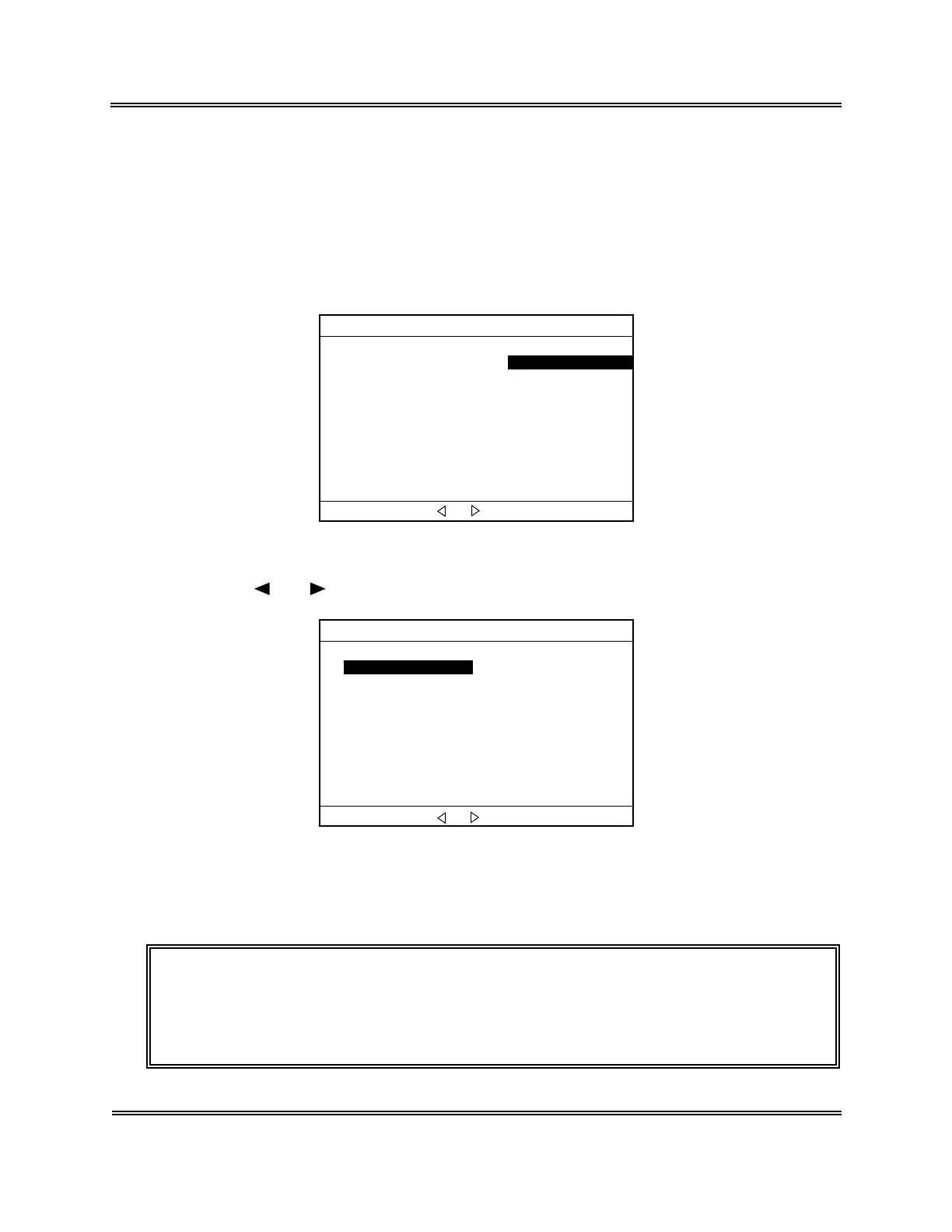
(2) Press [MODE] key to display the Change Mode screen.
*
Change Mode
*
Whole Blood(WB) Pre-Diluted(PD)Pre-Diluted(PD
Change mode with [ ]or[ ]. Press [ENTER] to Set.
Figure 2-4-1: Change Mode Screen
(3) Press [ ] or [ ] key to select "Whole Blood (WB)."
*
Change Mode
*
Whole Blood(WB) Pre-Diluted(PD)
Change mode with [ ]or[ ]. Press [ENTER] to Set.
Figure 2-4-2: Selecting WB Mode
(4) Press [ENTER] key to changeover the analysis mode and return to the Analysis
screen.
NOTE: • The analysis mode selected here is maintained after completion of
analysis, until it is switched to the other analysis mode.
• At the time of turning-on the power, the system is in the whole blood
mode.



 To Next Page