PAGE
3
INDUSTRIAL PC - COPILOT
ORDER NO. 5906510010DECEMBER 2005 - REV. 2005
1. General features
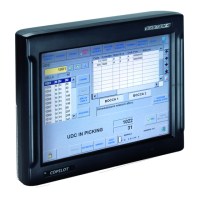
COPILOT is SYSTEM Electronics's solution to the
requirements of an advanced, on board graphic interface
with hardwired circuits.
The unit consists of a water and shock resistant portable
terminal, that can easily be transported thanks to the
adjustable handles on the side, and a docking station,
for recharging the batteries and communicating with
equipment connected to the machine. The docking
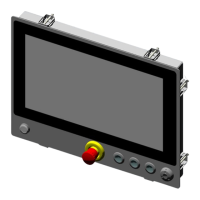
station is equipped with an emergency stop button which
can be used to switch off the machine, and a release
button that enables the User to disconnect COPILOT.
The release mechanism can be fitted with a lock that
prevents unauthorised personnel from disconnecting the
terminal.
The terminal uses a SVGA 800×600 graphic display and
a resistive touch-screen.
New wireless applications, such as WI-FI, Bluetooth and
IrDA, mean that the COPILOT terminal is completely
mobile.
2. Specifications
• CPU National Geode GX1 300MHz
• CPU CELERON 400MHz
• Display TFT, 10.4" all light readable, SVGA
800×600
• RAM 128MB up to 512MB
• Compact Flash type II up to 2GB
• Hard Disk up to 20GB
• Touch-Screen resistive
• PC104 expansion slot
• 6/8 hours battery operation
• 4 hours typical recharge time (16 hours in
trickle charge)
• Consumption: 12W max, 2W in stand-by
• 24Vdc power supply or 220Vac external supply,
12V power supply on request
• IP67 protection rating, drop shock resistant
• Docking Station with hard-wired safety circuits
and battery charter
• Operating temperature: 0-40 °C
• Dimensions: h=284, l=246, d=77 mm
• Weight: approx 2460g (with 1 battery pack)
approx 2860g (with 2 battery packs)
3. The COPILOT -
Description and
operation
3.1 Switching ON and OFF
The ON/OFF button is located at the rear of COPILOT:
pressing this button for a few seconds switches the CPU
on or off.
If the User attempts to switch the terminal on when it is
not inserted in the docking station, and with the batteries
discharged, a rapid sequence of beeps is emitted,
indicating that the terminal cannot be switched on, and
must be replaced in the station.
Toward the end of the battery autonomy period, the
terminal emits an acoustic signal once every 30 seconds
to indicate that the battery charge level is low; when
the residual charge is exhausted the CPU is switched off
automatically to avoid damaging the batteries.
When COPILOT is replaced in the docking station an
acoustic signal indicates that the correct power supply
is present. Continuous beeps indicate that the power
supply voltage is too low.
3.2 Rear LED
The ON/OFF button is also fitted with a green LED which
is illuminated when the external power supply is present.
This LED flashes at a rate of once per second during
recharge, and at a slower rate during "trickle charging".
3.3 Charge contacts
The four contacts on the rear of the base allow COPILOT
to be recharged even when the base is upside down.
Ensure these contacts stay clean and free from grease.
3.4 USB connector
A sealed, cylindrical plug protects the CPU USB connector
(Ethernet) on the rear panel. Slowly rotate this plug in
order to remove it.
To prevent dirt and humidity from damaging COPILOT,
always re-insert this plug when the connector is not in
use.
Before re-inserting the plug, lubricate it lightly with
Silicon oil so that it is easy to remove the next time.


 To Next Page