PAGE
8
INDUSTRIAL PC - COPILOT
ORDER NO. 5906510010DECEMBER 2005 - REV. 1.3
NOTE:
The screensaver "Preview" switches off the display.
Each time another screensaver is selected from
the Windows menu, the display may switch off
momentarily, in fact, Windows allows the User to
preview the selected screensaver. Simply touch the
screen to restore normal brightness.
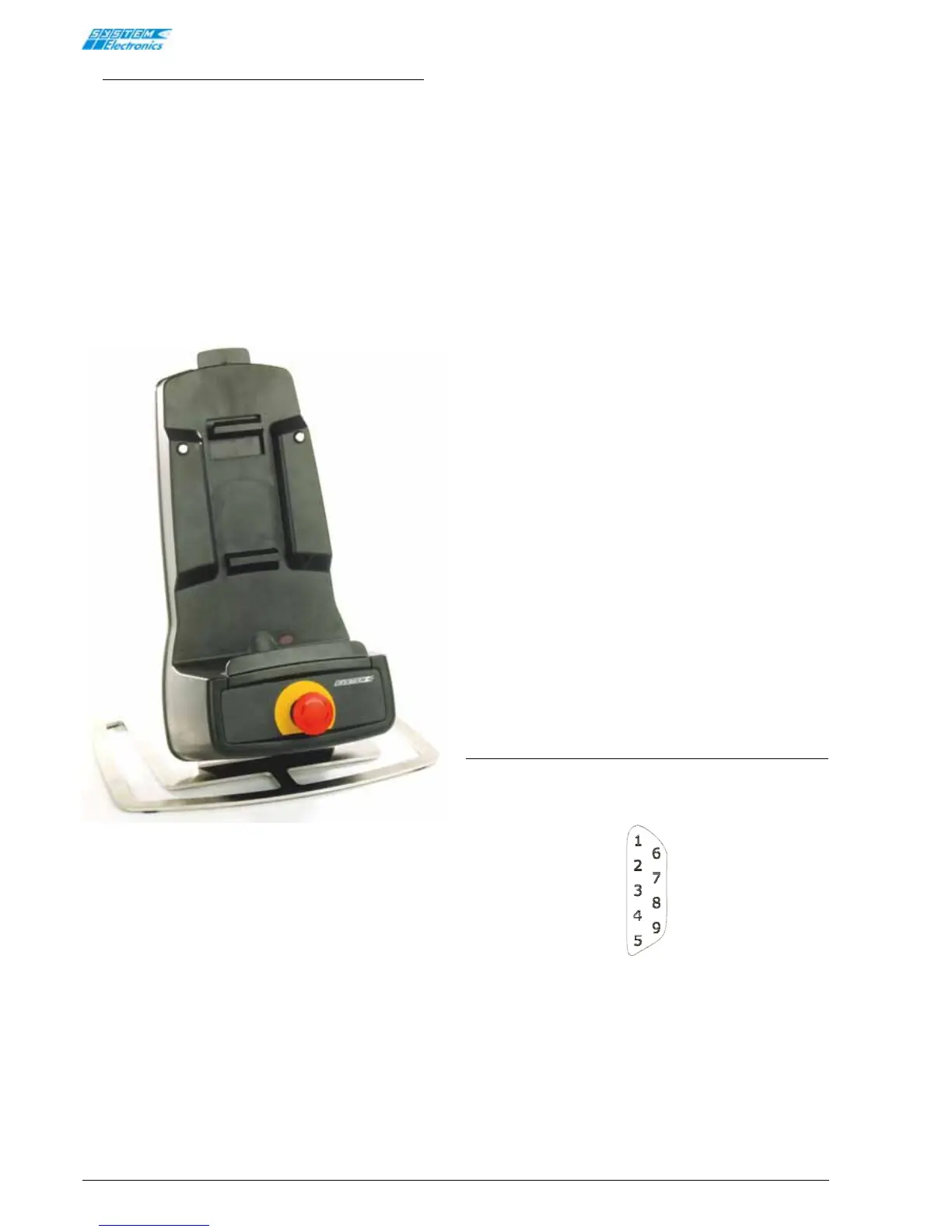
5. Docking Station
The Docking Station is used to recharge COPILOT
batteries, in addition, a number of options are provided
that enable COPILOT to interact with the machine via
the Docking Station.
Figure 5.1 Docking Station
5.1 Options
The following additional functions are available:
1) Electromechanical push-buttons: the three
slots on the front panel of the Docking Station can
be used to house electromechanical push-buttons,
that drive a set of contacts on the rear panel
(where the connectors are located).
2) Copilot present: a short-circuit protected, PNP
digital output connected to the external power
supply voltage (0.7A max); it indicates that there
is a Copilot unit is present, either switched on, or
recharging in the Docking Station.
3) Infrared communications: an infrared port is
available for wireless communication with Copilot
in the following modes:
• ID code reading: 5 configurable bits that can
be read by COPILOT, via an invariable serial
command on COM1 (configured as a 9600bps
fixed baud rate infrared port on COPILOT),
enable Copilot to identify the Docking Station in
which it is currently located.
• RS232 data transmission: this permits RS232
serial communication via the COM1 port
(configured as a 115200bps fixed baud rate
infrared port on Copilot). Optical communication
is enabled only if HALF-DUPLEX data exchange is
guaranteed, therefore it is strongly advised that
Xon-Xoff mode not be used, as this could result
in simultaneous data exchange, thereby
compromising optical communications. Three
wire serial communication is used.
• RS422 data transmission: this permits RS422
serial communication via the COM1 port
(configured as a 115200bps fixed baud rate
infrared port on Copilot). Optical communication
is enabled only if HALF-DUPLEX data exchange is
guaranteed, therefore it is strongly advised that
Xon-Xoff mode not be used, as this could result
in simultaneous optical communications.
• CANbus data transmission: this mode enables
communications over CANbus Rev. 2.0 A/B
networks at a maximum frequency of 250Kbps.
The Copilot infrared device must be set to
CANbus mode.
5.2 Connectors
Various types of connectors are available, depending
on the options present on the Docking Station.
Signal connectors
Figure 5.2.1 Docking 5906510035
GND
RX
TX
Connector 9 POLES
MALE


 To Next Page