EasyManua.ls Logo

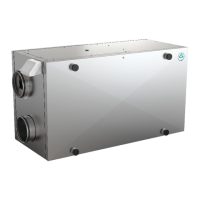
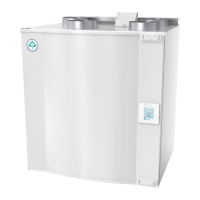
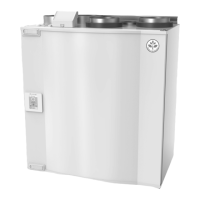
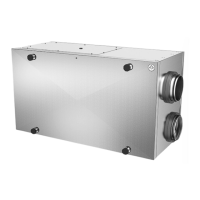
SystemAir SAVE VSR 300 - User Manual

SystemAir SAVE VSR 300
25 pages
Print Icon
To Next Page IconTo Next Page
Loading...
Document in original language | 211459 · A001
SAVE VSR 300/500
User Manual
GB

Other manuals for SystemAir SAVE VSR 300

Questions and Answers

  • J
    jenniferholtAug 21, 2025
    Why SystemAir Fan does not start?
    • A
      andreariceAug 21, 2025
      If your SystemAir Fan isn't starting, consider the following checks: * Check the HMI for alarms. * Ensure all fuses and fast couplings are connected, including the main power supply and fast couplings for supply and extract air fans. * Verify that the week schedule is ON and running in AUTO mode, as it might be in OFF mode with the airflow set to OFF.
  • N
    Nancy EvansAug 26, 2025
    How to fix SystemAir SAVE VSR 300 if it cannot be controlled?
    • P
      pmorrisAug 26, 2025
      If the control functions of your SystemAir Fan are stuck, try these solutions: * Reset control functions by unplugging the unit for 10 seconds. * Check the modular contact connection between the HMI and the main printed circuit board.
  • D
    Danielle StevensonAug 27, 2025
    How to reduce noise and vibrations in SystemAir SAVE VSR 300 Fan?
    • M
      Marilyn LopezAug 27, 2025
      To address noise and vibrations in your SystemAir Fan, consider these steps: * Clean the fan impellers. * Ensure the screws holding the fans are tightened. * Verify that the anti-vibration strips are fitted to the mounting bracket and the back of the unit. * If the unit has a rotating heat exchanger, check that the rotor belt isn't slipping.
  • W
    William JohnsonAug 29, 2025
    What to do if my SystemAir SAVE VSR 300 has reduced airflow?
    • C
      Carlos MooreAug 30, 2025
      If you're experiencing reduced airflow with your SystemAir Fan, here are some things to check: Examine the display for any alarms. Verify the fan speed setting on the control panel and the week program settings. Ensure none of the digital inputs 1–3 (DI 1–3) are active and set to off. Inspect the filters, diffusers/louvres, fans, and heat exchange block. Also, check for any clogs in the building's air intake and roof unit (exhaust). Look for visible damage or dust/pollution buildup in duct runs, and ensure diffuser/louvre openings are clear.
  • T
    Tracy LesterSep 1, 2025
    How to fix a SystemAir SAVE VSR 300 Fan that won't start?
    • L
      Linda FoxSep 1, 2025
      If your SystemAir Fan isn't starting, begin by checking the display for any alarms. Ensure all fuses and fast couplings are connected properly, including the mains supply and those for supply and extract air fans. Verify that the week program is in ON mode. Also, check if any of the digital inputs 1–3 (DI 1–3) are active and set to off.
  • A
    Ashley HayesSep 3, 2025
    Why is my SystemAir SAVE VSR 300 Fan making noise and vibrating?
    • J
      Jessica MedinaSep 3, 2025
      If your SystemAir Fan is producing excessive noise or vibrations, try these solutions: Clean the fan impellers. Make sure all screws holding the fans are properly tightened. Confirm that the anti-vibration pads are correctly fitted at the bottom of the unit.
  • T
    Travis LawsonSep 5, 2025
    What to do if my SystemAir SAVE VSR 300 Fan unit cannot be controlled?
    • C
      Cheryl WhiteSep 5, 2025
      If the control functions of your SystemAir Fan unit are stuck, try these steps: Reset the control functions by unplugging the unit for 20-30 seconds. Also, check the modular contact connection between the control panel and the main print card.
  • H
    Heather ChapmanSep 7, 2025
    Why is the supply air temperature low in my SystemAir SAVE VSR 300 Fan?
    • A
      April HintonSep 7, 2025
      If you're experiencing low supply air temperature with your SystemAir Fan, consider the following: Check the display for any alarms. Verify the set supply air temperature in the control panel. Inspect the analogue inputs in the service menu to ensure the temperature sensors are functioning correctly. Check if the overheat protection thermostat is still active. Ensure that digital input 4 (DI 4) is not set to off. See if the extract filter needs to be changed. If outdoor conditions are very cold, an electrical or water pre-heating battery might be necessary. Finally, check the balance between the supply and extract air.
  • L
    ljonesSep 9, 2025
    Why is airflow reduced in my SystemAir SAVE VSR 300?
    • D
      Daniel LoweSep 9, 2025
      If your SystemAir Fan is producing reduced airflow, it could be due to several reasons. First, check the HMI for active alarms, as some can reduce airflow. The unit might be in defrost mode, which reduces fan speed or shuts down the supply air fan. If the outdoor air temperature is below 0°C, the outdoor airflow compensation function might be active. Also, ensure that a temporary user mode like AWAY or HOLIDAY isn't activated. Check digital inputs for CENTRAL VACUUM CLEANER and COOKER HOOD. Other potential causes include airflow settings in the HMI, week schedule settings, clogged filters, dirty diffusers/louvres, dirty fans and heat exchange block, clogged air intake, damage or pollution build-up in duct runs, and diffuser/louvre openings.
  • C
    Cristian BrownSep 12, 2025
    How to troubleshoot a SystemAir SAVE VSR 300 that does not start?
    • G
      ghendersonSep 12, 2025
      If your SystemAir Fan is not starting, there are a few things you can check. First, review the HMI for any alarms. Next, make sure that all fuses and fast couplings are connected, including the main power supply and fast couplings for supply and extract air fans. Finally, verify that the week schedule is ON and running in AUTO mode, as it might be in OFF mode with the airflow set to OFF.

Summary

Warnings

SAVECair Control

Startup Wizard

Guides the user through the initial setup process upon first power-up.

Menu Overview

Details the structure and content of the SAVECair control panel's main menu options.

Home Screen

Describes the layout and elements of the SAVECair control panel's primary home screen.

Temperature Settings

Explains how to adjust temperature setpoints and utilize the ECO mode for energy saving.

Airflow Settings

Provides instructions on configuring supply and extract airflow levels in MANUAL mode.

Indoor Air Quality

Details the unit's automatic control of indoor air quality via airflow adjustments based on sensors.

Week Schedule

Outlines how to configure time-based airflow settings for different days of the week.

Maintenance of the Unit

Duct System Maintenance

Troubleshooting

Alarms

SystemAir SAVE VSR 300 Specifications

General IconGeneral
Airflow RateUp to 300 m³/h
Heat Recovery EfficiencyUp to 85%
Power Consumption40-200 W
Weight35 kg
Supply voltage230 V
Frequency50 Hz
Filter typeF7
Mounting positionWall
Noise level34-55 dB(A)

Related product manuals