EasyManua.ls Logo

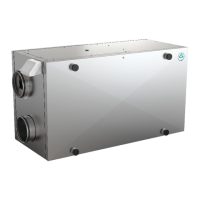
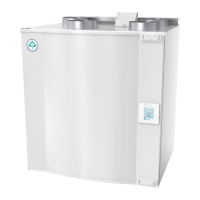
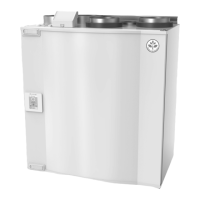
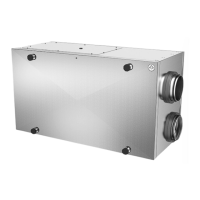
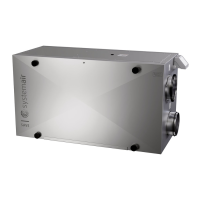
SystemAir SAVE VSR 300 - User Manual

SystemAir SAVE VSR 300
25 pages
Print Icon
To Next Page IconTo Next Page
Loading...
Document in original language | 211459 · A001
SAVE VSR 300/500
User Manual
GB

Other manuals for SystemAir SAVE VSR 300

Questions and Answers

  • B
    blackdaisySep 13, 2025
    What to do if my SystemAir SAVE VSR 300 has low supply air temperature?
    • H
      Haley PowellSep 14, 2025
      If the supply air temperature from your SystemAir Fan is low, begin by checking the display for any alarms. Also, verify if the defrosting function is running in the HMI screen. Then, check the set supply air temperature in the HMI. Ensure that ECO mode is not activated, as it prevents the heater from activating. Also, see if user modes like HOLIDAY, AWAY, or CROWDED are activated in the HMI or via a hardwired switch. Check the analogue inputs in the service menu to verify that the temperature sensors are functioning correctly. If there is an electrical re-heater installed, check if the overheat protection thermostat is active and reset it if necessary. Finally, consider whether a re-heater battery is needed, especially in very cold outdoor conditions.
  • J
    John CarterSep 15, 2025
    How to reset control functions on a SystemAir SAVE VSR 300?
    • D
      david93Sep 16, 2025
      If your SystemAir Fan's control functions are stuck, try resetting them by pulling out the plug for 10 seconds. You should also check the modular contact connection between the HMI and the main printed circuit board.
  • C
    caseyconnorNov 18, 2025
    What to do if SystemAir Fan has reduced airflow?
    • J
      Jorge CaseNov 18, 2025
      If you notice reduced airflow in your SystemAir Fan, there are several potential causes and solutions: * Check the HMI for alarms, as some alarms can reduce airflow. * The unit may be in defrost mode, which reduces fan speed. * If the outdoor air temperature sensor (OAT) measures below 0°C, the outdoor airflow compensation function might be active, linearly reducing fan speed. * Temporary user modes like AWAY or HOLIDAY could be activated, reducing airflow. Also, check digital inputs CENTRAL VACUUM CLEANER and COOKER HOOD. * Verify the airflow setting in the HMI. * Inspect filters to see if they need changing. * Check and clean diffusers/louvres. * Clean fans and the heat exchange block. * Ensure the building's air intake and roof unit (exhaust) aren't clogged. * Inspe...
  • G
    George RussellNov 22, 2025
    What to do if SystemAir SAVE VSR 300 Fan supply air temperature is low?
    • M
      Ms. Debra JohnsonNov 22, 2025
      If you're experiencing low supply air temperature with your SystemAir Fan, here are some things to check: * Check the display for alarms. * See if the Defrosting function is active in the HMI screen. * Verify the set supply air temperature in the HMI. * Check if ECO mode is activated in the HMI, as it prevents the heater from activating. * See if user modes HOLIDAY, AWAY, or CROWDED are activated in the HMI or via a hardwired switch. * Check the analogue inputs in the service menu to verify the temperature sensors are functioning correctly. * If an electrical re-heater is installed, check if the overheat protection thermostat is active and reset if necessary. * Check if the extract filter needs to be changed. * If the unit has a re-heater battery connected, ensure it's f...

Summary

Warnings

SAVECair Control

Startup Wizard

Guides the user through the initial setup process upon first power-up.

Menu Overview

Details the structure and content of the SAVECair control panel's main menu options.

Home Screen

Describes the layout and elements of the SAVECair control panel's primary home screen.

Temperature Settings

Explains how to adjust temperature setpoints and utilize the ECO mode for energy saving.

Airflow Settings

Provides instructions on configuring supply and extract airflow levels in MANUAL mode.

Indoor Air Quality

Details the unit's automatic control of indoor air quality via airflow adjustments based on sensors.

Week Schedule

Outlines how to configure time-based airflow settings for different days of the week.

Maintenance of the Unit

Duct System Maintenance

Troubleshooting

Alarms

SystemAir SAVE VSR 300 Specifications

General IconGeneral
Airflow RateUp to 300 m³/h
Heat Recovery EfficiencyUp to 85%
Power Consumption40-200 W
Weight35 kg
Supply voltage230 V
Frequency50 Hz
Filter typeF7
Mounting positionWall
Noise level34-55 dB(A)

Related product manuals