EasyManua.ls Logo

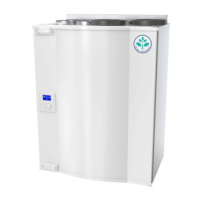
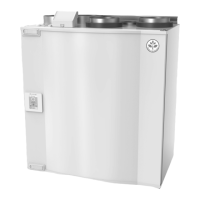
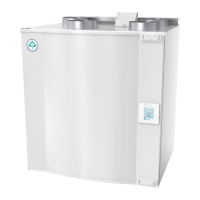
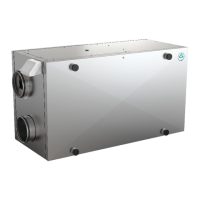
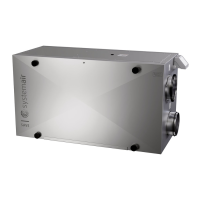
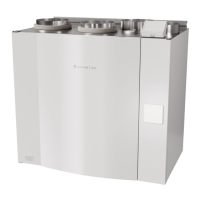
SystemAir SAVE VTR 250/B - User Manual

SystemAir SAVE VTR 250/B
94 pages
Print Icon
To Next Page IconTo Next Page
Loading...
Document translated from English | 211570 · A003
SAVE VTR 250/B
GB User Manual................................................2
SV Användarhandbok .....................................24
DE Bedienungsanleitung .................................46
FI Käyttöohje................................................72

Table of Contents

Other manuals for SystemAir SAVE VTR 250/B

Questions and Answers

  • S
    Scott CookAug 16, 2025
    What to do if my SystemAir SAVE VTR 250/B Fan does not start?
    • B
      Brenda MayAug 16, 2025
      If your SystemAir Fan is not starting, there are several things you can check. First, review the HMI for any alarms. Next, ensure that all fuses and fast couplings are securely connected, including the main power supply and the fast couplings for both supply and extract air fans. Finally, verify that the week schedule is active and running in AUTO mode, as it might be in OFF mode with the airflow set to OFF.
  • I
    irossAug 22, 2025
    What to do if the SystemAir Fan cannot be controlled?
    • A
      Andrew GordonAug 22, 2025
      If your SystemAir Fan unit's control functions are stuck, try resetting them by unplugging the unit for 10 seconds. Also, inspect the modular contact connection between the HMI and the main printed circuit board to make sure that they are connected.
  • P
    Patricia FlowersAug 28, 2025
    How to fix noise/vibrations in SystemAir Fan?
    • Y
      ycruzAug 28, 2025
      To address noise or vibrations coming from your SystemAir Fan, start by cleaning the fan impellers. Then, check that all screws holding the fans are tightened. Ensure that the anti-vibration lists are properly fitted to the mounting bracket and the back of the unit. If your unit has a rotating heat exchanger, check that the rotor belt is not slipping.
  • S
    sarahleeAug 31, 2025
    How to fix SystemAir SAVE VTR 250/B when it does not start?
    • J
      Jeremiah MunozAug 31, 2025
      If your SystemAir Fan isn't starting, here are a few things to check: * First, check the HMI for any alarms. * Ensure that all fuses and fast couplings are securely connected, including the main power supply and the fast couplings for both supply and extract air fans. * Verify that the week schedule is activated and running in AUTO mode, as it might be in OFF mode with the airflow set to OFF.
  • V
    Victoria WilliamsSep 9, 2025
    How to reduce noise and vibrations from SystemAir SAVE VTR 250/B?
    • M
      Michael Gonzales MDSep 9, 2025
      To address noise and vibrations in your SystemAir Fan, try the following: * Clean the fan impellers. * Ensure that all screws holding the fans are tightened. * Check that the anti-vibration strips are properly fitted to the mounting bracket and the back of the unit. * If your unit has a rotating heat exchanger, make sure the rotor belt isn't slipping.
  • R
    Ricky RamirezSep 12, 2025
    What to do if SystemAir Fan cannot be controlled?
    • A
      adam53Sep 12, 2025
      If your SystemAir Fan's control functions are stuck, try these steps: * Reset the control functions by unplugging the unit for 10 seconds. * Check the modular contact connection between the HMI and the main printed circuit board.
  • A
    Ann JamesNov 18, 2025
    Why is there reduced airflow in my SystemAir Fan?
    • A
      Ashley ScottNov 18, 2025
      If you're experiencing reduced airflow from your SystemAir Fan, there are several potential causes. The unit might be in defrost mode, which reduces fan speed or shuts down the supply air fan temporarily. Check the HMI for alarms that could be reducing airflow. If the outdoor temperature is below 0°C, the outdoor airflow compensation function might be active, reducing fan speed. Also, check for temporary user modes like AWAY or HOLIDAY that reduce airflow, as well as digital inputs like CENTRAL VACUUM CLEANER and COOKER HOOD. You should also check the airflow settings in the HMI, the week schedule settings, and whether the filters, diffusers/louvres, fans, and heat exchange block need cleaning. Finally, ensure the building's air intake and exhaust are not clogged, and inspect duct runs for...
  • S
    Stacy BruceNov 24, 2025
    Why is the supply air temperature low in my SystemAir SAVE VTR 250/B Fan?
    • S
      Samantha CochranNov 24, 2025
      If you're experiencing low supply air temperature from your SystemAir Fan, start by checking the display for alarms. Then, check the active user functions in the HMI screen to see if the Defrosting function is running. Verify the set supply air temperature in the HMI and ensure that ECO mode is not activated, as it prevents the heater from activating. Also, check if user modes like HOLIDAY, AWAY, or CROWDED are activated in the HMI or via a hardwired switch. Check the analogue inputs in the service menu to verify that the temperature sensors are functioning correctly. If you have an electrical re-heater, check if the overheat protection thermostat is active and reset it if necessary. See if the extract filter must be changed. Finally, consider whether the unit has a re-heater battery conne...

Summary

Disposal and Recycling

Safety Warnings

Covers Danger, Warning, and Important notes for safe operation and maintenance procedures.

Type Label Information

Introduction to SAVE VTR 250;B

Overview of the SAVE VTR 250/B unit, its features, and suitability for homes.

Unit Configuration

General Configuration Overview

Introduction to the touchscreen HMI and its role in controlling system functions.

Startup Wizard Process

Initial setup process for menu language, time, date, and airflow settings.

Common Symbols and Navigation

Explanation of common icons and buttons used within the unit's menu interface.

Menu Structure Overview

Detailed breakdown of the main menu structure and available options.

Home Screen Interface

User Modes Explained

Explanation of different user modes like AUTO and MANUAL for unit operation.

Permanent User Modes

Details on permanent user modes, their icons, text, and descriptions for operation.

Temporary User Modes

Information about temporary user modes that operate for a limited time.

Temporary Modes Details

Descriptions of various temporary modes like HOLIDAY, CROWDED, AWAY, REFRESH, FIREPLACE.

Digital Input Functions

How digital inputs activate specific functions like vacuum cleaner or cooker hood.

Digital Input and Mode Hierarchy

Explanation of the priority order between different user modes and digital inputs.

Temperature Settings

ECO Mode Functionality

Explanation of the ECO mode for power saving and its impact on heating.

Airflow Settings

Important Airflow Notes

Important notes on setting fan to off and manual fan stop activation.

Indoor Air Quality (IAQ) Control

Status Line Information

User Function Icons Guide

Airflow and Temperature Icons

Icons for Heating, Heat recovery, Cooling, Cooling recovery, and Free cooling.

Operational and Maintenance Icons

Icons for Moisture transfer, Defrosting, Secondary air, Vacuum cleaner, Cooker hood, User lock.

Week Schedule Configuration

Scheduling Airflow Settings

How to set airflow levels for scheduled and unscheduled periods.

Editing Schedule Entries

Steps to add or modify a schedule, including time and day selection.

Week Schedule Example

Example of the WEEK SCHEDULE interface showing time periods and days.

Unit Maintenance

Maintenance Warnings and Dangers

Safety warnings specific to maintenance procedures, including danger and general warnings.

Opening the Front Hatch

Instructions on how to open the unit's front hatch for access.

Filter Replacement Procedure

Step-by-step guide for replacing the unit's filters.

Filter Change Safety Danger

Critical safety instruction regarding mains supply disconnection before filter change.

Filter Time Reset

Heat Exchanger Maintenance

Heat Exchanger Safety Danger

Critical safety instruction regarding mains supply disconnection before heat exchanger work.

Heat Exchanger Cleaning Warning

Warning about ensuring the rotor motor is not exposed to moisture during cleaning.

Fan Cleaning

Fan Cleaning Safety Danger

Critical safety instruction regarding mains supply disconnection before fan cleaning.

Rotor Drive Belt Replacement

Belt Replacement Notes

Notes on removing the heat exchanger for belt replacement and alarm indicators.

Belt Replacement Safety Danger

Critical safety instruction regarding mains supply disconnection before belt replacement.

Belt Replacement Safety Warning

Warning about the weight of the heat exchanger and safety during removal.

Heat Exchanger Mounted Belt Change

Steps to replace the drive belt when the heat exchanger is mounted.

Belt Replacement Notes

Troubleshooting notes for belt slippage and alarm checks.

Heat Exchanger Removed Belt Change

Steps to replace the drive belt after removing the heat exchanger.

Belt Replacement Notes

Troubleshooting notes for belt slippage and alarm checks.

Duct System Maintenance

Cleaning Air Diffusers and Louvres

How to clean air diffusers and louvres.

Checking Outdoor Air Intake

How to check and clean the outdoor air intake grille.

Checking Roof Cowl

How to check and clean the roof cowl.

Cleaning Duct System Runs

How to check and clean the duct runs for dust and grease.

Troubleshooting Guide

Malfunction and Action Guide

Covers common malfunctions like fan start issues, reduced airflow, and control problems.

Alarm System Overview

Alarm List Details

Frost Protection Alarms

Covers Frost protection and Frost protection temperature sensor alarms.

Fan and Control Alarms

Covers Defrosting error, Supply/Extract fan rpm, and control error alarms.

Fire Alarm

Explanation and actions for the Fire alarm.

Thermostat and Damper Alarms

Covers Emergency thermostat, Bypass damper, and Secondary air damper alarms.

Sensor Malfunction Alarms

Covers Rotor guard, Outdoor air temperature, Overheat, Supply air, and Room air sensors.

Additional Sensor and Filter Alarms

Covers Extract air, Extra controller, Efficiency sensors, PDM RH, Filter, and Extra controller alarms.

Operational Status Alarms

Covers External stop, Manual fan stop, Overheat temperature, and Low supply air temperature.

Environmental Sensor and Output Alarms

Covers CO2, RH sensor malfunctions, and outputs in manual mode.

SystemAir SAVE VTR 250/B Specifications

General IconGeneral
BrandSystemAir
ModelSAVE VTR 250/B
CategoryFan
LanguageEnglish

Related product manuals