EasyManua.ls Logo

SystemAir SAVE VTR 300/B - User Manual

SystemAir SAVE VTR 300/B
25 pages
Print Icon
To Next Page IconTo Next Page
Loading...
Document in original language | 211476 · A001
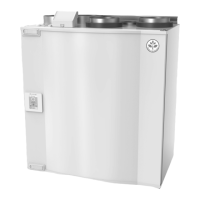
SAVE VTR 300/B
User Manual
GB

Other manuals for SystemAir SAVE VTR 300/B

Questions and Answers

  • M
    Mason MartinezAug 16, 2025
    What to do if the SystemAir Fan unit cannot be controlled?
    • J
      Jeremy WardAug 16, 2025
      If the SystemAir Fan unit cannot be controlled, and the control functions seem stuck, try these steps: First, reset the control functions by removing the main power supply plug for 20-30 seconds. If that doesn't work, check the modular contact connection between the control panel and the main print card to ensure they are properly connected.
  • C
    Christopher JonesAug 18, 2025
    Why is there reduced airflow in my SystemAir Fan?
    • M
      Michaela CraigAug 18, 2025
      If you experience reduced airflow from your SystemAir Fan, there are several things you can check: * Check the display for any alarms. * Verify the fan speed setting in the control panel. * Check the week program settings. * Ensure that none of the digital inputs 1–3 (DI 1–3) are active and set to off. * Inspect the filters to see if they need changing. * Check the diffuser/louver openings for blockages and clean if required. * Inspect the fans and heat exchange block, cleaning if necessary. * Ensure that the building's air intake and roof unit (exhaust) are not clogged. * Examine visible duct runs for damage or buildup of dust/pollution.
  • C
    Carmen Brown DDSAug 21, 2025
    How to troubleshoot SystemAir SAVE VTR 300/B Fan that does not start?
    • N
      nancy80Aug 22, 2025
      If your SystemAir Fans do not start, follow these steps: 1. Check the display for any alarms. 2. Check the fuse for the main power supply in the building's distribution box and ensure all quick connectors are properly connected in the unit, including those for supply and extract air fans. 3. Verify that the week program is in ON mode, as it might be in OFF mode with the fan speed set to OFF. 4. Check if any of the digital inputs 1–3 (DI 1–3) are active and set to off, as this could force one or both fans to stop, depending on the setup.
  • S
    Stephanie FuentesAug 25, 2025
    Why is the supply air temperature low in my SystemAir SAVE VTR 300/B?
    • N
      Natalie ScottAug 26, 2025
      If the supply air temperature from your SystemAir Fan is low, consider the following checks: 1. Check the display for alarms. 2. Verify the set supply air temperature in the control panel. 3. Check the analogue inputs in the service menu to ensure the temperature sensors are working correctly. 4. Check if the overheat protection thermostat is still active; if so, reset it by pressing the reset button. 5. Check if digital input 4 (DI 4) is set to off, as this would switch off the electrical re-heater battery. 6. Check if the extract filter needs to be changed. 7. Consider whether an electrical pre-heating battery is necessary for very cold outdoor conditions. 8. Check the balance between the supply and extract air.
  • J
    Jacob MelendezAug 27, 2025
    How to reduce noise and vibrations from SystemAir SAVE VTR 300/B?
    • J
      Justin BradleyAug 27, 2025
      To address noise or vibrations coming from your SystemAir Fan, you can try the following: 1. Clean the fan impellers. 2. Ensure that the screws holding the fans are tightened. 3. Verify that the anti-vibration pads are fitted at the bottom of the unit.
  • L
    Laura SchneiderAug 30, 2025
    What does it mean when the SystemAir Fan displays a 'Fan' alarm?
    • A
      Amanda HarrisAug 31, 2025
      The alarm is displayed in the control panel. Check that quick connectors are connected for the both fans. Contact your installation company or place of purchase.
  • H
    Hunter MooreSep 3, 2025
    What to do if SystemAir SAVE VTR 300/B shows EMT/Frost alarm?
    • M
      Mallory BlevinsSep 3, 2025
      A triggered frost protection alarm results in the following: * Both fans stop. * Outdoor and exhaust air dampers closed. * Water valve opens completely (10 V signal goes out to the actuator). The unit will restart once the water temperature reaches +5°C above the set frost protection temperature. A triggered over heat protection gives an alarm in the control panel. Reset by pushing the reset button. See chapter 9.3.7. If the problem continues contact your installation company or place of purchase.
  • J
    Jesse TaylorSep 5, 2025
    What does it mean when my SystemAir Fan displays a 'Rotor' alarm?
    • C
      Christopher BakerSep 6, 2025
      The alarm is displayed in the control panel. • If the rotating heat exchanger has stopped. Check the rotor belt. See chapter 9.5 • If the heat exchanger is still rotating, check that the quick connector for the sensor is connected and that there is an air gap of 5-10mm between the sensor and the magnet. Adjust the gap if necessary. If the alarm persists, the rotor sensor may be faulty. Contact your installation company or place of purchase.
  • E
    Eric JenkinsSep 8, 2025
    What should I do if my SystemAir SAVE VTR 300/B Fan shows a 'PbFail' alarm?
    • E
      Erin MurphySep 8, 2025
      The alarm is displayed in the control panel. The heater will not be activated. For triggered ET2, wait 10–15 min. If the error remains, contact your installation company or place of purchase.
  • J
    Justin KellySep 12, 2025
    What should I do if the SystemAir SAVE VTR 300/B shows a 'Filter' alarm?
    • T
      Taylor CopelandSep 12, 2025
      The alarm is displayed in the control panel. Change filter according to instructions in the user guide.

Summary

Disposal and Recycling

Safety Warnings

General Safety Precautions

Critical safety instructions for operation, maintenance, and installation.

Product Identification

Type Label and QR Code

Information on product specification, serial numbers, and accessing documentation.

Product Description

Unit Overview and Model Variants

Details on the SAVE VTR 300/B features and left/right model differences.

SAVECair Control System

HMI Interface and Setup

Introduction to the SAVECair touchscreen interface, startup wizard, and common symbols.

Menu Navigation and Operation

Overview of menus, home screen, user modes, and digital inputs.

Temperature, Airflow, and Schedules

Adjusting temperature, ECO mode, airflow settings, and configuring week schedules.

Air Quality, Status, and Functions

Information on IAQ, status line indicators, user function icons, and descriptions.

Unit Maintenance Procedures

Filter Maintenance and Safety

Safety precautions, opening the unit, and replacing air filters.

Heat Exchanger and Fan Servicing

Procedures for checking, cleaning the heat exchanger, and resetting the filter timer.

Rotor Drive Belt Replacement

Instructions for cleaning fans and replacing the rotor drive belt.

Duct System Maintenance

Louvre, Diffuser, and Intake Checks

Cleaning and inspecting louvres, diffusers, and outdoor air intake.

Duct System Cleaning and Roof Cowl

Maintaining ductwork and checking the roof cowl for optimal performance.

Troubleshooting Common Issues

Fan and Airflow Problems

Diagnosing and resolving issues with fans not starting or reduced airflow.

Control, Temperature, and Noise Issues

Troubleshooting unit control malfunctions, low supply air temperature, and noise/vibrations.

System Alarms and Faults

Alarm List and Explanations

Detailed list of alarms, their causes, and recommended troubleshooting actions.

SystemAir SAVE VTR 300/B Specifications

General IconGeneral
Airflowup to 300 m³/h
Fan typeCentrifugal
Supply voltage230V
Frequency50 Hz
Filter classePM1 55% (F7)
Heat exchanger typeCounterflow

Related product manuals