12
Troubleshooting
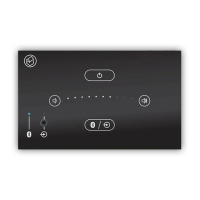
There is no sound Check that the correct input is selected using the
source key.
There is no sound when
using the Bluetooth input
Check that the Bluetooth device is correctly paired
(blue LED).
Make sure the Bluetooth source is playing.
There is no sound when
using the analogue input
Check that the analogue source device is correctly
connected (front or rear jack).
Check that the analogue source is playing and
that any volume on the device is set to maximum.
Check that the Bluetooth device is not connected
(green LED).


 To Next Page