2
1
3
5
4
3
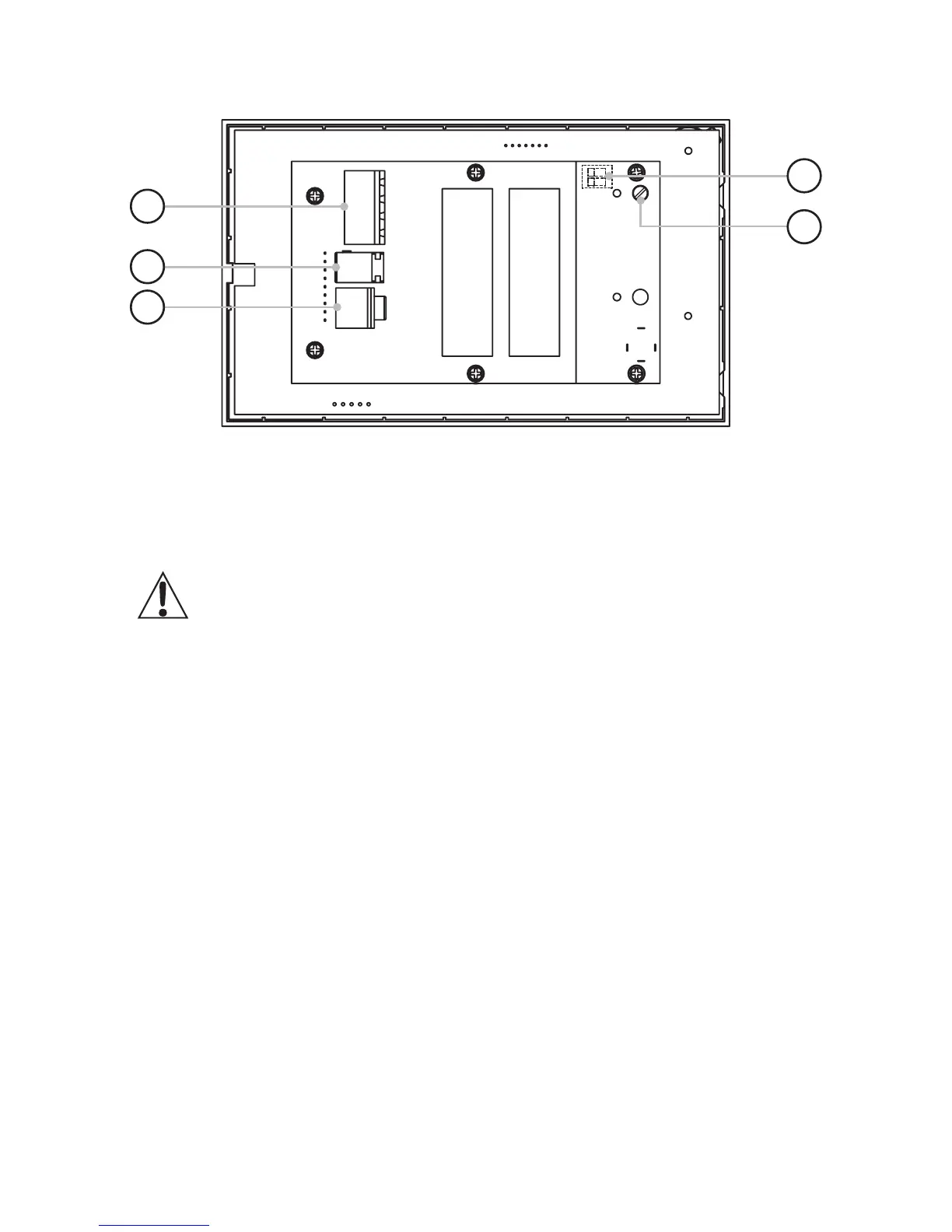
Connections and Controls
E50 Rear View
Rear panel connections
1. Power input
Use ONLY the power supply provided. Failure to do so may cause
irreparable damage to the unit.
DO NOT alter the length of the supplied DC extension cable
2. Analogue audio – line in
Connect an analogue audio input here using a stereo 3.5mm jack cable such as
QED Performance J2J. A green LED means this input is active.
3. Speaker outputs
Use the green terminal blocks provided to attach left and right stereo speakers.
Rear panel installer controls
4. Max volume adjustment
See installer adjustments for details (page 10).
5. Stereo/Mono & EQ DIP switches
See installer adjustments for details (page 10).


 To Next Page