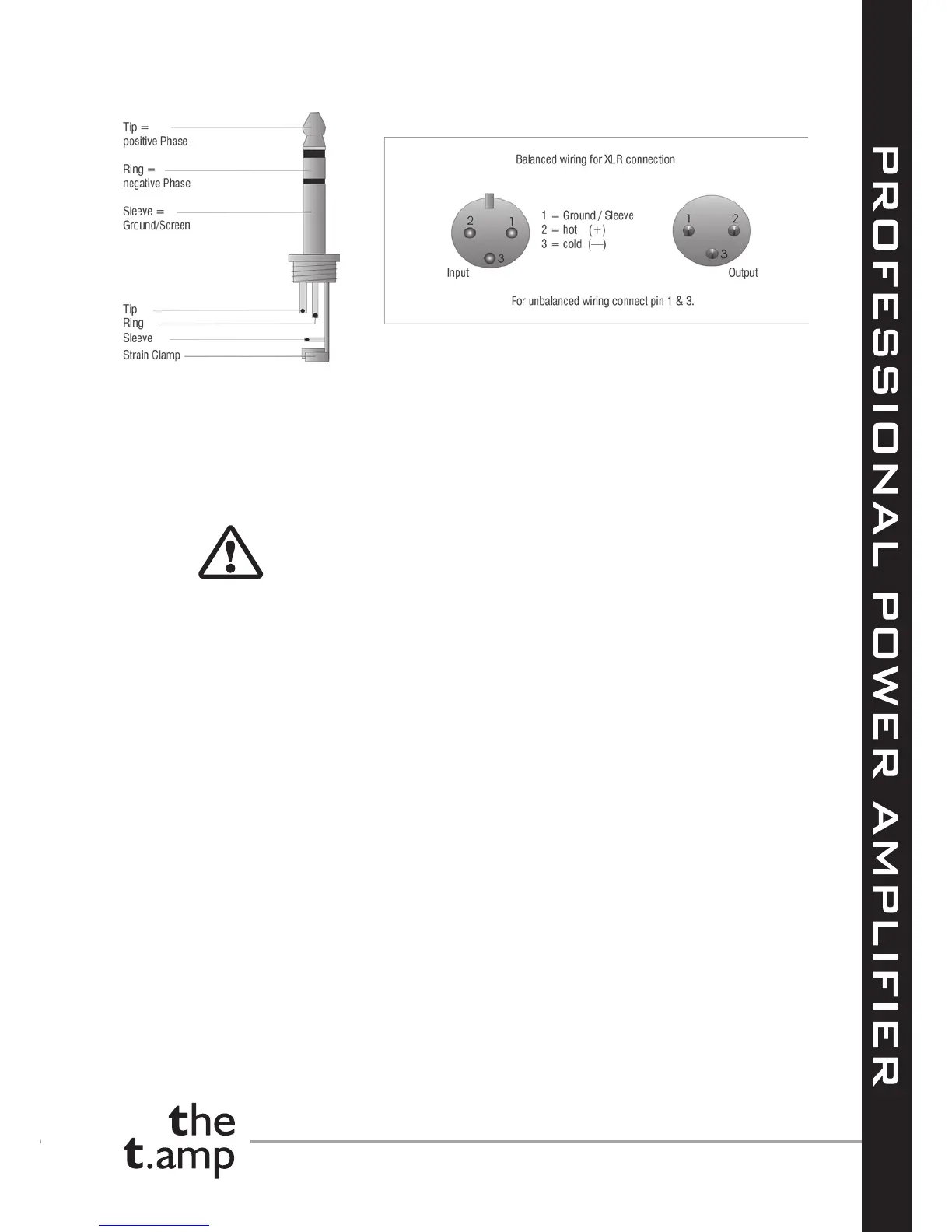
Mono (balanced):
Connecting the speaker
You can connect the speakers either with cable shoes or also with bare wires to the cable terminals
on the rear panel of the device or you can use the Speakon sockets (1+ 2+ 1— 2—). The cable
prole should be proportioned to the amplier power and the cable length.
Connect the red cable terminal (+, hot) with the positive connection of the speaker and the black
terminal (—, earth) with the negative connection of the speaker.
You must NEVER connect the "hot" +pin of an amplier's output with the
black —pin of the same amplier (short circuit), or with the +pin of another
ampliers output. Switch the amplier off before you carry out connections
or disconnections.
Mains voltage supply
Before you connect the amplier to the mains voltage supply you must make sure that the mains
voltage switch, located on the underside of the device (resp. rearside for S-150), is in the position
that corresponds to the actual mains voltage supply (in Germany 230V~). If in doubt ask an electri-
cian.
Power supply
Only use the supplied mains cord to couple the connection for mains cord/Supply voltage a with
a properly connected and earthed (!) IEC household mains socket.
7. Switching between modes
With this mode toggle switch j located on the rear panel you determine the operating mode for the
power amplier, stereo, parallel or mono bridged. Never activate this switch when the device is
turned on.
Stereo operation
For two channel operation (stereo) slide the mode toggle switch j to the STEREO position. In stereo
operation both channels work independent from each other and the position of the corresponding
input level controller determines the respective power level. The signal at the respective input
(CH-1|CH-2) is amplied and is applied to the corresponding output.


 To Next Page