20 21
en
2. OVEN POSITION
8. You can adjust the temperature during the
cooking progress.
9. Watch the food cook. When you consider
it cooked as desired, end the cooking by
pressing the ON/OFF button. All buttons
switch off, the grill stops heating/cooking.
8 9
10
11
10. Open the grill and remove the baking tray
from the grill using its handles.
CAUTION: Hot surfaces, the use of
gloves is recommended. The baking tray
is hot, make sure to place it on an adapted
surface.
11. The baking tray can go in the dishwasher.
3. BARBECUE POSITION
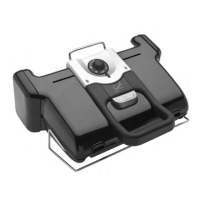
1. Open the grill in barbecue position.
The cooking is managed with the side
thermostat.
2. Select the desired temperature setting.
The thermostat sets the same cooking
temperature for both plates:
3. The side light indicator flashes red during
preheating.
4. When the light indicator becomes steady
red and the grill beeps, the grill is ready to
use.
5. Add food on the grill.
6. Watch the food cook and remove it once it
is done.
7. Turn off the appliance by setting the
thermostat to •.
Comments:
– You can change the temperature during
cooking. If it is changed during cooking,
the grill will adjust the temperature to the
new setting.
– If you cook food on one plate only, use the
top one.
1 2
3 4
5 6
7
• thermostat off
1:
80-100°C
175-210°F
2:
130-160°C
265-320°F
3:
160-190°C
320-375°F
4:
180-220°C
355-430°F



 To Next Page
 Loading...