22 23
en
4. COMPLETE MEAL POSITION
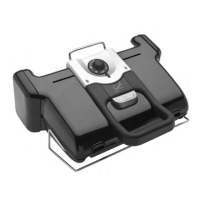
1. Put the grill in complete meal position.
The cooking is managed with the side
thermostat.
2. Select the desired temperature setting.
The thermostat controls the cooking
temperature for both plates.
3. The side light indicator flashes red during
preheating.
4. When the light indicator becomes steady
red and the grill beeps, the grill is ready to
use.
5. Add food on the grill and in the baking tray.
6. Watch the food cook and remove it once it
is done.
7. Turn off the appliance by setting the
thermostat to •.
Comment:
– You can change the temperature during
cooking. If it is changed during cooking,
the grill will adjust the temperature to the
new setting.
Tips:
If your side dish takes longer to cook than what
you're grilling, you can also start cooking in
oven position. If you are doing this, please refer
to page 14 and follow steps 1 to 7. When the
food is cooked as desired, open your grill in
barbecue position. The grill automatically
switches to the thermostat on the side.
Choose the desired temperature setting
using the thermostat. When the grill plate has
preheated, put the food on it.
1 2
3 4
5 6
7
END OF USE
1. Turn off the appliance:
• Press the on/off button on the handle
in grill/oven positions.
• Set the side thermostat to • in
barbecue/ complete meal positions.
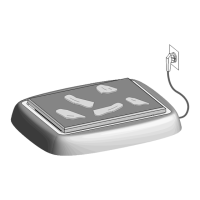
2. Unplug the appliance from outlet.
3. Allow to cool for at least 2 hours. To
avoid accidental burns, allow grill to cool
thoroughly before cleaning.
2H
2
1
3
• thermostat off
1:
80-100°C
175-210°F
2:
130-160°C
265-320°F
3:
160-190°C
320-375°F
4:
180-220°C
355-430°F



 To Next Page
 Loading...