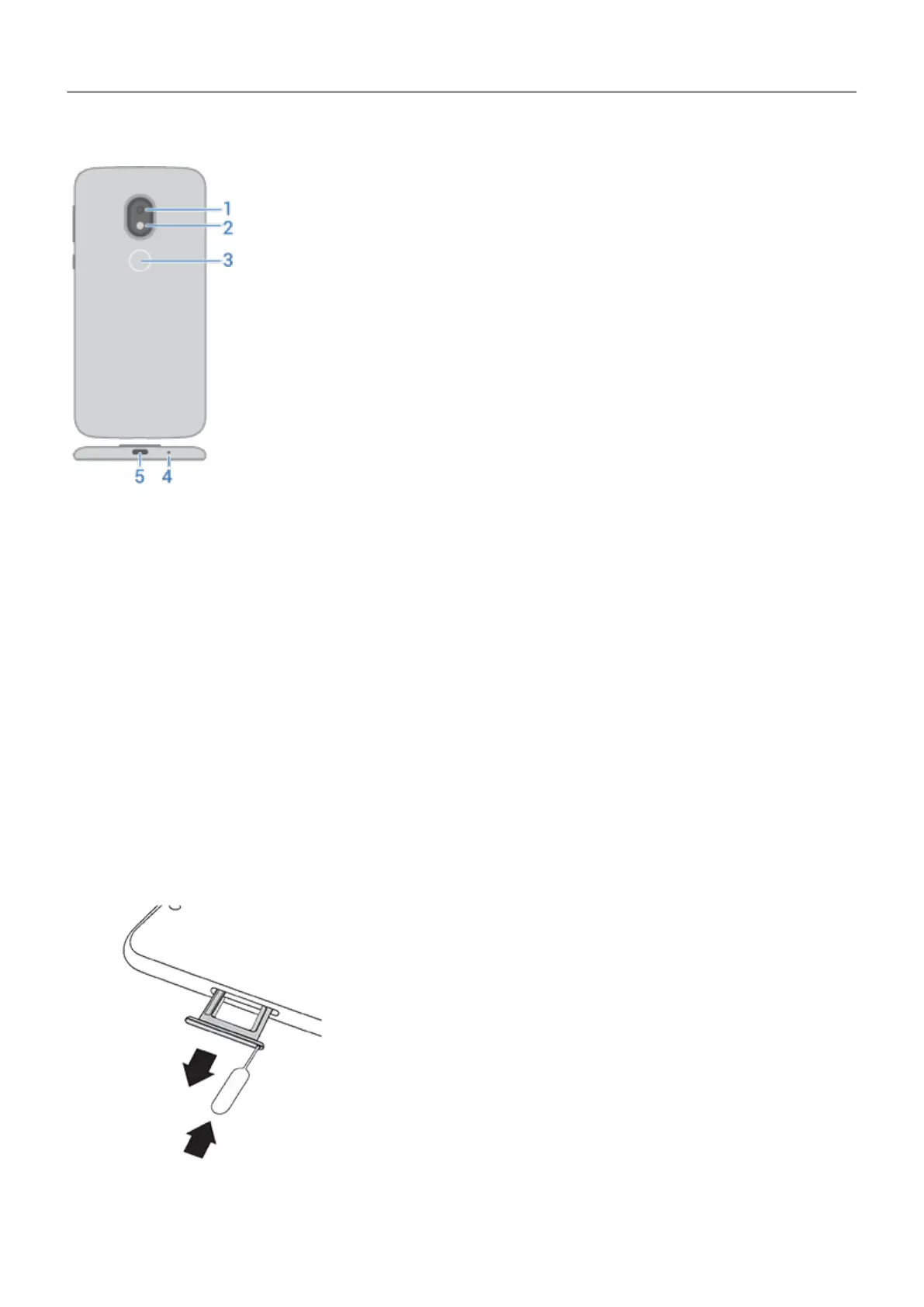
1. Back camera
2. LED flash
3. Fingerprint sensor
4. Microphone
5. USB-C port for charging, transferring files, sharing connection with tethered devices.
Insert and remove SIM and SD cards
Replace SIM or SD card
1. If you are removing an SD card, unmount it first ( Settings > Storage).
2. Insert the tool into the hole in the tray and gently push to pop it out.
3. Insert or remove the cards as needed.
Set up phone
2



 To Next Page
 Loading...










