Discovery DSC™ Getting Started Guide Page 28
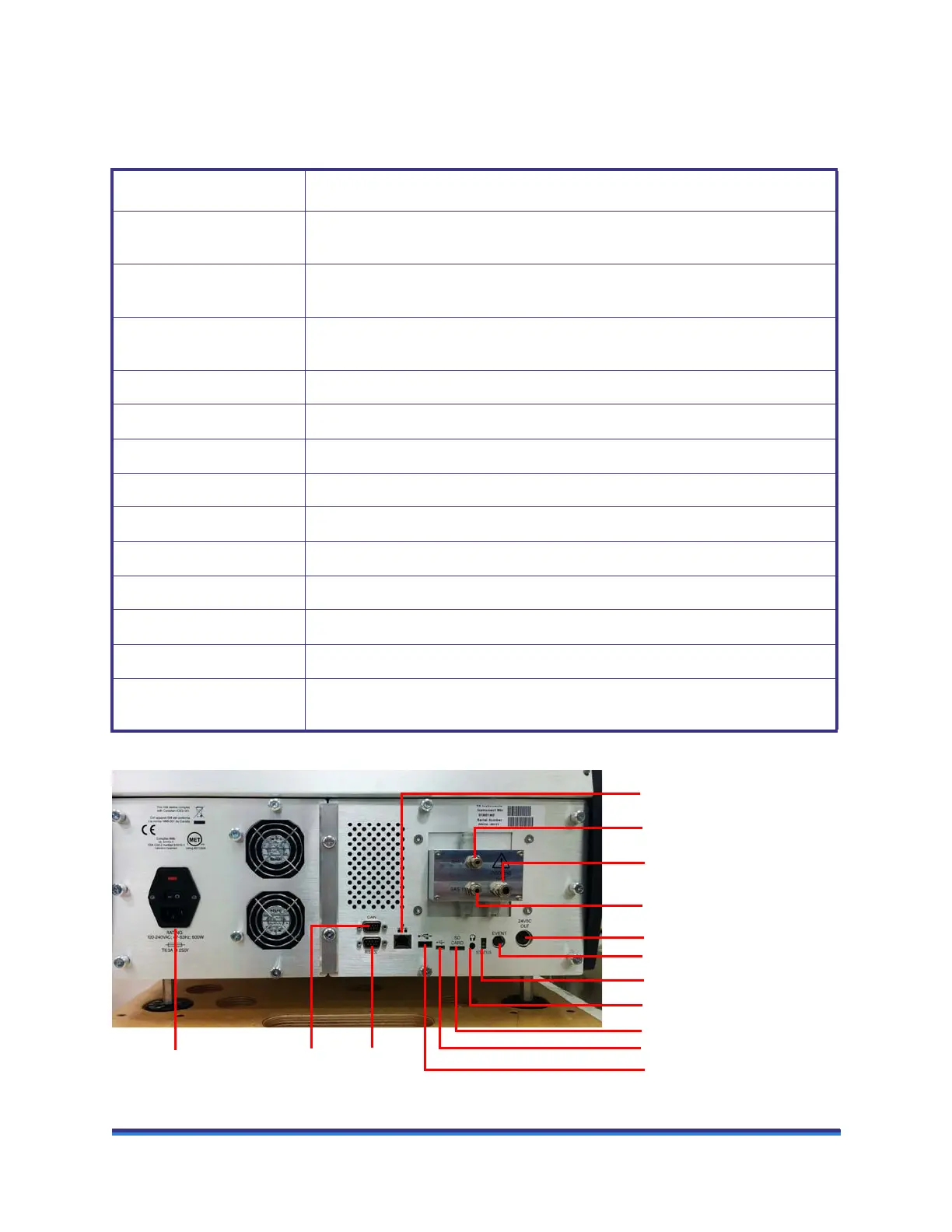
The Discovery DSC back panel has thirteen ports; the table below provides a description of the function of
each port.
Figure 9 Discovery DSC rear panel connections.
Table 4: Discovery DSC Back Panel
Port Function
GAS 2 Gas inlet port controlled by the gas delivery module. Used, when needed, for the
secondary sample purge gas.
GAS 1 Gas inlet port controlled by the gas delivery module. Used for the primary sample
purge gas and base purge gas – use Nitrogen only.
COOLING GAS Provides air for the Finned Air Cooling System (FACS), and nitrogen for the
Refrigerated Cooling System (RCS) to prevent condensation when the lid is open.
24 VDC OUT May be used for certain accessories.
EVENT This port is used for the RCS and Photocalorimeter Accessory (PCA) control.
USB 2.0 port Provides communications for external accessories.
Micro USB 2.0 port Provides communications for external accessories.
SD memory card slot For TA Instruments Service use only.
CAN Communications Port Provides communications with external accessories.
RS-232 Port Provides communications with external accessories.
Ethernet Provides communication between the instrument and the PC.
Audio Jack External speaker connection.
Power Entry Module
(power cord, switch, fuses)
Provides power and protective earthing to the system.
GAS 1 port
COOLING GAS
GAS 2 port
CAN Port
24 VDC OUT
RS-232
Port
Power Entry Module
EVENT
Ethernet port
SD card port
Micro USB port
USB port
Audio jack
Status LEDs



 To Next Page