11 of 16
POWER UP
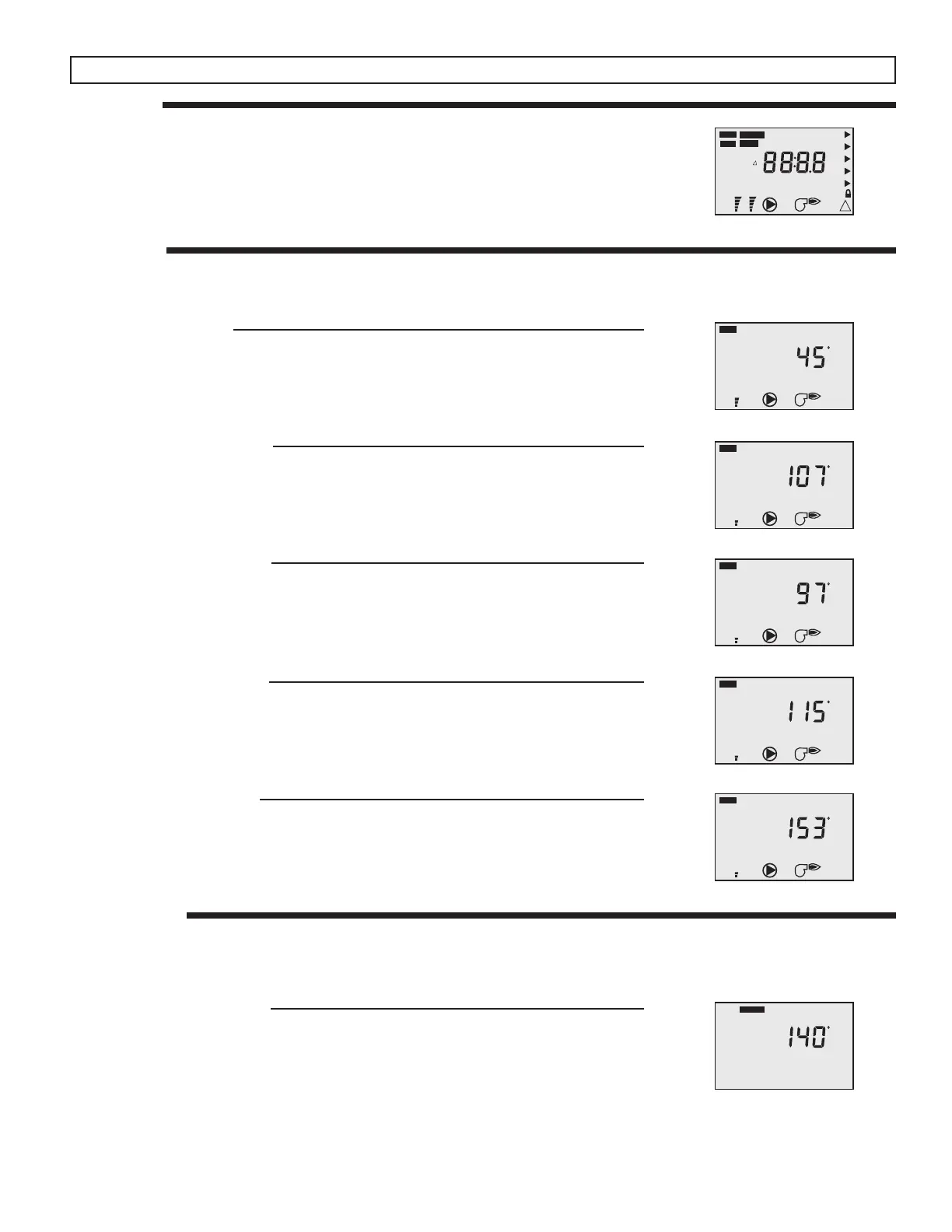
On power up, the control displays all segments for 2 seconds followed by the control version
number.
The control then automatically goes to the operating mode and displays either the outdoor
temperature or the mix supply temperature.
Display Operation
Mixing Target Temperature
The Mixing Target Temperature sets the desired supply temperature when operating in
the setpoint mode. This item is only available if the Outdoor Design setting is set to OFF.
VIEW MENU
To advance to the next available View Item, press and release the ITEM button on the face of the control.
Outdoor Temperature
The outdoor temperature is displayed when the OUTDR element is turned on. This is the
current temperature at the outdoor sensor. The outdoor temperature is only displayed if
an outdoor sensor is installed and the Outdoor Design temperature is not turned off.
Mixing Supply Temperature
The mixing supply temperature is displayed when the MIX SUP elements are turned on.
This is the current temperature at the mixing supply sensor.
Mixing Return Temperature
The mixing return temperature is displayed when the MIX RET elements are turned on.
This is the current temperature at the mixing return sensor. The mixing return temperature
is only displayed if the Outdoor Design temperature is turned OFF and a mixing return
sensor is installed.
Mixing Target Temperature
The mixing target temperature is displayed when the MIX TARG elements are turned on.
This is the temperature the VSMC is currently trying to maintain at the supply sensor.
If “- - -” is displayed, the VSMC is either in WWSD or a demand for heat is not present.
Heat Source Temperature
The heat source temperature is displayed when the BOIL element is turned on. This is the
current temperature at the heat source sensor. The heat source temperature is only dis-
played if a heat source sensor is installed.
ADJUST MENU
To switch between the View menu and the Adjust menu, press and release the MENU button on the face of the control. To advance to
the next available Adjust Item, press and release the ITEM button on the face of the control.
OUT
ROOM
TERM
Cls
MIX
MODE
INDR
T
MINMAX
DEM
VIEW
ADJUST
TIME
SCHD
FC
%
1
!
MOTR UNOCC
AMPM
%
2
123
DHW 12
12
DHW
min
hr %
BOIL SUP
SETP TARG
RET
DIFFMASS
DSGN
STG
MoTuWeThFrSaSu
XCHG
F DLY
BST
PURG
Opn WWSD
OUT
DEM
VIEW
F
%
1
MIX
DEM
VIEW
F
%
1
SUP
MIX
DEM
VIEW
F
%
1
RET
MIX
DEM
VIEW
F
%
1
TARG
BOIL
DEM
VIEW
F
%
1
MIX
ADJUST
F
TARG


 To Next Page