19
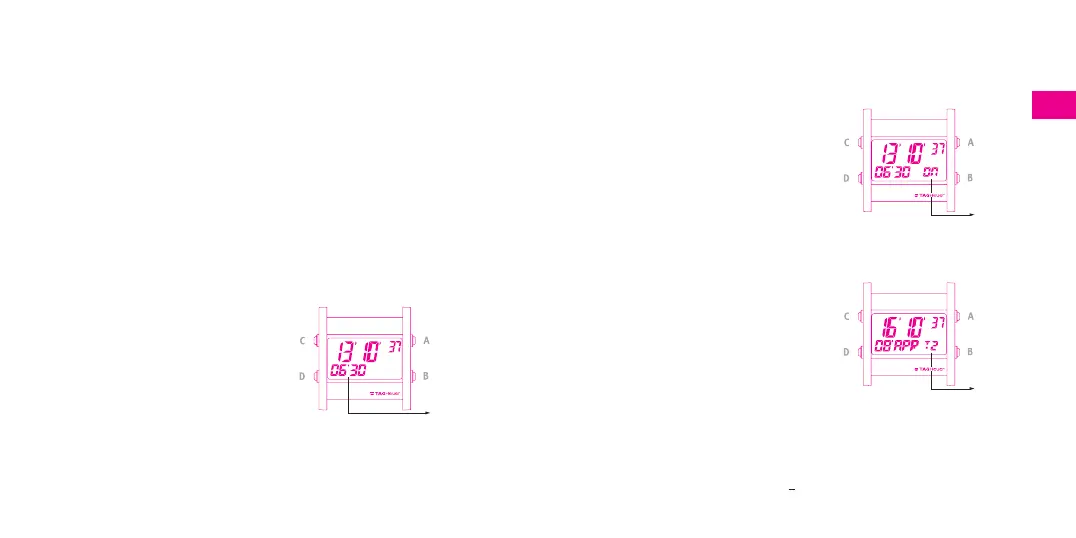
fig. 19
fig. 20
- Change to the following value by pressing push button C, and so forth. (The
time is displayed in 24 hour or AM/PM mode. By default in 24 hour mode).
The seconds are automatically reset to zero when the wearer exits the
setting mode and if the value of the minutes has been changed.
-To exit the setting mode, press push button D.
The values of the months are:
JAN, FEB, MAR, APR, MAY, JUN, JUL, AUG, SEP, OCT, NOV, DEC.
The values of the years are:
00 = 2000, 01 = 2001, 02 = 2002, etc. 99 = 2099
Setting the alarm AL (fig. 18)
- Select the AL function by pressing push
button D.
-To access the setting mode, apply long
pressure to push button D.
- Change the value by pressing push
button A (+) or B (-).
- Change to the next value by pressing
push button C, and so forth.
- Exit the setting mode by pressing push
button D.
fig. 18
How to set the alarm ON or OFF:
- In AL mode, to set the alarm ON or OFF,
apply long pressure to push-piece A.
The ON/OFF indicator appears on the
bottom right (fig. 19). A beep will
sound when the wearer has set the
alarm to ”ON”.
Setting the second time-zone T2
-
Select the T2 (fig. 20) function by
pressing push button D.
-
To access the setting mode, apply long
pressure to push button D.
-
Change the 1
st
value by applying short
pressure to push button A (+) or B (-).
The minutes are changed in 15 minute
segments.
-
Change to the next value by pressing
push button C and so forth (24 hour
display only).
-
To exit the setting mode, press push
button D.
Note: the date can be changed by + 1 day in relation to the T1 date.
Alarm
T2
function
ON/OFF
function












 To Next Page